The best free 3D rendering software for architects includes Blender with its Cycles and EEVEE engines, the free tier of Twinmotion, and the D5 Render Community edition. These tools cover photorealistic stills, real-time walkthroughs, and quick design iterations without a license fee, making professional archviz output accessible to small studios, students, and freelancers. If Twinmotion is the one you take forward, the Twinmotion for Revit setup covers the live link and what survives the export.
Rendering used to mean a heavy software budget before you produced a single image. That is no longer true. Today a capable architect can assemble a full visualization pipeline using free and open-source rendering engines that rival paid suites on quality. This guide walks through the best free 3D rendering software for architects, what each one does well, where the limits sit, and which free archviz tools suit which kind of project. Every option below is a full working tool, not a crippled demo, though some free tiers limit commercial use.
What makes good free render software for architecture?
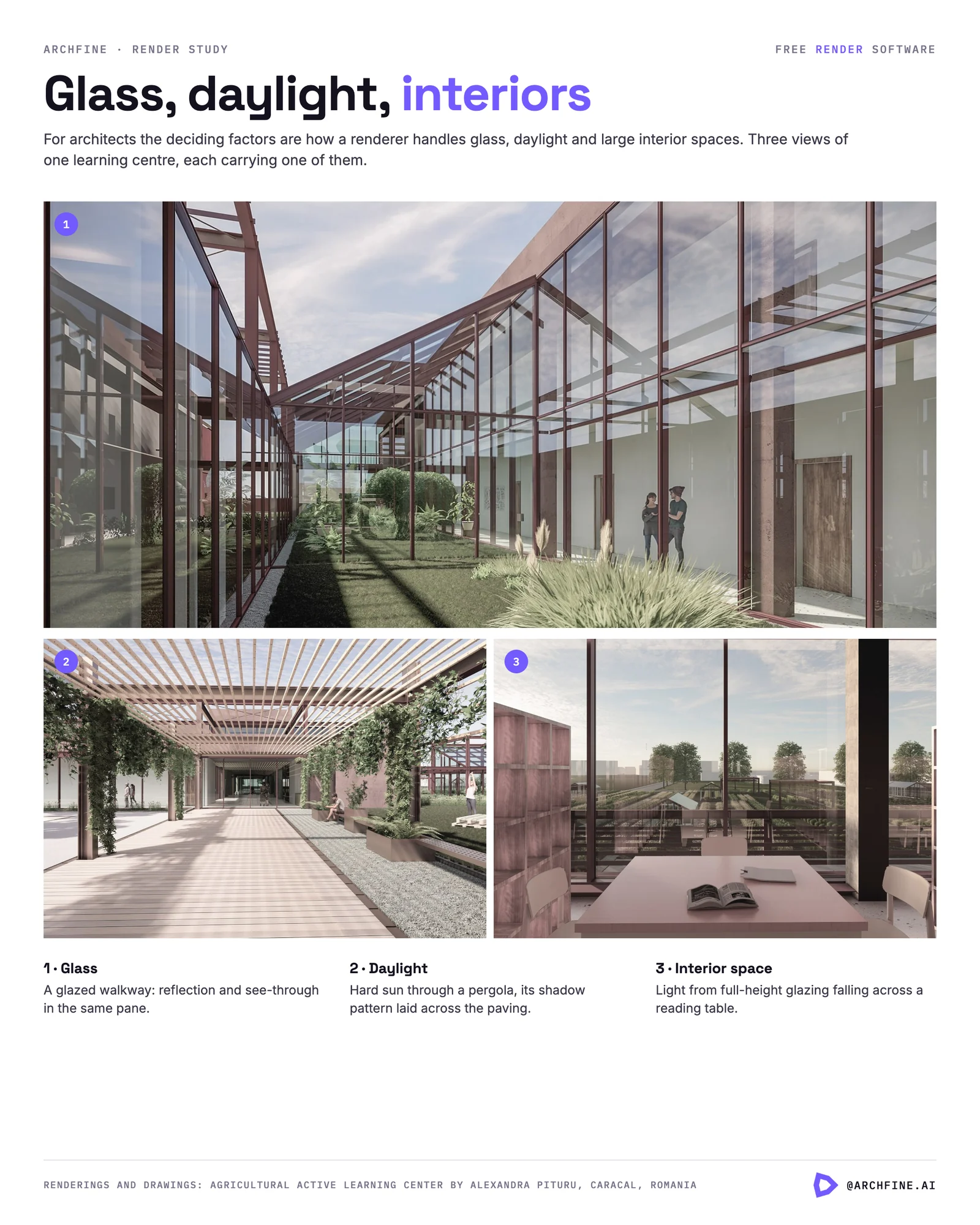
Good free render software for architecture combines a physically accurate lighting model, native import for common CAD and BIM formats, a usable material library, and an output resolution high enough for client presentations. For architects specifically, the deciding factors are how the renderer handles glass, daylight, and large interior spaces, and whether it can sync with the modeling tool you already use.
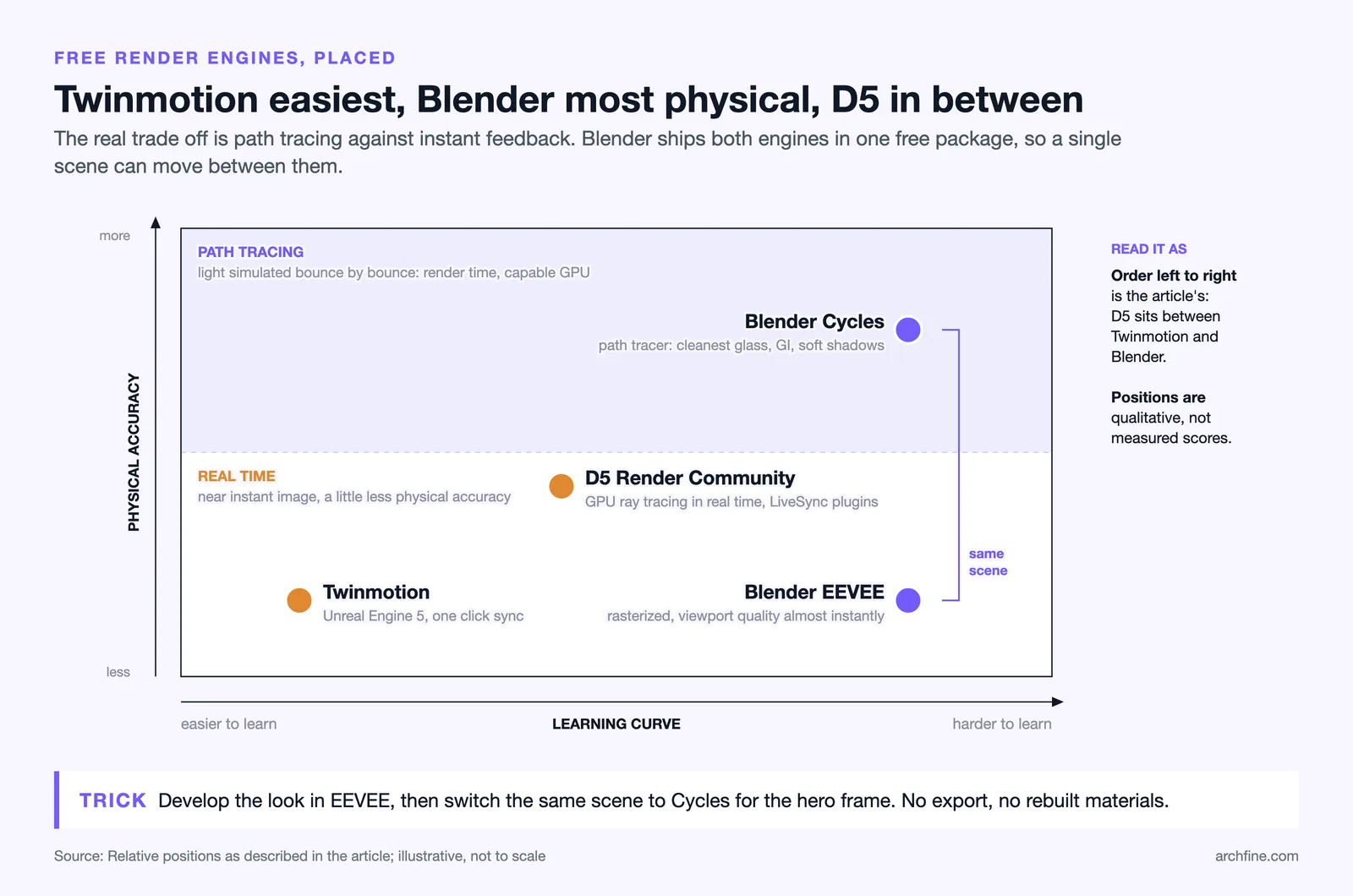
Not every free rendering engine fits every workflow. A path tracer like Blender‘s Cycles gives you the cleanest reflections and global illumination but asks for render time and a capable GPU. A real-time engine trades a little physical accuracy for instant feedback, which matters when you are iterating on a facade with a client looking over your shoulder. Knowing which trade-off you are making is half the decision.
📌 Did You Know?
Twinmotion is built directly on Unreal Engine 5, the same real-time technology behind major video games and film virtual production. Epic Games offers it free to students, educators, hobbyists, and any company earning under $1 million USD in annual gross revenue, so most small architecture practices qualify at no cost.
Blender: the most complete free archviz tool
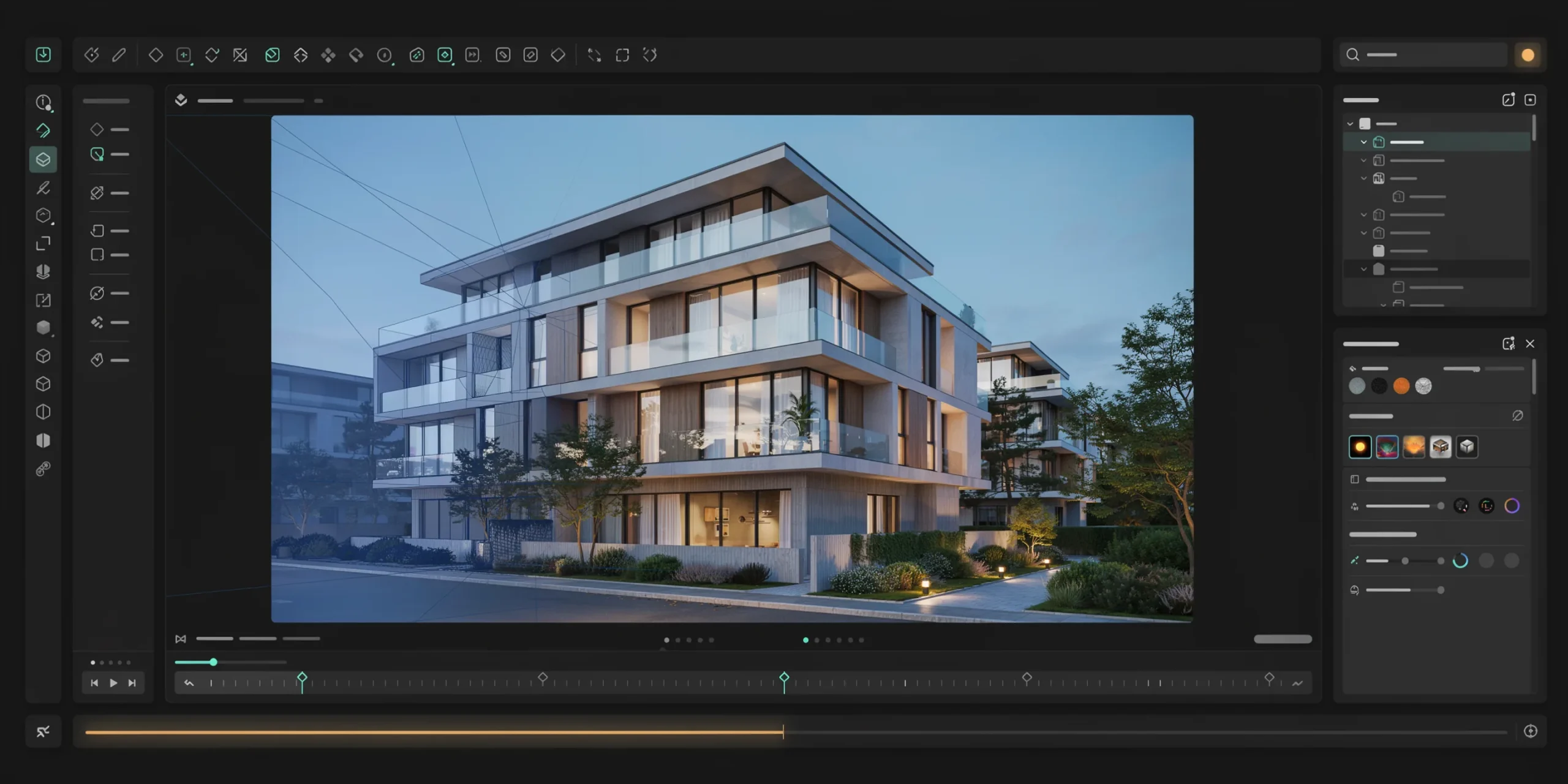
Blender is the strongest open source rendering option for architects because it ships two production-grade engines in one free package. It handles modeling, materials, lighting, and final output without a single add-on purchase, and its license is fully free for commercial use. For studios that want one tool to cover the whole pipeline, nothing else in the free space comes close.
The learning curve is the honest drawback. Blender exposes far more controls than a dedicated archviz tool, so a new user spends real time learning camera setup, sun positioning, and material nodes. The payoff is total control: once you build a daylight rig and a small library of trusted materials, you can reproduce consistent results across every project and tweak any detail a client questions.
Cycles for photorealistic stills

Cycles is Blender’s physically based path tracer. It simulates how light actually bounces, which produces accurate global illumination, soft shadows, and convincing glass and metal. This is the engine to reach for when you need a hero shot for a competition board or a client pitch. Cycles runs on both CPU and GPU, and GPU rendering with a modern NVIDIA or AMD card cuts render times dramatically.
EEVEE for fast Blender rendering
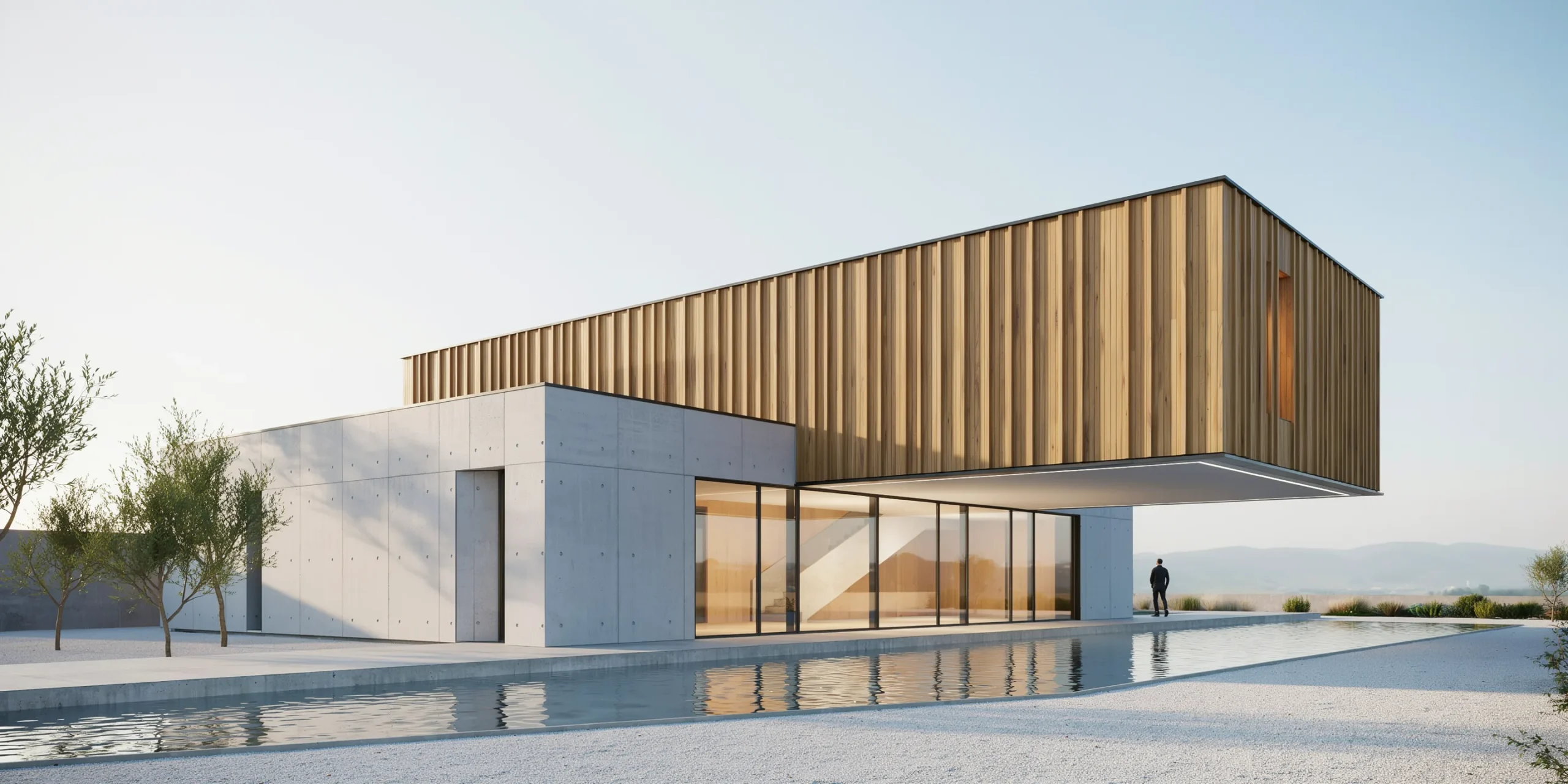
EEVEE is Blender’s real-time rasterization engine. It uses techniques closer to a game engine than a path tracer, so it returns a viewport-quality image almost instantly. Most architects use a hybrid Blender rendering approach: EEVEE for rapid look development and animation previews, then a switch to Cycles for the final high-fidelity frame. You can learn more about Blender’s engines directly from the official Blender rendering documentation.
💡 Pro Tip
When importing a SketchUp or Revit model into Blender, export to FBX rather than OBJ to preserve your material groups and named objects. This saves hours of re-assigning materials by hand and keeps your scene organized when you start setting up daylight in Cycles.
Twinmotion free tier: real-time rendering on Unreal Engine
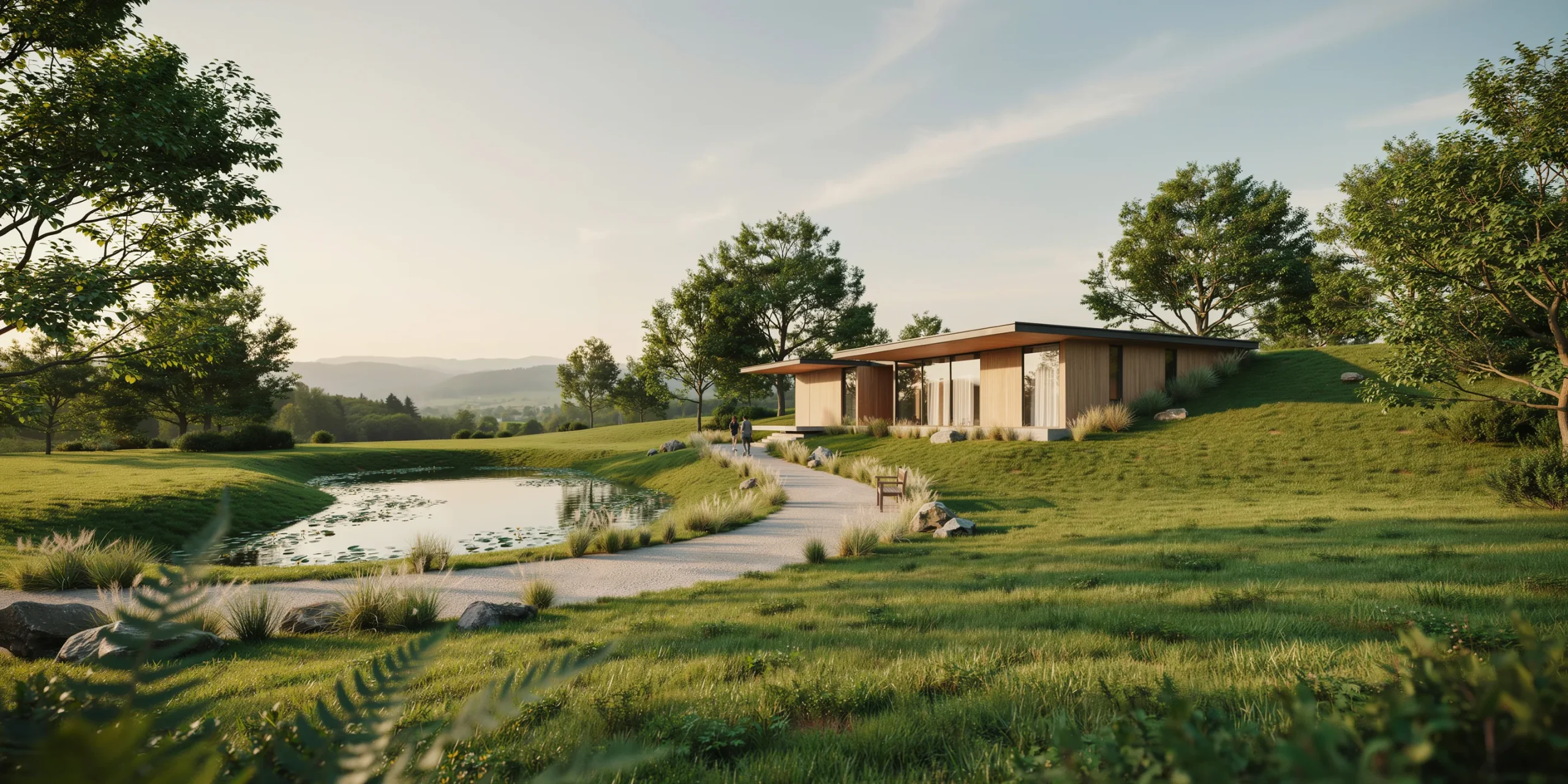
Twinmotion is the easiest free rendering engine to learn for architects coming from a pure design background. It is a real-time tool that delivers images, panoramas, 360-degree VR videos, and interactive walkthroughs in seconds rather than hours. Because it sits on Unreal Engine 5, it produces strong lighting and reflections with very little setup, which is rare for a free archviz tool.
Its standout feature for architects is direct sync with the modeling software you already use. Twinmotion offers one-click sync from Revit, Archicad, SketchUp Pro, Rhino, 3ds Max, Vectorworks, and more, retaining group hierarchy and materials. It ships with over 600 PBR materials and access to the Quixel Megascans library. Eligibility and the latest feature set are listed on the official Twinmotion site from Epic Games.
⚖️ Pros & Cons at a Glance
✅ Pros: Near-instant real-time output, one-click sync from most BIM tools, large built-in asset library, no scene-setup expertise required.
❌ Cons: Free use depends on revenue eligibility, less physical control than a full path tracer, heavy on GPU memory for large scenes.
D5 Render Community: free GPU ray tracing
D5 Render offers a free Community edition that is unusually generous. Unlike trial versions that expire or cripple output quality, the free tier keeps full rendering capabilities and LiveSync. D5 is a real-time GPU renderer built specifically for architectural visualization, using hardware-accelerated ray tracing (RTX), physically based rendering, and a proprietary real-time global illumination solution.
For architects, the appeal is the LiveSync plugins that connect D5 directly to SketchUp, Revit, Rhino, Archicad, 3ds Max, Blender, and Cinema 4D, so material and lighting changes appear instantly as you work. The free Community edition includes access to over 2,000 models and materials, which is enough to dress most residential and small commercial scenes. Details are on the D5 Render features page.
D5 sits comfortably between Blender and Twinmotion in difficulty. It is more guided than Blender but gives you more atmospheric and lighting control than a pure one-click tool, which makes it a strong middle ground for architects who want quality without a steep ramp. The Community edition is aimed at learning and non-commercial use, so commercial studios should plan to move to a paid tier once a project bills a client.
🔢 Quick Numbers
- Twinmotion is free for companies under $1 million USD annual gross revenue (twinmotion.com).
- D5 Render Community edition includes 2,000+ free models and materials, expanding to 13,000+ on Pro (d5render.com).
- Blender ships 2 free production render engines, Cycles and EEVEE, under a fully commercial-friendly license (blender.org).
What about Enscape and other free trials?
Enscape is not permanently free, but it deserves a place in this discussion because of its strong educational offer. Enscape, now part of Chaos, plugs directly into Revit, SketchUp, Rhino, Archicad, and Vectorworks for real-time rendering and VR walkthroughs. It offers a 14-day full-feature trial, and through the Future Creators Program students and educators can get a free license valid for 24 months and renewable while studying.
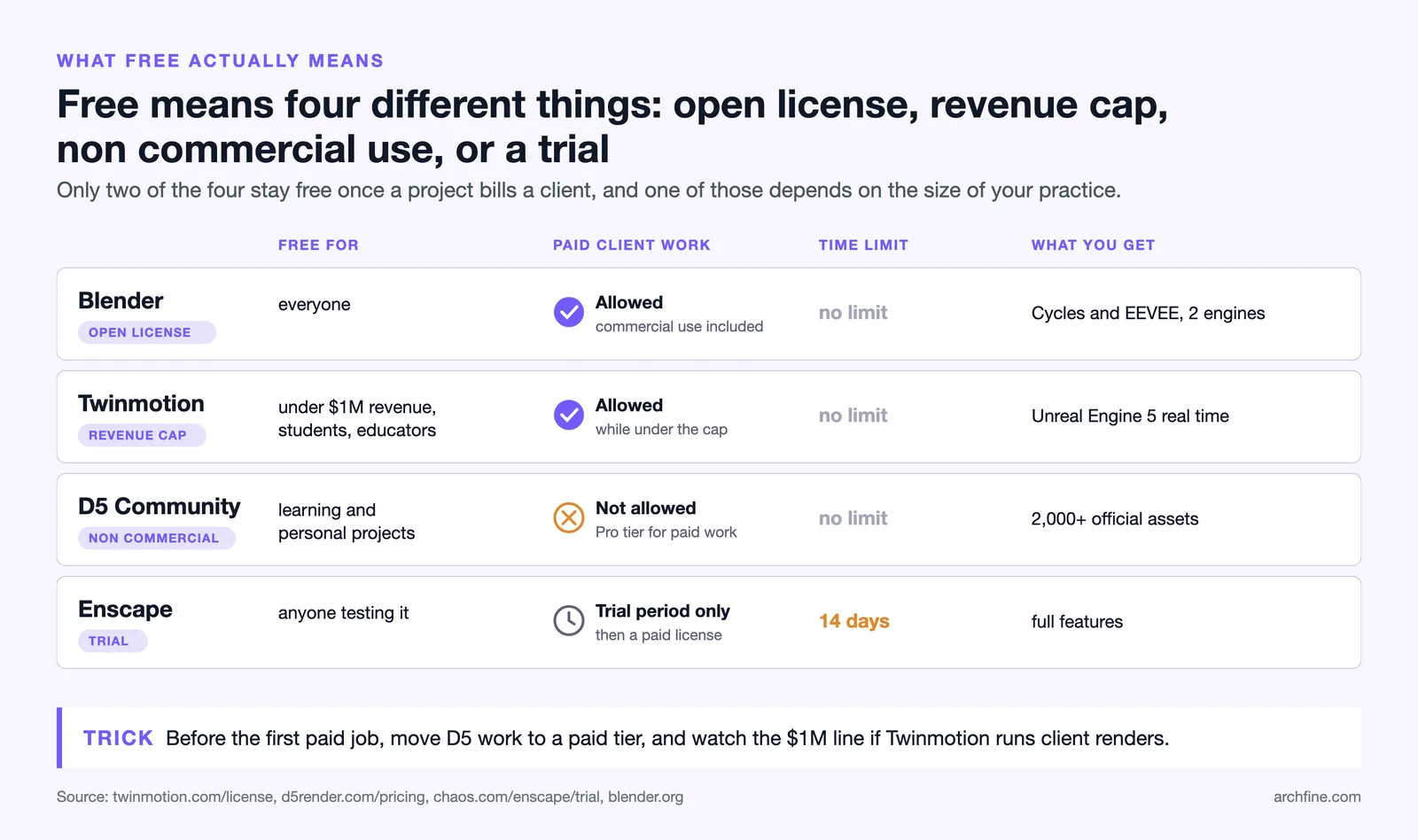
If you are a student, the free educational licenses for Enscape and Twinmotion give you commercial-grade tools at zero cost during your studies. For commercial freelancers, the genuinely free-forever options remain Blender and Twinmotion’s revenue-based free tier, since the D5 Render Community edition is licensed for non-commercial use only. You can review the trial and student terms on the official Chaos Enscape page.
💡 Pro Tip
Match the renderer to the deliverable before you start. Use Blender Cycles when a single photorealistic still has to carry a competition entry, and use a real-time engine like Twinmotion or D5 when the client wants to explore the space and you need to make live changes in the meeting.
How to choose the right free rendering engine
Choosing the right free rendering engine comes down to three questions: what is your deliverable, what is your hardware, and how much setup time can you spend. Below is a quick decision path that maps common architect needs to the best free option.
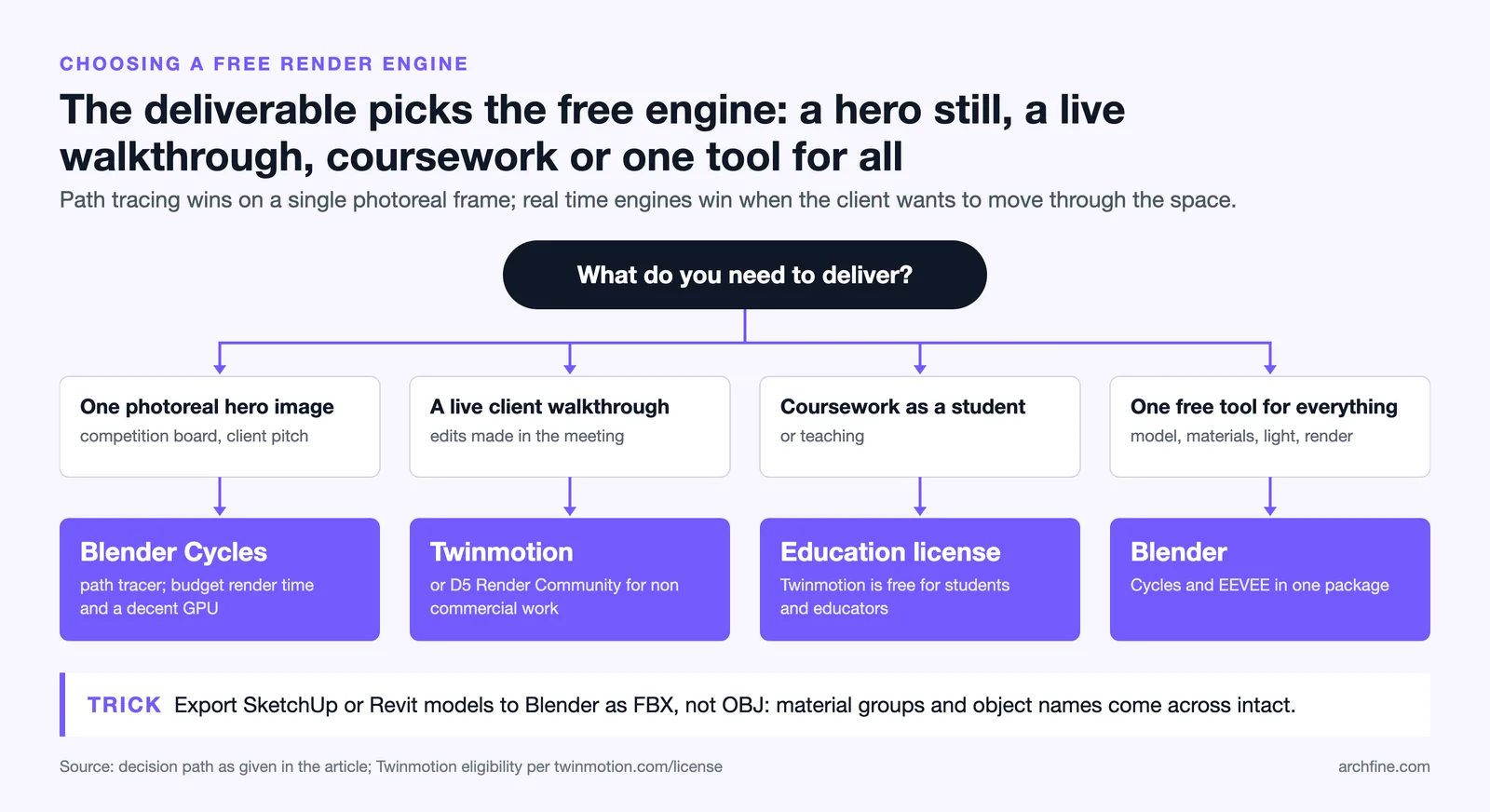
- You need maximum photorealism for a hero image: use Blender with Cycles. Budget render time and a decent GPU, but expect paid-suite quality.
- You need fast client-facing walkthroughs: use Twinmotion for instant real-time output and live edits, or D5 Render Community for non-commercial work.
- You are a student or educator: apply for the free Enscape or Twinmotion educational license to get the full commercial toolset.
- You want one free tool for the whole pipeline: commit to Blender, since it covers modeling, materials, lighting, and final rendering at no cost.
Many studios now pair a free traditional renderer with an AI-assisted step to speed up early concepts. If you are weighing those approaches, our guide on photorealistic vs stylized renders explains which look wins clients faster, and our walkthrough on how to use AI to render architecture shows where AI fits alongside a traditional engine.
Frequently asked questions
Is there truly free 3D rendering software for commercial architecture work?
Yes. Blender is free for any commercial project under its open license. Twinmotion is free for companies earning under $1 million USD in annual gross revenue, and the D5 Render Community edition is free with full rendering output for non-commercial learning, with affordable paid tiers for commercial use.
Which free render engine is best for beginners?
Twinmotion is the most beginner-friendly free rendering engine for architects. Its real-time interface and one-click sync from Revit, SketchUp, and Archicad let you produce a presentable image within an hour of installing, with far less setup than a path tracer like Blender’s Cycles.
Do I need a powerful GPU for free archviz tools?
Real-time engines such as Twinmotion and D5 Render rely on a capable GPU, ideally an RTX-class card, for smooth performance. Blender Cycles can render on CPU if needed, but GPU rendering is far faster. For pure photorealism without high-end hardware, a browser-based AI rendering service can be a practical alternative.
Can I move models between these free tools?
Yes. FBX and OBJ exports move geometry between Blender, Twinmotion, and D5 Render, while Twinmotion and D5 also offer live sync plugins for major CAD and BIM apps. See our integrations overview for how rendering tools connect to SketchUp, Revit, Rhino, and more.
Free does not mean limited anymore. With Blender, Twinmotion, and D5 Render in your toolkit, you can take a project from raw model to client-ready visualization without spending on a license. Start with the engine that matches your current deliverable, build a small material and lighting library you trust, and expand from there. If the shortlist now includes paid engines as well, the rendering software comparison puts the free and paid options on the same axes. For more practical rendering workflows, browse the rest of the design software guides on Archfine.