ArchFine vs Enscape is a comparison between two fundamentally different approaches to architectural visualization. ArchFine is a browser-based AI rendering platform that generates photorealistic still images from uploaded photos or sketches in around 30 seconds, with no software installation required. Enscape is a real-time rendering plugin for Revit, SketchUp, Rhino, and ArchiCAD that lets you walk through a 3D model interactively during the design process. The right choice depends on your workflow, your clients, and how much time you can spend on renders.
Two tools, two completely different jobs. Architects choosing between them often discover that the real question isn’t which one is better — it’s which one solves the specific problem they’re dealing with right now.
What Is ArchFine and How Does It Work?
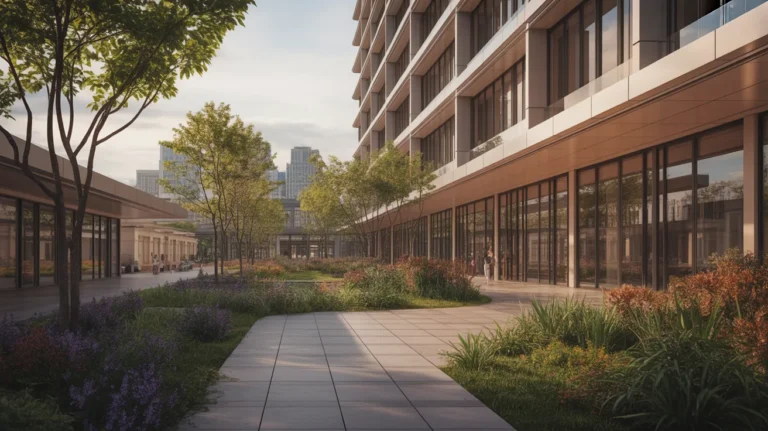
ArchFine is a cloud-based AI rendering platform built specifically for architects, interior designers, and real estate professionals. Users upload an image — a photo of an existing space, a rough sketch, or even a screenshot from a 3D model — add a text prompt describing the desired look, and receive a photorealistic render in about 30 seconds. No plugins, no GPU requirements, no installation.
The platform runs on AI image generation models fine-tuned for architectural and spatial contexts. This means it understands prompts like “modern Nordic interior, oak flooring, indirect lighting” and translates them into visually accurate renders rather than generic AI art. Because everything runs in the browser, it works on any device with an internet connection.
ArchFine is built for quick client presentations, concept exploration, and early-stage visualization — situations where you need something that looks good fast, not a fully parametric 3D walkthrough. Enscape behaves differently depending on the host application, and the setup differs with it — see Enscape for SketchUp and Enscape for Revit for the version that matches your model.
💡 Pro Tip
When using ArchFine for client presentations, upload a photo of the actual space rather than a plain sketch. The AI performs significantly better when it has real spatial context to work from — proportions stay accurate and the output looks closer to an architectural photograph than a concept illustration.
What Is Enscape and How Does It Work?
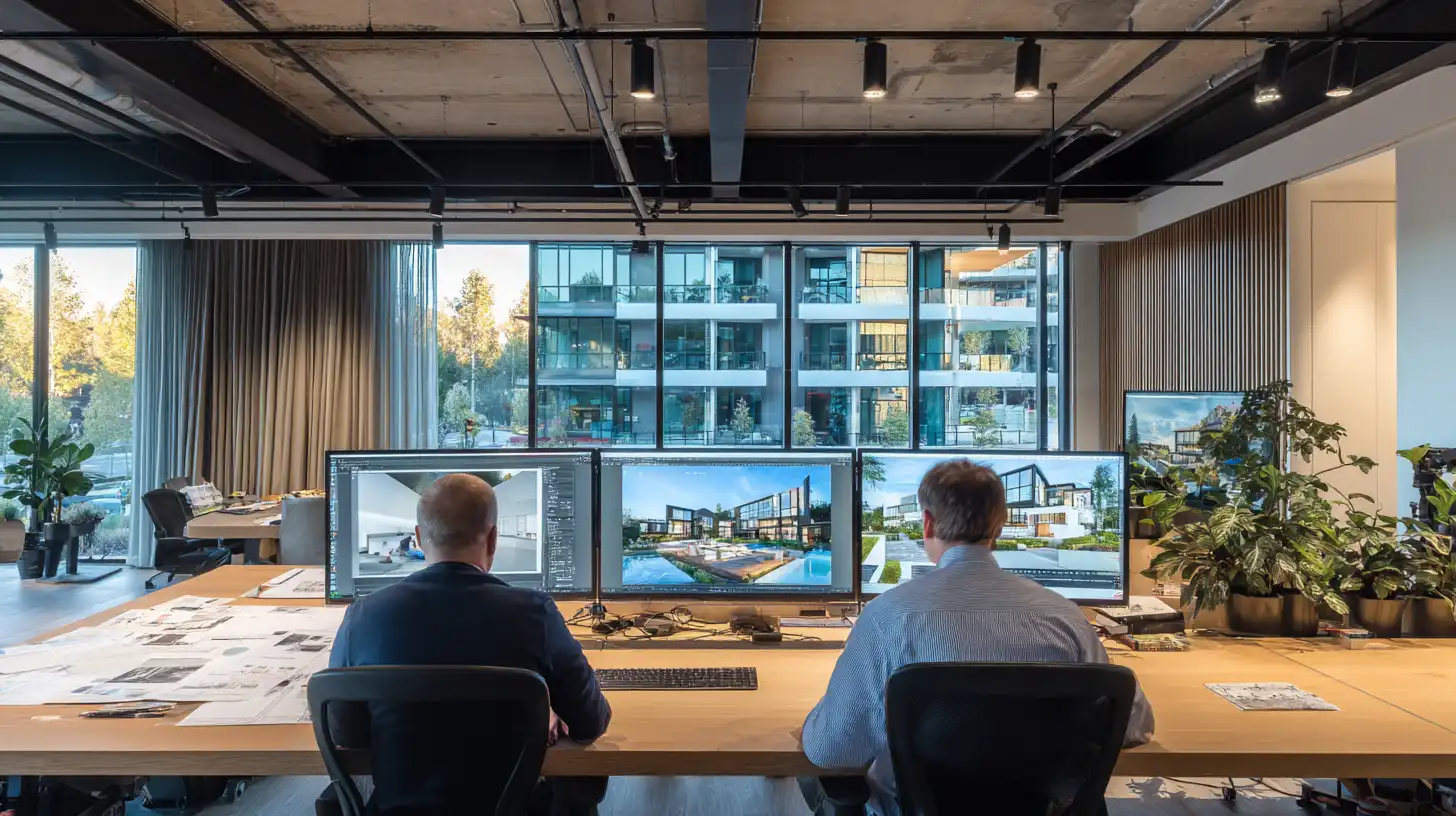
Enscape is a real-time rendering and virtual reality plugin originally developed by Enscape and, since a 2022 merger, part of Chaos. It integrates directly into Revit, SketchUp, Rhino, ArchiCAD, and Vectorworks, turning your existing 3D model into an interactive walkthrough environment. Changes made in the host application update in Enscape immediately — you adjust a wall, and the render updates in real time.
Enscape’s core strength is the walkthrough experience. Clients can move through a building before it’s built, experience spatial proportions, and evaluate lighting conditions across different times of day. It also supports VR headsets, 360-degree panoramas, and standalone executable files that clients can run without any software installed.
The rendering quality is high but tied to your hardware. Enscape runs on your local GPU, so a mid-range laptop produces noticeably different results than a workstation with a dedicated graphics card. Subscription pricing is tied to the number of seats and billed annually.
ArchFine vs Enscape: Direct Feature Comparison
The table below covers the most relevant differences for architects evaluating these two tools side by side.
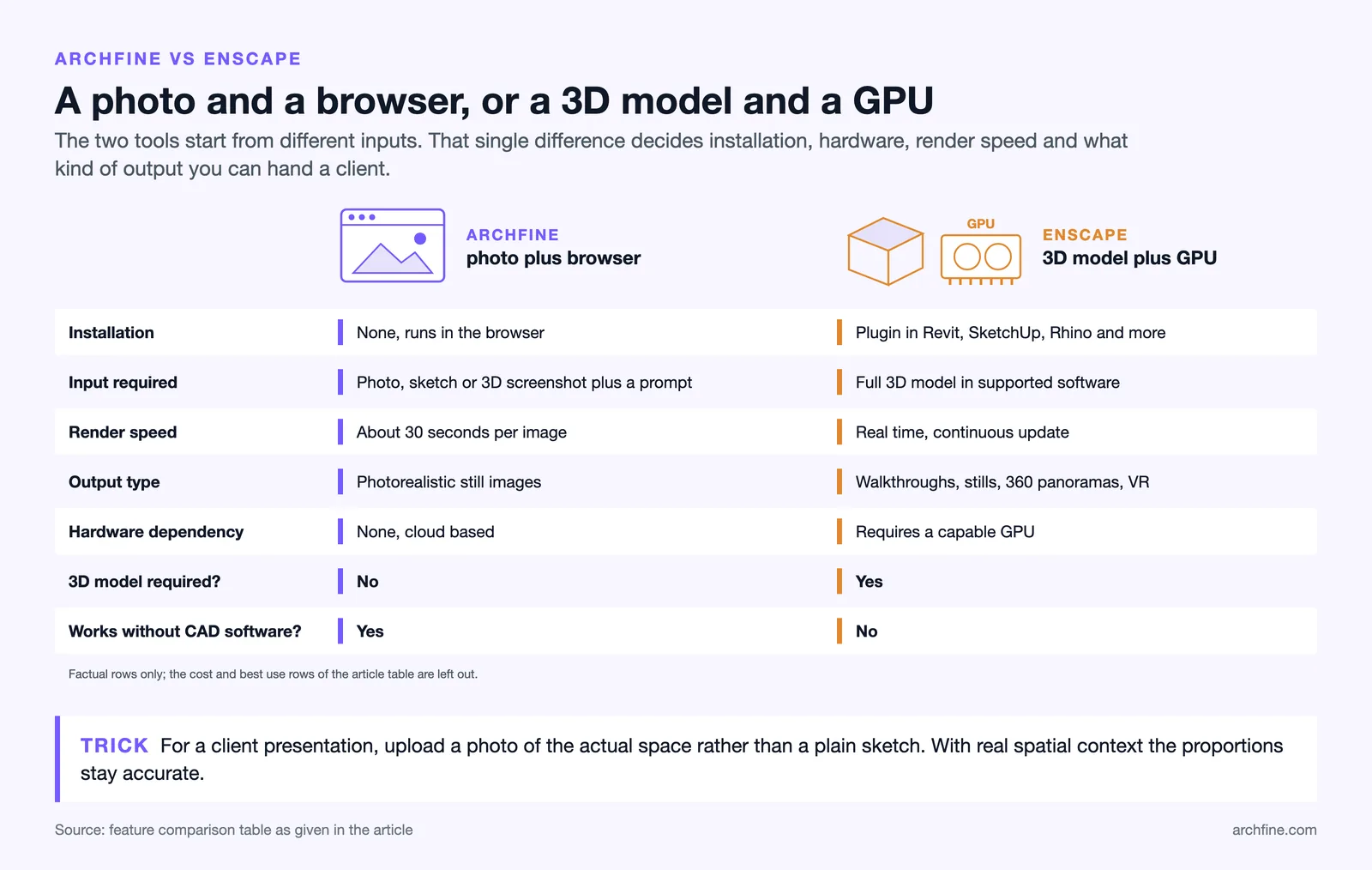
| Feature | ArchFine | Enscape |
|---|---|---|
| Type | Cloud-based AI rendering SaaS | Real-time rendering plugin |
| Installation | None — runs in browser | Plugin install in Revit, SketchUp, Rhino, etc. |
| Input required | Photo, sketch, or 3D screenshot + text prompt | Full 3D model in supported software |
| Render speed | ~30 seconds per image | Real-time (continuous update) |
| Output type | Photorealistic still images | Walkthroughs, stills, 360 panoramas, VR |
| Hardware dependency | None (cloud-based) | Requires capable GPU |
| 3D model required? | No | Yes |
| Learning curve | Low — upload and prompt | Moderate — requires model setup and material knowledge |
| Best for | Quick client renders, concept visualization, early-stage | Design development, walkthroughs, VR presentations |
| Subscription cost | Flexible plans, lower entry cost | Annual license, higher cost per seat |
| Works without CAD software | Yes | No |
Render Quality: What to Actually Expect
ArchFine vs Enscape render quality is one of the most searched aspects of this comparison, and the honest answer is that they produce different kinds of quality for different purposes.
ArchFine generates images that look like polished architectural photographs. The AI understands material finishes, lighting moods, and spatial depth in ways that produce outputs well-suited for Instagram, client decks, and mood boards. The limitation is that you can’t control every element precisely — the AI interprets your prompt and image, so results can vary across generations.
Enscape produces renders that are directly tied to your 3D model geometry. Proportions are exact, materials come from your model’s texture assignments, and you can adjust sun angles and shadow settings with precision. For design development — where spatial accuracy matters more than atmospheric quality — Enscape gives you more control. The visual output can look slightly more synthetic than AI-generated stills, especially on machines without high-end GPUs.
⚠️ Common Mistake to Avoid
Many architects assume they need Enscape-quality walkthroughs for every client presentation. In reality, most early-stage clients respond better to photorealistic still images than to interactive 3D models — which can feel unfinished at the concept stage. Using an AI rendering tool like ArchFine for first-round presentations and reserving Enscape walkthroughs for design development reviews often leads to cleaner feedback and fewer revision cycles.
How Does the Enscape Subscription Cost Compare?
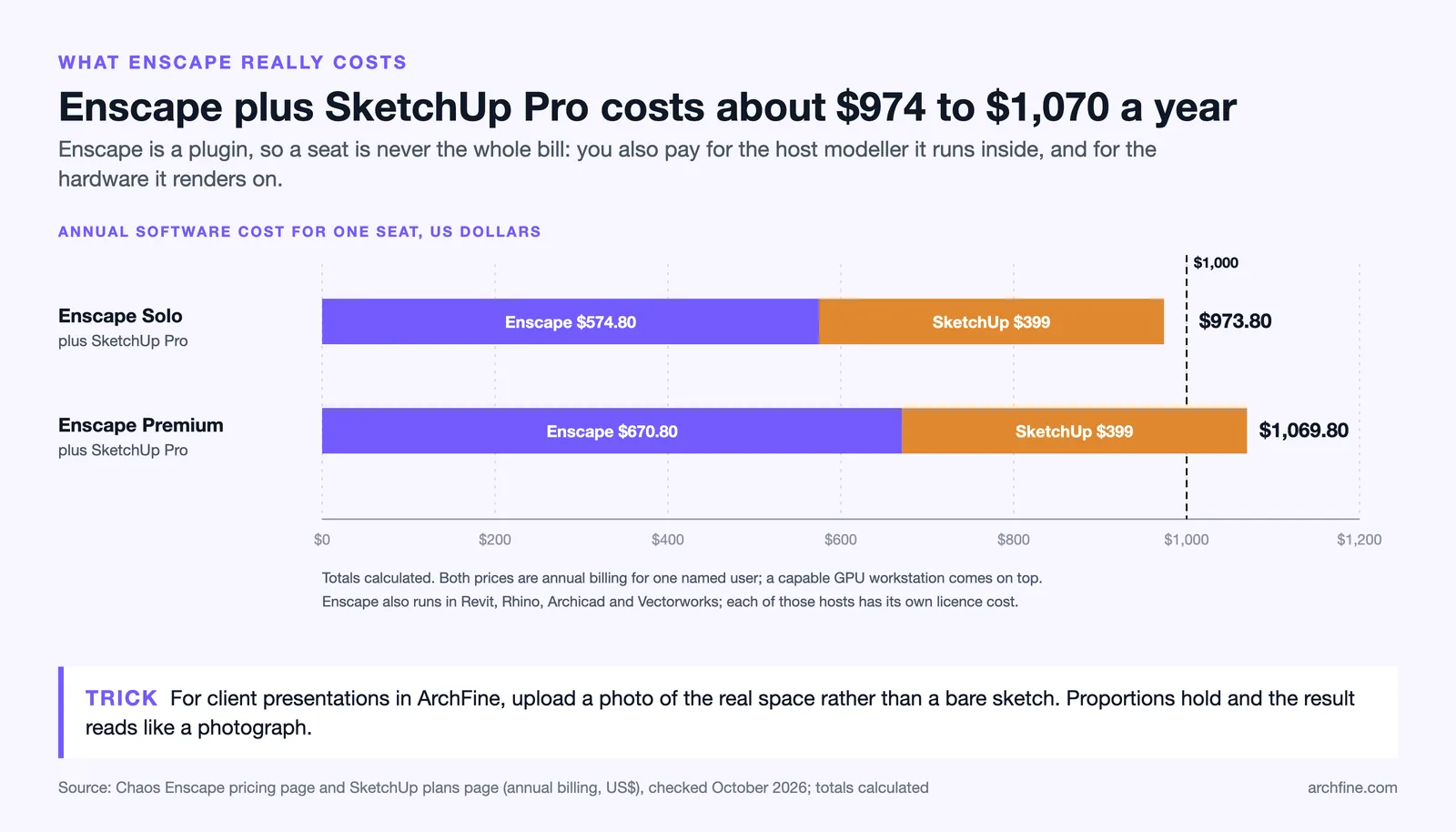
Enscape is sold as an annual subscription on a per-seat basis. As of October 2026, Enscape’s pricing starts at $574.80 per year for a single named Solo license ($670.80 per year for Premium), with team and enterprise tiers scaling higher. The subscription also requires you to already own licenses for the host software — Revit, SketchUp Pro, Rhino, etc. — which adds to the total cost.
ArchFine’s pricing structure is designed to be accessible at smaller scales, with credit-based or monthly plans that make it practical for freelancers, small studios, and project-based use. You don’t need an active CAD software subscription to use it, which removes a significant cost layer for users who primarily work with photos or hand sketches rather than parametric models.
For studios that already own Revit seats and run Enscape on powerful workstations, the investment makes sense. For independent architects or interior designers who need polished client renders quickly and cost-effectively, the Enscape subscription cost relative to what they actually use it for rarely makes financial sense.
🔢 Quick Numbers
According to Chaos‘s published pricing as of October 2026, an Enscape Solo single-seat license starts at $574.80/year. This does not include the required host application (Revit, SketchUp Pro, Rhino). For a freelance architect running SketchUp Pro at $399/year, the combined annual cost reaches about $974 (Solo) to $1,070 (Premium) just to produce rendered output — before any hardware upgrades.
Enscape Revit Alternative: When Does ArchFine Fill That Role?
Enscape’s deepest integration is with Autodesk Revit, where it functions as a live viewport into your BIM model. This is powerful for design teams that build fully detailed Revit models and need to visualize material changes in real time during coordination meetings.
ArchFine is not a Revit plugin and doesn’t replace that workflow. What it does replace effectively is the need for a separate rendering solution when your goal is a client-ready still image and you either don’t have a complete Revit model yet, or don’t want to spend 20 minutes adjusting materials and camera angles to get one frame to look right.
A practical workflow some architects use: export a screenshot or viewport image from Revit or SketchUp, upload it to ArchFine with a targeted prompt, and get a polished presentation-ready render in under a minute. This treats ArchFine as a rendering layer on top of whatever 3D software you already use — without requiring Enscape’s plugin or subscription.
Real-Time Render Plugin vs AI Still Render: Which Workflow Fits When?
The real-time render plugin vs AI still render question comes down to project stage and client expectation. Neither tool covers every situation better than the other.
Enscape works best when you’re presenting to technically engaged clients who want to walk through a space and understand dimensions, spatial flow, and material relationships in three dimensions. It’s strong in design development, coordination reviews, and VR demos where interaction matters.
ArchFine works best when you need fast, photorealistic images for concept approvals, pitch decks, social media, or any situation where a single well-composed frame communicates more than a live walkthrough. It’s particularly effective for early-stage work when the 3D model isn’t complete yet, or for adding atmosphere and finish quality to a render that a basic 3D model can’t achieve on its own.
💡 Pro Tip
If you’re pitching a project and don’t have a full 3D model ready, use reference photos from similar spaces as the base image in ArchFine and describe the material palette in the prompt. Clients at pitch stage typically respond to atmosphere and material quality — a well-prompted AI render can win approval faster than a wireframe walkthrough that requires spatial imagination from non-architects.
Enscape vs Cloud-Based AI Rendering: The Broader Shift
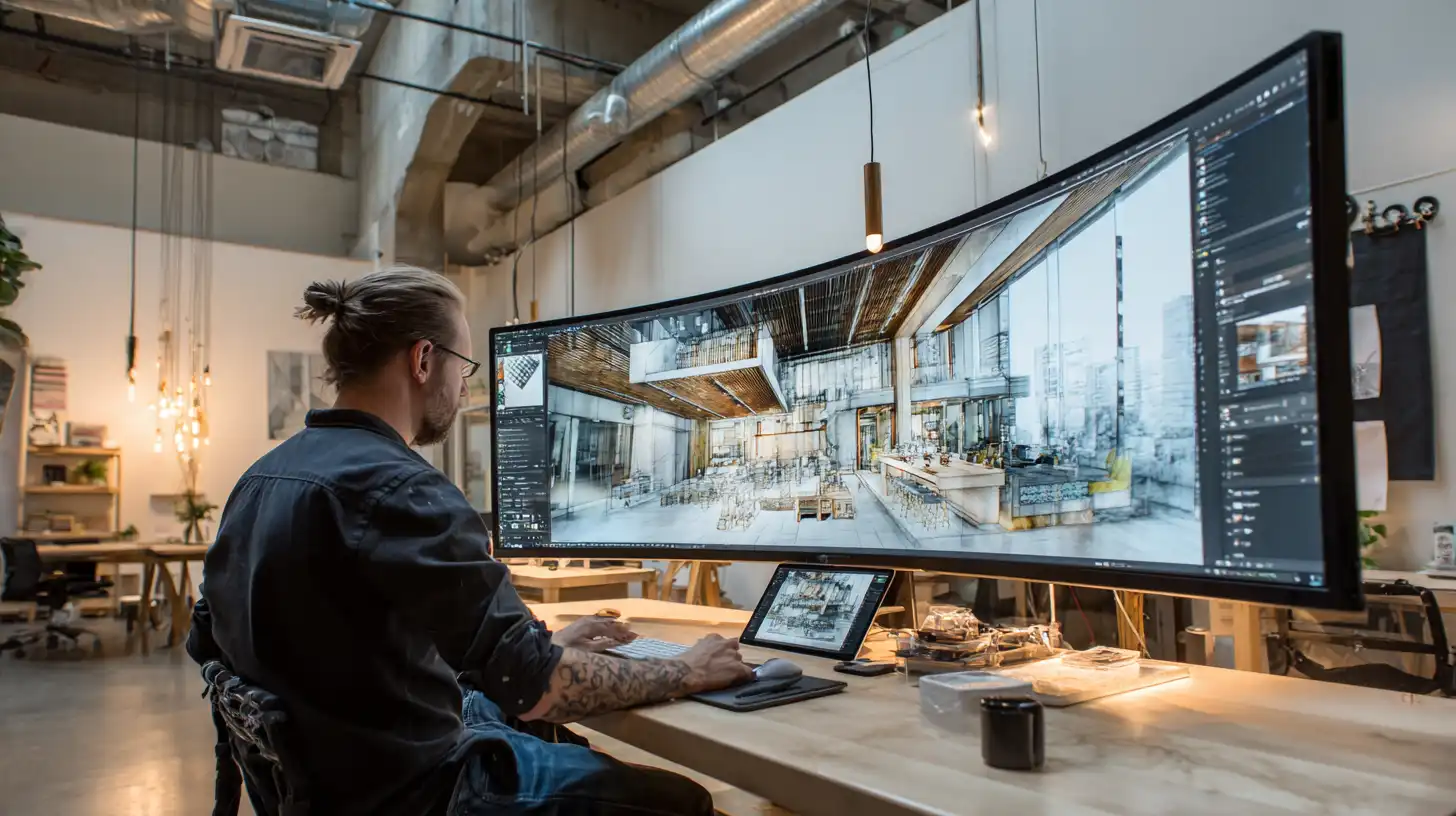
Enscape vs cloud-based AI rendering reflects a wider shift happening across the architecture industry. Traditional rendering tools — plugins, offline renderers, CPU-heavy batch jobs — were designed for a workflow where architects built detailed 3D models first and generated visuals as a final step. AI rendering tools invert that order: you start with visual intent and work backward.
Cloud-based platforms like ArchFine remove the hardware bottleneck entirely. A junior architect on a laptop can produce the same quality output as a senior with a $3,000 workstation. Render times that used to require overnight queues are now measured in seconds. This changes how and when visualization enters the design process — and increasingly, practices are using AI renders earlier and more frequently than they used high-overhead tools like Enscape.
Enscape remains the stronger choice for firms deeply embedded in BIM workflows where spatial accuracy and live model integration are central to how they present. The tools aren’t in direct competition so much as they serve different moments in the project timeline.
📌 Did You Know?
Enscape merged with Chaos (makers of V-Ray) in 2022. Following the merger, Enscape became part of the Chaos subscription lineup. This shift pushed several smaller architecture studios to evaluate cloud-based AI rendering alternatives — and accelerated adoption of browser-based tools among freelancers and small firms looking for Enscape alternatives that don’t require annual commitments.
Who Should Use ArchFine Instead of Enscape?
ArchFine is the better fit if you match any of these profiles:
Freelance architects and small studios. You don’t have a dedicated rendering workstation and need high-quality client visuals quickly. Paying for an Enscape seat plus the host application license adds up fast, especially for project-based work with irregular render needs.
Interior designers and designers without parametric modeling workflows. If your work doesn’t center on Revit or SketchUp, Enscape isn’t accessible to you at all. ArchFine accepts photos and sketches, which fits how many interior designers already work.
Architects at the concept or pre-design stage. Before a full model exists, AI rendering lets you visualize spatial intentions without building anything. You get presentation-ready images from reference photos and a few sentences of description.
Teams that present frequently to non-technical clients. Still images consistently communicate better than walkthroughs to clients who aren’t trained to read 3D space. AI-rendered stills feel finished; interactive models can make incomplete designs look unpolished.
Who Should Stick with Enscape?
Enscape remains the right tool for firms with specific needs that ArchFine doesn’t address:
Large firms with full BIM workflows. If your entire design process runs in Revit with detailed model coordination, Enscape’s live viewport integration is genuinely useful. The ability to see material and spatial changes in real time during team meetings is something no AI still renderer replicates.
Practices that offer VR presentations. Enscape’s VR output is a real differentiator for firms that present in immersive environments. ArchFine doesn’t generate interactive or VR content.
Projects requiring spatial accuracy verification. If the render’s value is confirming that the geometry is correct — sightlines, clearances, spatial proportions — you need a model-based renderer. AI tools don’t preserve dimensional accuracy from your model.
🎓 Expert Insight
“The biggest shift I’ve seen is architects separating the concept visualization phase from the coordination phase. AI tools handle the first; parametric tools handle the second. Using the wrong tool for the wrong phase wastes time on both ends.” — Senior architect, mid-size practice, 18 years experience
This reflects a growing workflow split across the industry: AI rendering for client-facing concept work, and plugin-based tools like Enscape for internal coordination and BIM-anchored presentations. Matching the tool to the phase — not using one tool for everything — is where most efficiency gains come from.
Can You Use Both ArchFine and Enscape Together?
Yes, and some firms already do. The two tools aren’t mutually exclusive. A common pattern is using ArchFine during early design to produce quick client-facing renders for concept approval, then switching to Enscape for design development once the model is built out and spatial walkthroughs become relevant.
Another overlap is using ArchFine to enhance screenshots or views exported from your Enscape or SketchUp model. Export a viewport, upload it to ArchFine, apply a material and lighting prompt, and get a more photorealistic result than the base render produced. This hybrid approach keeps both tools in the workflow but assigns each to the output type it does best.
✅ Key Takeaways
- ArchFine is a browser-based AI rendering tool — no installation, no 3D model required, ~30-second render times, best for photorealistic stills and early-stage client work.
- Enscape is a real-time rendering plugin for Revit, SketchUp, Rhino, and others — requires a complete 3D model, strong GPU, and an annual license starting at $574.80/year (as of October 2026).
- Render quality differs by purpose: ArchFine produces atmospheric photorealism, Enscape produces spatially accurate interactive output.
- For freelancers, small studios, and concept-stage presentations, ArchFine offers a more cost-effective path to client-ready visuals.
- For large BIM-driven firms with VR presentation needs, Enscape remains the stronger choice.
- The tools are complementary — using ArchFine for early-stage work and Enscape for design development is a practical split for practices that need both.

Both ArchFine and Enscape have real strengths — the question is which problem you’re solving. If you need polished visuals fast without a complete 3D model or expensive hardware, ArchFine is built for that workflow. If your firm runs deep BIM processes and needs interactive spatial walkthroughs, Enscape remains a strong tool for that job. Understanding which phase of the project you’re rendering for will tell you which one to open. Which modelling tool feeds that pipeline is a separate decision, covered in our guide to 3D modeling software for architecture.