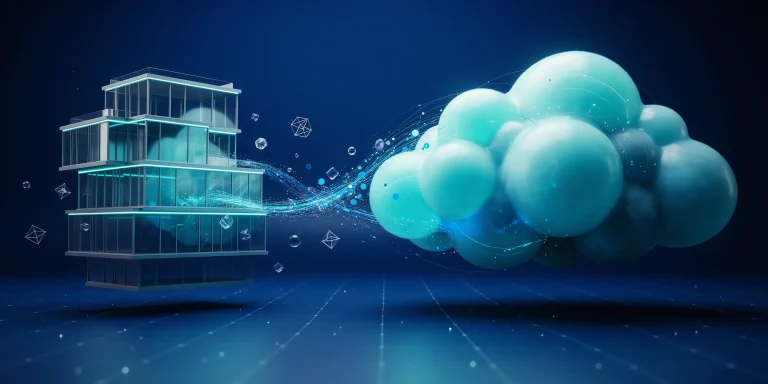
A render farm is a network of connected computers, called render nodes, that work together to process heavy rendering jobs much faster than a single workstation. Architects and archviz studios send a scene to the farm, which splits the work across many machines, then reassembles the finished frames. This turns hours of render time into minutes.
If you have ever watched a single architectural still crawl through an overnight render, you already understand the problem a render farm solves. As scenes grow, with high-polygon furniture, ray-traced glass, and 4K output, one machine simply cannot keep up. This guide explains what a render farm is, how distributed and cloud rendering work, when an architect actually needs one, and how the main options compare.
What is a render farm in simple terms?
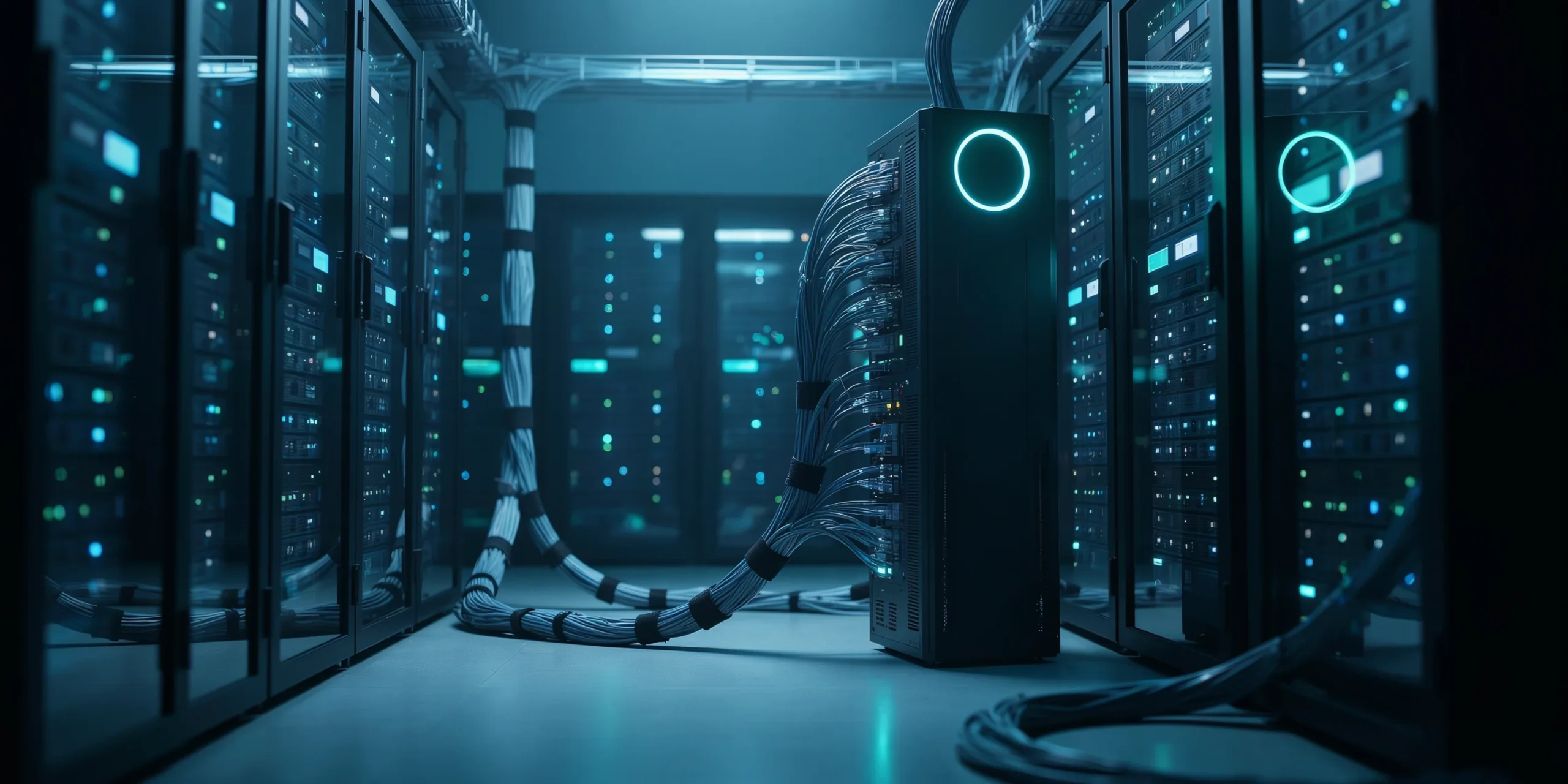
A render farm, explained simply, is a cluster of computers dedicated to one task: turning 3D scenes into final images. One machine acts as the manager (the head or master node) and runs a scheduler that hands out work. The other machines (the render nodes) each calculate a portion of the job and return the result. Because dozens of nodes work in parallel, a job that would take one computer ten hours can finish in a fraction of that time.
The work is divided in one of two ways. For an animation, the scheduler gives each node a different frame to render, so 240 frames can be processed across many nodes at once. For a single high-resolution still, the image is split into small regions called buckets or tiles, and each node renders a set of them before the manager stitches them back together.
📌 Did You Know?
The render farms used in feature animation and visual effects are among the largest private computing clusters in the world, often running tens of thousands of CPU cores. The same architecture that renders a Hollywood film frame powers the commercial cloud farms an architecture studio can rent by the hour.
How does distributed rendering work?

Distributed rendering speeds up a single frame by sharing it across several networked computers, rather than processing whole frames on separate machines. According to the Chaos V-Ray documentation, a render client connects to a dispatcher, which sends different regions of the image to render servers. Each server calculates its assigned buckets, requests more work as it finishes, and the client reassembles the data into one complete image.
This is the key distinction many newcomers miss. A traditional render farm parallelizes by frame, which is ideal for animations and walkthroughs. Distributed rendering parallelizes within one frame, which is ideal when you have a single very heavy still that has to finish quickly. Most modern engines, including V-Ray, support both modes, and a full commercial farm can combine them.
📐 Technical Note
Bucket-based distributed rendering scales close to linearly for the raytracing pass, so adding a second machine of equal power can roughly halve that portion of the render. Gains are smaller for stages that cannot be split, such as final image compositing and asset transfer, which is why network and disk speed matter on a busy farm.
CPU vs GPU render farm: what is the difference?

A GPU render farm is a network of computers built around graphics cards (GPUs) rather than only processors (CPUs). GPUs contain thousands of small cores that excel at the parallel math behind ray tracing, so GPU render farms often deliver dramatic speed gains on compatible engines. CPU render farms, by contrast, handle very large scenes and certain rendering features more predictably, and they rarely run out of memory the way a GPU can.
The right choice depends on your renderer. Engines such as V-Ray GPU, Redshift, and OctaneRender are designed for GPU acceleration, while many archviz pipelines still rely on CPU rendering for complex interiors. Real-time engines like Enscape render live on your own GPU and usually do not need a farm at all for standard stills.
💡 Pro Tip
Before committing a long animation to any GPU render farm, send a single test frame first and confirm it matches your local output exactly. GPU and CPU engines can interpret displacement, hair, and certain shaders differently, and catching that mismatch on one frame is far cheaper than discovering it after 500 frames have already rendered.
Local render farm vs cloud rendering
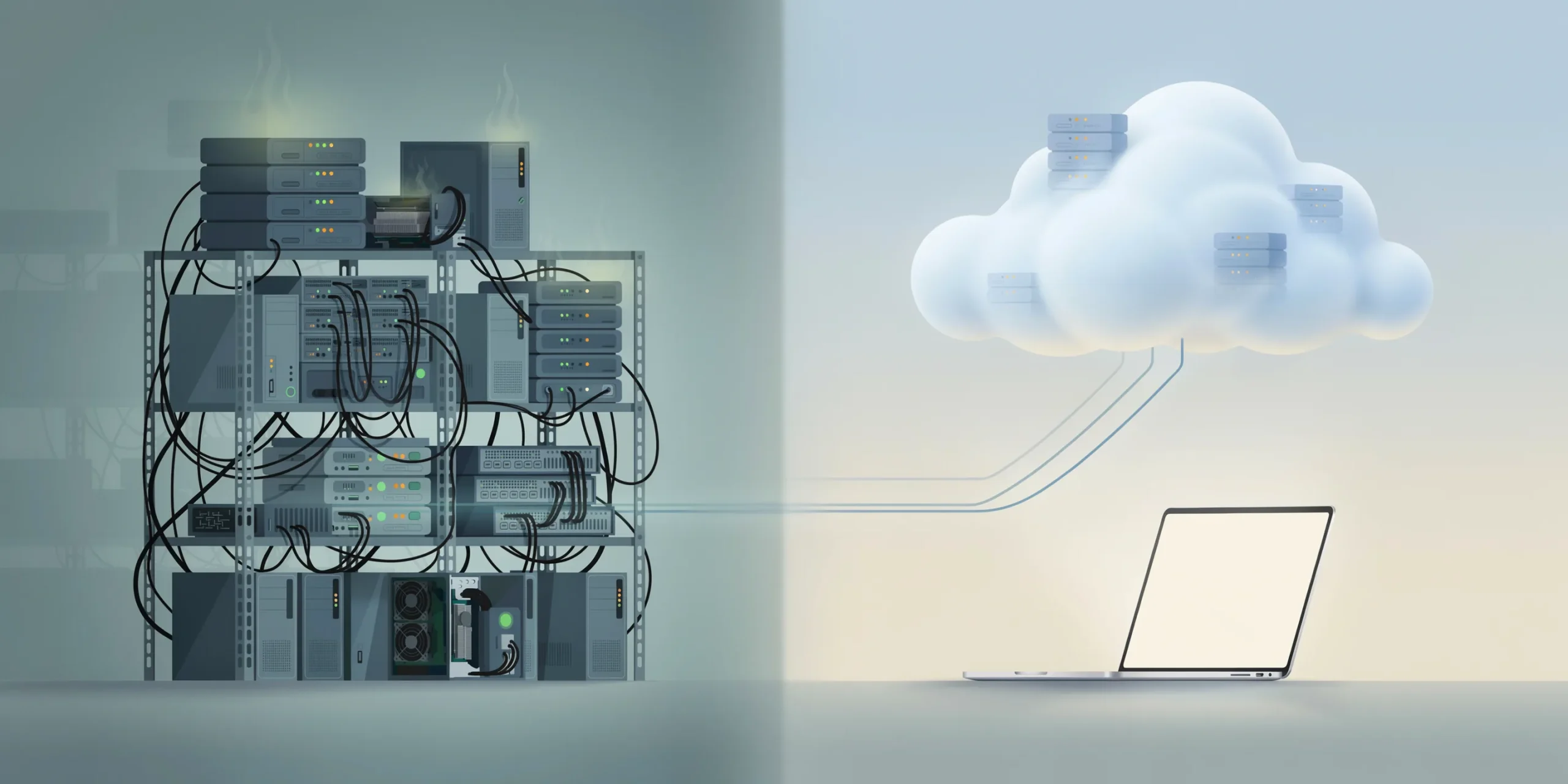
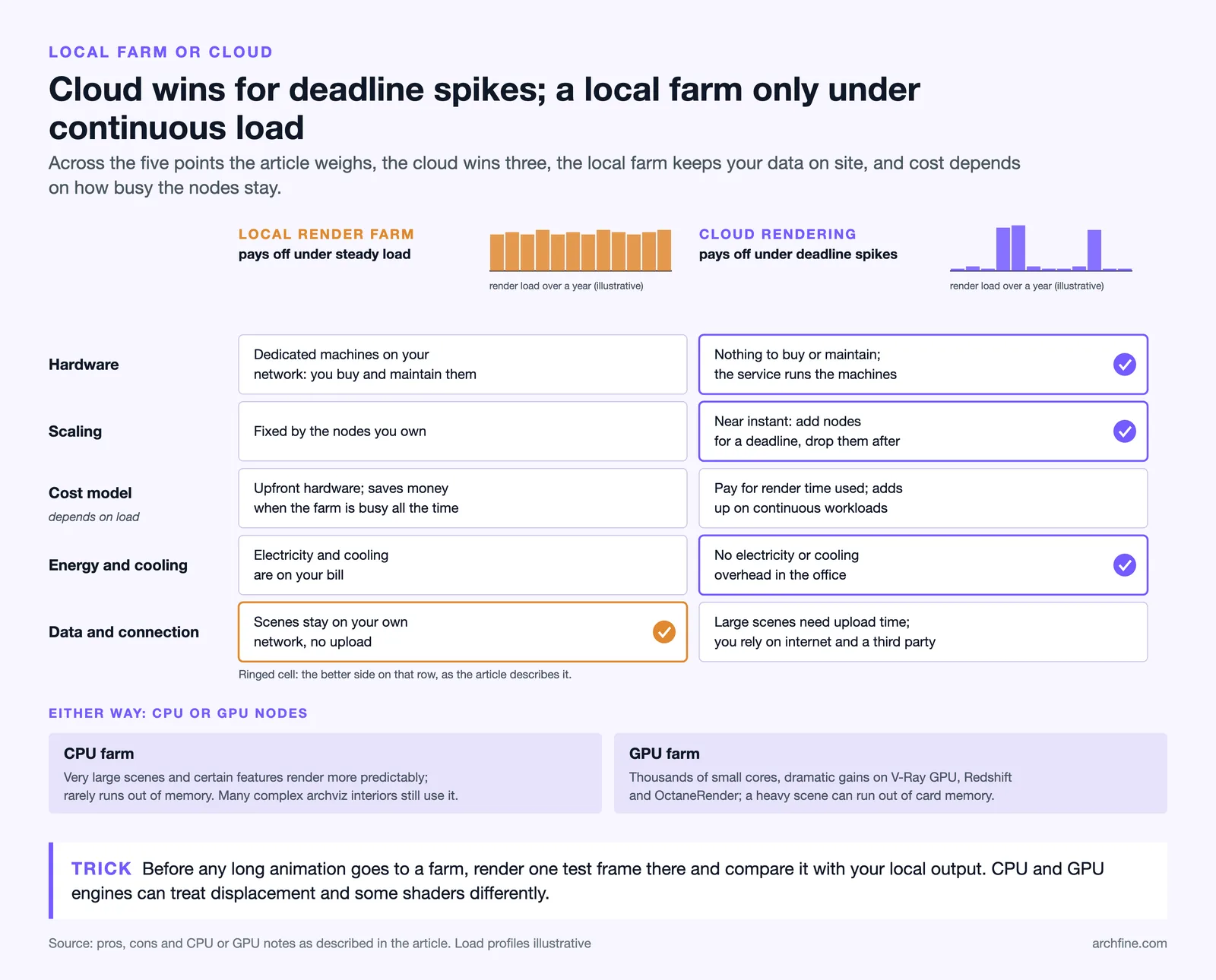
There are two ways to access render-farm power: build one in your own office, or rent capacity online through cloud rendering. A local farm is a set of dedicated machines on your network. Cloud rendering, sometimes called a render cloud, is a commercial service that runs your job on remote servers and bills you for the time used.
For most small and mid-size architecture studios, cloud rendering is the practical entry point. Services such as Chaos Cloud integrate directly into the renderer, so you upload the scene with a single click and the platform handles licensing, virtual machines, and reassembly. You scale up for a deadline and pay nothing once the project ships.
⚖️ Pros & Cons at a Glance
✔️ Cloud render farm pros: No hardware to buy or maintain, near-instant scaling for deadlines, pay only for time used, no electricity or cooling overhead.
✖️ Cloud render farm cons: Per-project cost adds up on continuous workloads, large scenes need upload time, and you depend on your internet connection and a third party for data handling.
When does an architect actually need a render farm?
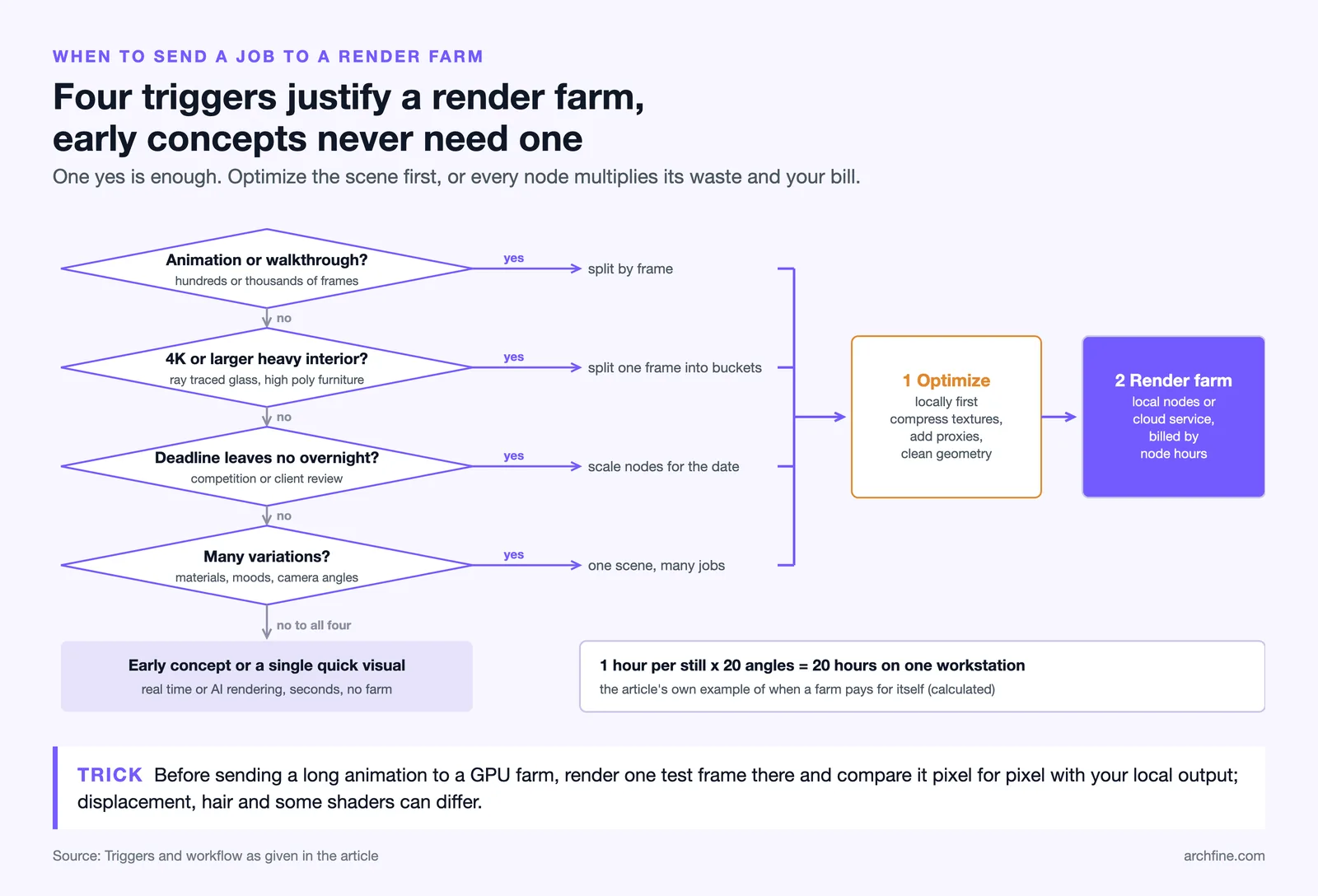
An architect needs a render farm when render times start blocking the design process or threatening deadlines. If a single client still takes an hour and you need twenty angles, or if a fly-through animation would tie up your only workstation for days, a farm pays for itself immediately by freeing your machine and compressing the timeline.
Common triggers include:
- Animations and walkthroughs: hundreds or thousands of frames are the classic render-farm use case.
- High-resolution stills: 4K and larger interiors with heavy ray tracing benefit from distributed rendering.
- Tight deadlines: when a competition or client review leaves no room for overnight renders.
- Many variations: rendering the same scene across multiple materials, lighting moods, or camera angles.
If your work is mostly early-stage concepts or single quick visuals, you may not need a farm at all. Real-time and AI rendering can cover that ground in seconds. Our guide on photorealistic versus stylized renders helps you decide how much render power each project phase truly justifies.
⚠️ Common Mistake to Avoid
Do not treat a render farm as a fix for a slow scene. Sending an unoptimized file, with oversized textures and no proxies, to many nodes just multiplies the inefficiency and the bill. Clean and optimize the scene locally first, then scale it across the farm.
How much does cloud rendering cost?
Cloud render farm pricing is usually based on compute time, often measured in node-hours or GHz-hours, sometimes converted into prepaid credits. You pay more nodes to finish faster, or fewer nodes to keep the cost lower, which gives you direct control over the speed-versus-budget trade-off. Always check pricing on the official service page, because rates and units differ between providers.
Because billing is tied to actual render time, scene optimization is the single biggest lever on your cost. Lower noise thresholds, denoising, and clean geometry all reduce the hours a job consumes. Many farms also offer free trial credits, which is the safest way to benchmark your own scenes before committing real budget.
🎓 Expert Insight
“For a studio without a full-time render-wrangler, the real value of a cloud farm is not raw speed, it is keeping your design workstation free while a deadline render runs somewhere else.” (Senior archviz artist with 12+ years in production studios)
This reflects a common reality in small practices: the bottleneck is rarely the renderer alone, it is one machine being locked for hours while everything else waits.
Popular render farm and rendering options
Render farm services come in two broad groups: cloud farms tied to a specific engine, and engine-agnostic farms that support many renderers. The right pick depends on which software your office already uses.
- Chaos Cloud: a native cloud service for V-Ray, Corona, Enscape, and Vantage users, integrated straight into the renderer.
- Blender network and add-on farms: the free, open-source Blender ecosystem supports both DIY network rendering and many third-party cloud farms.
- Autodesk Arnold pipelines: the Arnold renderer used across 3ds Max and Maya is widely supported by commercial farms.
- AI and real-time tools: for fast concept visuals you may skip the farm entirely, as covered in our guide to using AI to render architecture.
🏗️ Real-World Example
Competition deadline crunch: A small practice rendering a 600-frame exterior walkthrough overnight on one workstation would miss a morning submission. Pushed to a cloud render farm across dozens of nodes, the same animation can finish in a couple of hours while the team keeps refining the boards on their own machines.
Whatever engine you settle on, a render farm fits into a wider visualization workflow. If you build models in SketchUp, our walkthrough on SketchUp AI rendering shows how to get fast results before you ever scale up to heavy final renders. You can also browse more techniques in our rendering techniques library.
Frequently Asked Questions
Is a render farm the same as cloud rendering?
Not exactly. A render farm is any cluster of computers that share rendering work, whether it sits in your office or in a data center. Cloud rendering is a commercial render farm you access online and rent by the hour, so all cloud rendering uses a render farm, but not every render farm is in the cloud.
Can I build my own render farm?
Yes. A basic local farm can be as small as two or three networked computers running your renderer in node mode, managed by a scheduler. It saves money on continuous work but adds hardware, maintenance, electricity, and cooling costs, so weigh it against renting cloud capacity for occasional deadline spikes.
Does a render farm work with any rendering software?
Most major engines, including V-Ray, Corona, Arnold, Redshift, and Cycles, support distributed and network rendering. Cloud services often specialize in specific renderers, so always confirm your exact engine and version are supported before uploading a project.
Will a render farm improve image quality?
A render farm makes rendering faster, not inherently better. Quality comes from your scene setup, lighting, materials, and sample settings. What a farm gives you is the time budget to render at higher quality settings within the same deadline.
The bottom line for architects
A render farm is less about owning powerful hardware and more about buying back time. When deadlines tighten and scenes grow, distributing the work across many nodes keeps your design workstation free and your renders on schedule. Start by optimizing your scene, test a single frame on a cloud service, and scale up only as the project demands. Used that way, render-farm power becomes a flexible tool you reach for when the project calls for it, not a fixed cost you carry year-round.