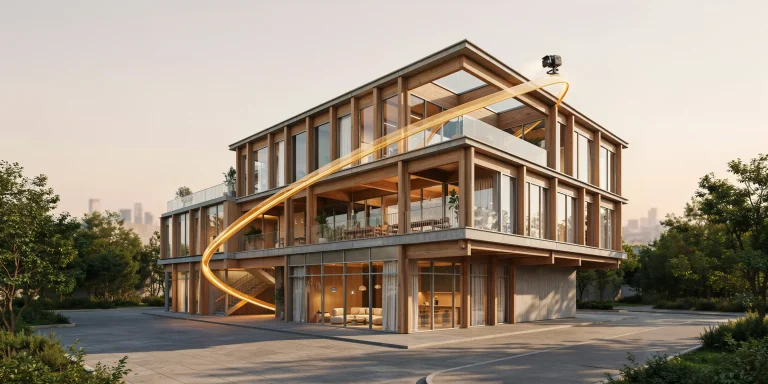
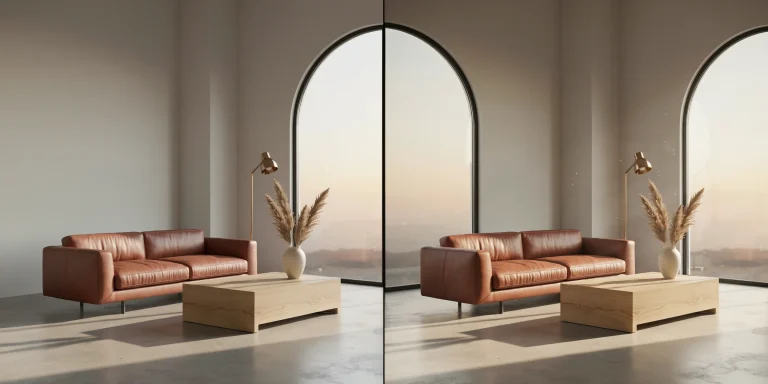
Finding reliable free HDRI environments and high-resolution textures is one of the fastest ways to push an architectural render toward photorealism without inflating your asset budget. The right lighting probe and a clean set of physically based materials do most of the heavy lifting in a scene, and a handful of well-maintained sites now give that quality away under permissive licenses.
This guide covers where to download free HDRI maps and PBR textures for archviz, which licenses actually let you use them on paid client work, and how to apply them so they hold up at presentation resolution.
🔢 Quick Numbers
- Poly Haven hosts 700+ HDRIs and 1,400+ total assets, all CC0 (Poly Haven, 2026)
- ambientCG offers 2,000+ PBR materials and HDRIs under the CC0 Public Domain license (ambientCG, 2026)
- Poly Haven HDRIs are available up to 16K resolution and fully unclipped (Poly Haven license page, 2026)
What is an HDRI and why does it matter for archviz?

An HDRI, or high dynamic range image, is a 360-degree panoramic photo that stores a far wider range of brightness values than a standard JPG. When you wrap one around your scene as an environment map, it lights the model with real-world sky, sun, and bounce light in a single step. That is why a free HDRI can replace an entire manual lighting rig for exterior shots and most daylight interiors.
The strength of the approach comes from accurate light direction and color temperature baked into the image. A clear midday HDRI produces crisp shadows and a cool sky tint, while an overcast or golden-hour probe softens everything and shifts the mood. Because the brightness data is genuine, reflections on glass and metal pick up plausible highlights without extra tweaking. Good lighting remains the single biggest factor in render believability, a point the team breaks down in the guide on what makes a great architectural render.
📐 Technical Note
HDRI files usually arrive as .hdr or .exr at 32-bit or 16-bit float depth, which preserves the full luminance range. Use the largest resolution your engine can handle for the visible background plate, but you can drop to a 2K or 4K version purely for lighting bounce to save memory, since the bounced light rarely needs full 16K detail.
Where can you download free HDRI maps?

A free HDRI library should give you unclipped files, varied lighting conditions, and a license you can read in under a minute. The sites below meet that bar and are actively maintained as of 2026.
Poly Haven
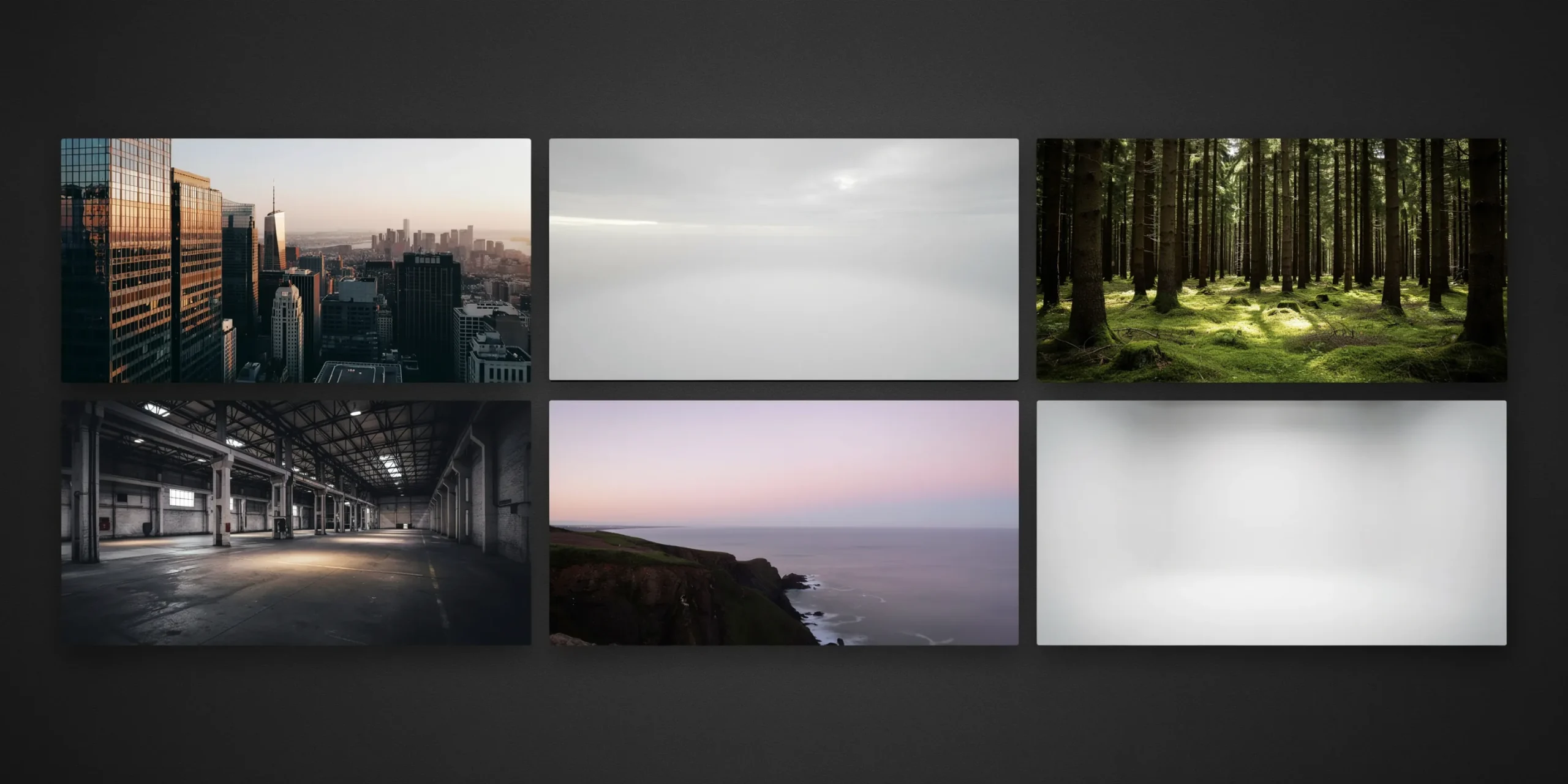
Poly Haven is the default starting point for most archviz artists. Its HDRIs cover skies, urban exteriors, studios, and interiors, all released as CC0 and available up to 16K. The files are unclipped, so the sun reads as a true point source and casts sharp shadows automatically. According to the official Poly Haven license page, no attribution is required even for commercial work, though the project is donation-funded and welcomes support.
ambientCG

ambientCG pairs a large HDRI collection with one of the deepest free PBR texture catalogs anywhere. Everything sits under CC0, and the site lists resolution and download size clearly, so you can grab a 4K probe for lighting and skip the heavier files. The ambientCG library is a strong second source when Poly Haven lacks the exact sky angle you need.
💡 Pro Tip
When choosing an HDRI for an exterior, match the sun position to your building orientation before anything else. A south-facing facade lit by a probe with the sun coming from the north will fight your design intent, and rotating the environment map after the fact often pushes the brightest part of the sky into an awkward corner of the frame.
NoEmotion and bundled engine assets
Beyond the two anchors, smaller libraries fill specific gaps. NoEmotion HDRs offers a long-running set of free daylight and night probes aimed at automotive and architectural lighting. Several render engines also bundle starter HDRIs with their trial assets, which is worth checking before you hunt externally.
What are the best free PBR texture sites?
Textures carry the surface story of a render: the grain in oak flooring, the pitting in weathered concrete, the weave in upholstery. A usable free texture set ships as a complete PBR map group, meaning at minimum an albedo (base color), a normal or bump map, and a roughness map, often with ambient occlusion and displacement added. Sites that hand you only a single color image force you to fake the rest.
The Chaos blog on free rendering textures tracks a dozen reliable sources, and the shortlist below holds up for architectural work specifically.
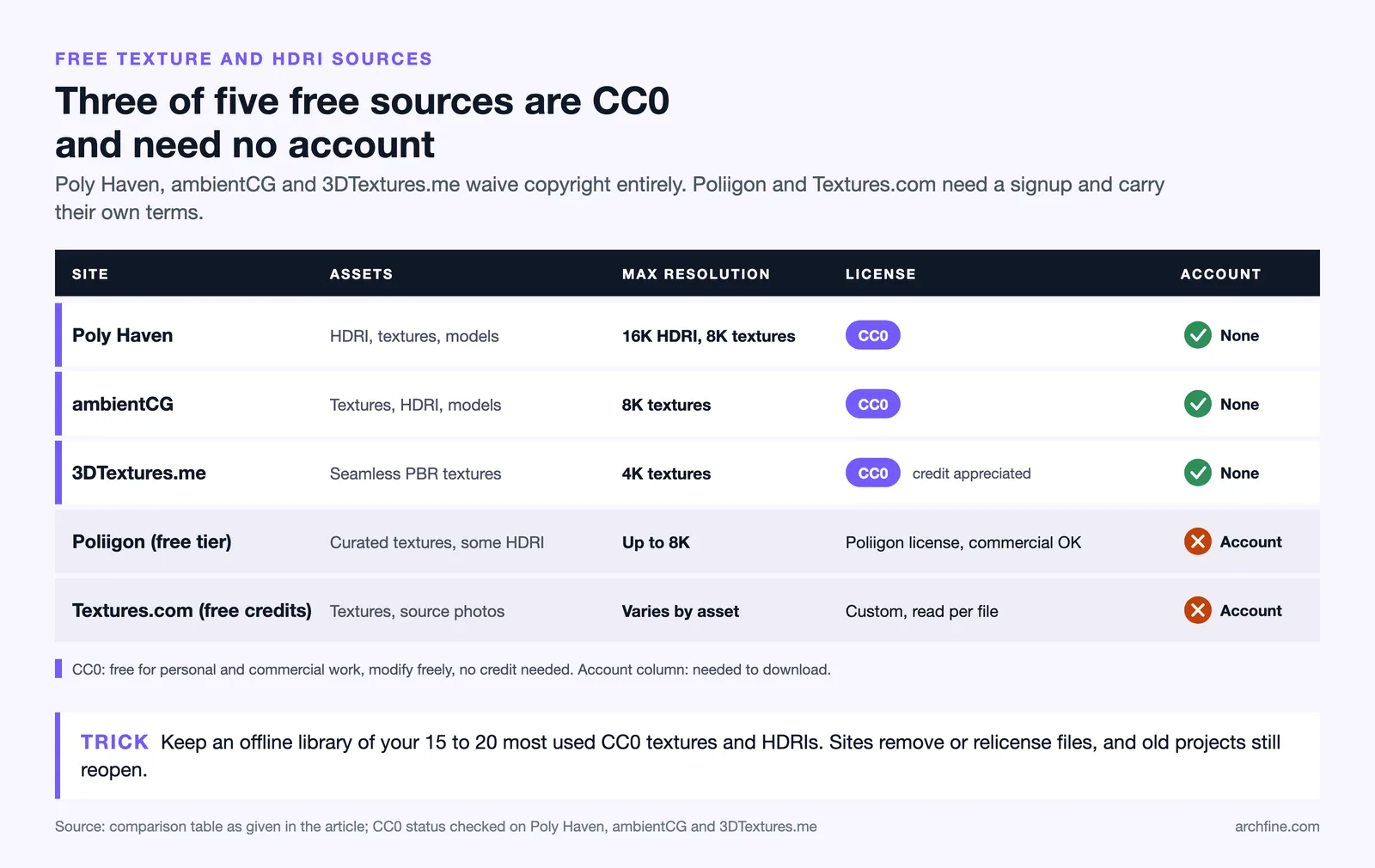
Comparison of leading free texture and HDRI sites
The table summarizes what each source gives you and the license you are agreeing to.
| Site | Assets | Max Resolution | License | Account |
|---|---|---|---|---|
| Poly Haven | HDRI, textures, models | 16K HDRI, 8K textures | CC0 | No |
| ambientCG | Textures, HDRI, models | 8K textures | CC0 | No |
| 3DTextures.me | Seamless PBR textures | 4K textures | CC0, credit appreciated | No |
| Poliigon (free tier) | Curated textures, some HDRI | Up to 8K | Poliigon license, commercial OK | Yes |
| Textures.com (free credits) | Textures, source photos | Varies by asset | Custom, read per file | Yes |
3DTextures.me and Share Textures
Both offer seamless, tileable PBR sets with no paywall friction. 3DTextures.me leans toward architectural and stylized surfaces and ships full map groups, while Share Textures curates material packs that suit interior work. Attribution is appreciated on these sites but not legally required, which keeps them safe for client deliverables.
Poliigon and Textures.com
These two run freemium models. Poliigon gives a rotating free section with high map quality, and Textures.com hands out daily download credits you can spend on individual files. Their licenses are custom rather than CC0, so read the terms before you commit a downloaded asset to a paid render. The convenience can be worth the signup when you need a very specific surface.
How do you read texture and HDRI licenses correctly?
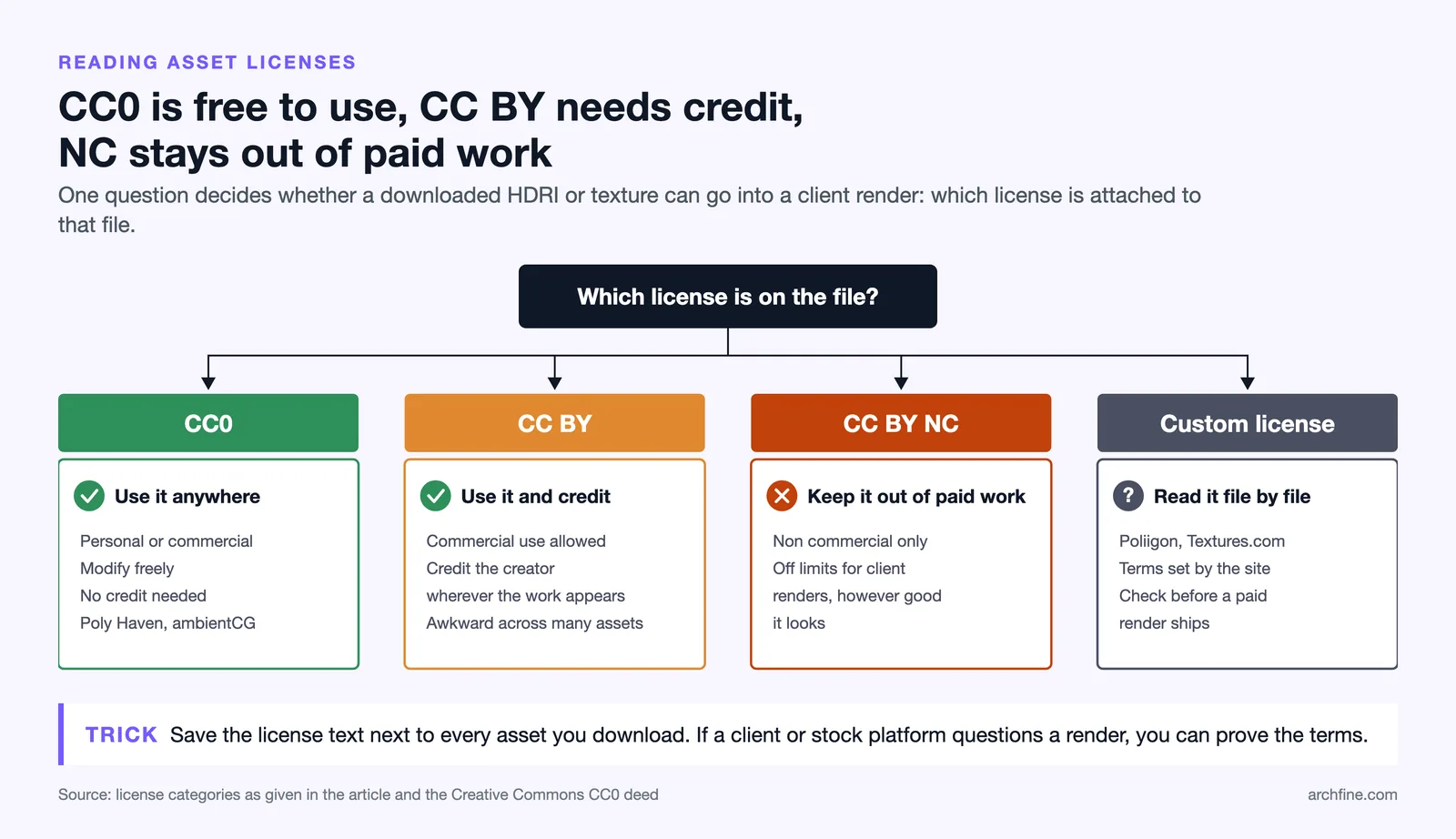
License confusion is the most common reason an asset becomes a liability later. The safest category is CC0, which Creative Commons defines as a full waiver of copyright. A CC0 file can go into personal or commercial projects, can be modified freely, and needs no credit. Poly Haven and ambientCG both operate under CC0, which is why they dominate professional pipelines.
CC-BY is the next step up in restriction. It allows commercial use but requires that you credit the original creator wherever the work appears. For a single hero render that credit line is easy to add, but it gets awkward across a large client deliverable with dozens of assets. Anything labeled non-commercial, marked CC-BY-NC, is off limits for paid work no matter how good it looks. Always confirm the exact terms on the official source, such as the Creative Commons CC0 page.
⚠️ Common Mistake to Avoid
Treating every “free” download as license-free. A site offering free files can still attach a non-commercial or attribution clause, and some marketplaces mix CC0 and restricted assets on the same page. Save the license text alongside each downloaded asset so you can prove its terms if a client or stock platform ever questions the render.
How do you apply free HDRI and textures in your render engine?
Downloading the asset is the easy part. Getting it to read correctly takes a few deliberate steps that apply across V-Ray, Corona, Enscape, and most other engines.
- Load the HDRI into your environment or dome light slot, then rotate it so the sun direction supports your composition.
- Set the HDRI to be visible in reflections and refractions, then decide separately whether it shows as the visible background or gets replaced by a backplate.
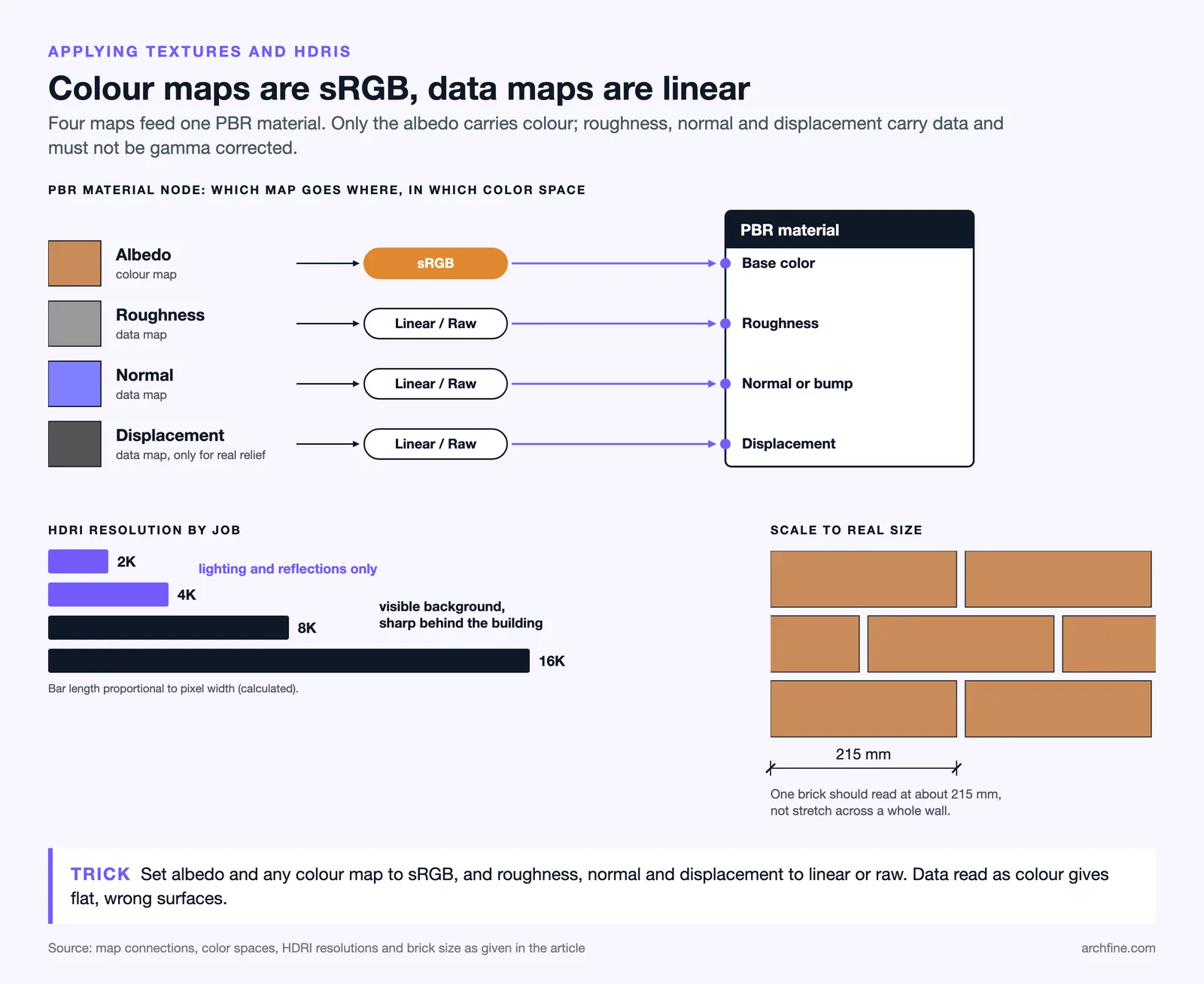
- For each surface, create a PBR material and connect the maps: albedo to base color, roughness to the roughness slot, normal to the bump or normal input, and displacement only where you need real geometric relief.
- Set the albedo and any color map to sRGB color space, and set roughness, normal, and displacement maps to linear or raw, since treating data maps as color is a frequent source of flat, wrong-looking surfaces.
- Scale the texture to real-world dimensions so a brick reads at roughly 215mm long rather than stretching across a whole wall.
This material logic is the same whether you render traditionally or through an AI workflow. If you work in SketchUp, the same albedo and roughness thinking carries over to the steps in the guide on SketchUp AI rendering, where clean source materials still drive a more believable result. Where a material does not exist in any library, generating one is now a real option, and the comparison of AI texture generators covers which tools produce tileable output.
💡 Pro Tip
Keep a small offline library of your 15 to 20 most-used CC0 textures and HDRIs rather than redownloading per project. Asset sites occasionally remove or relicense files, so a vetted local set means a render you delivered last year can still be reopened and adjusted without a missing-texture scramble.
How realistic the final image needs to be depends on the project phase, a tradeoff covered in the comparison of photorealistic versus stylized renders. A concept-stage image can lean on a single overcast HDRI and a few neutral materials, while a marketing hero shot justifies higher-resolution probes and layered surface detail.
Frequently asked questions
Can I use free HDRI files on paid client projects?
Yes, as long as the license permits commercial use. CC0 assets from Poly Haven and ambientCG carry no commercial restriction and need no attribution, which makes them safe for paid renders. For freemium sites, read the specific license attached to each file before delivery.
What resolution HDRI do I actually need?
Use 2K or 4K for lighting and reflections, since the bounce light does not require fine detail. Reach for 8K or 16K only when the HDRI appears as a sharp visible background behind your building, where pixelation would show.
Are free textures good enough for professional archviz?
For most surfaces, yes. CC0 PBR sets from established libraries are photoscanned at 4K to 8K with full map groups. Paid libraries mainly win on breadth, curation, and specialty surfaces, not on baseline quality for common architectural materials.
✅ Key Takeaways
- Poly Haven and ambientCG are the two CC0 anchors for free HDRI and PBR textures in archviz.
- An HDRI lights an entire scene from one file, so match its sun direction to your building before anything else.
- A usable texture ships as a full map set: albedo, normal or bump, and roughness at minimum.
- CC0 needs no credit, CC-BY needs attribution, and non-commercial assets stay out of paid work.
- Set color space correctly and scale textures to real-world size to avoid the flat CG look.
Bottom Line: A free HDRI from a CC0 library plus a clean set of PBR textures can carry a professional render most of the way to photorealism. Spend your effort on choosing the right lighting probe and reading the license, and the rest of the quality follows from correct setup rather than expensive assets.