Render engine comparison usually starts with image quality and should start with workflow. The major engines converged on output quality years ago, and what actually separates them is whether they read your model live, how they handle iteration, and what they cost per year.
Two people can produce indistinguishable images in V-Ray and D5. The difference is how long it took and what happened when the design changed. Any render engine comparison that ignores that is comparing the wrong thing.
This covers what genuinely differs, engine by engine, and how to pick without testing six of them.
Two Families, Not Six Products
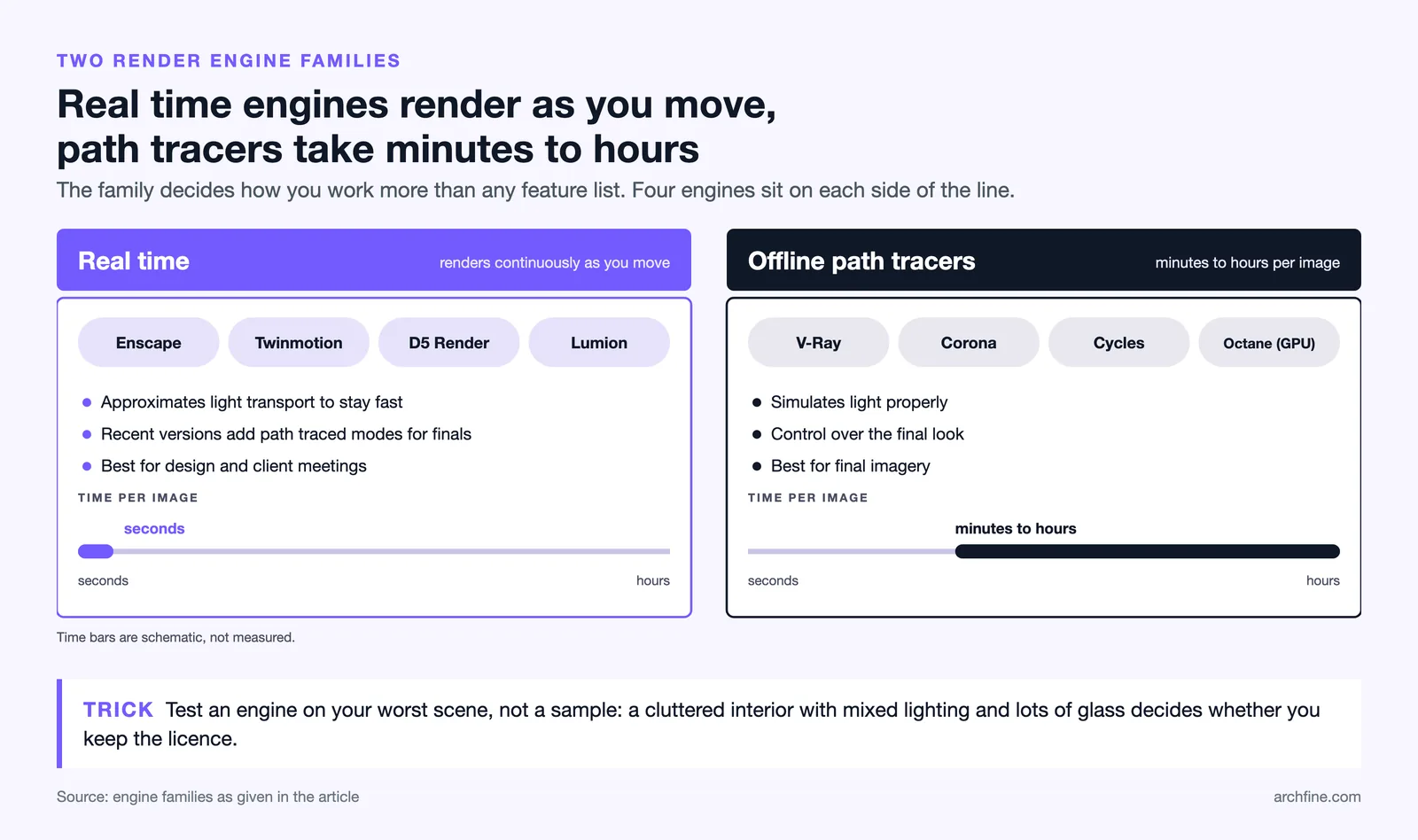
Real time engines render continuously as you move through a model. Enscape, Twinmotion, D5 and Lumion sit here. They approximate light transport to stay fast, and recent versions add path traced modes for final images.
Offline path tracers simulate light properly and take minutes to hours per image. V-Ray, Corona, Cycles and Octane sit here.
The distinction matters more than any feature comparison, because it decides how you work rather than what the result looks like. Our guide to real time and offline rendering covers the tradeoff, and our guide to path tracing and ray tracing covers the underlying methods.
How the main engines differ
| Engine | Type | Strength | Watch out for |
|---|---|---|---|
| Enscape | Real time plugin | Live link to BIM, low hardware demand | Less control over final look |
| D5 Render | Real time standalone | Quality per pound, ray tracing use | Import rather than live link |
| Twinmotion | Real time standalone | Free below a revenue threshold | Asset heavy scenes |
| Lumion | Real time standalone | Huge asset library, speed | Cost and hardware demands |
| V-Ray | Offline | Control and industry standard | Learning curve |
| Corona | Offline | Good defaults, interiors | Fewer host applications |
| Cycles | Offline | Free, production quality | No architectural workflow |
| Octane | Offline GPU | Speed on GPU | Video memory ceiling |
💡 Pro Tip
Test on your worst scene rather than a sample. Every engine handles a clean exterior in sunlight. What separates them is a cluttered interior with mixed lighting and a lot of glass, which is the scene that will actually decide whether you keep the licence.
The Comparisons People Search For

V-Ray against Enscape is not really a comparison, since one is an offline renderer and the other is a real time engine. Most practices using both use Enscape to design and V-Ray to finish.
Pricing for each is published by the vendors, with D5 and Lumion at opposite ends. D5 against Lumion is a genuine comparison, and it comes down to price against asset library. D5 costs substantially less and Lumion carries far more content.
D5 against Enscape turns on the live link. Enscape reads your model continuously, D5 imports it, and for a project in active development that difference compounds.
Corona against Octane is CPU against GPU thinking. Corona is more forgiving and Octane is faster if your scene fits in video memory.
Octane against Redshift matters mainly to studios already in a wider production pipeline, and rarely to an architectural practice.
Twinmotion against Unreal Engine is a question of how much control you need. Twinmotion is Unreal made approachable, and dropping to Unreal itself buys capability at a real cost in complexity.
The V-Ray and Corona comparison, both from Chaos, is covered in detail in our guide to V-Ray and Corona.
What Actually Decides a Render Engine Comparison

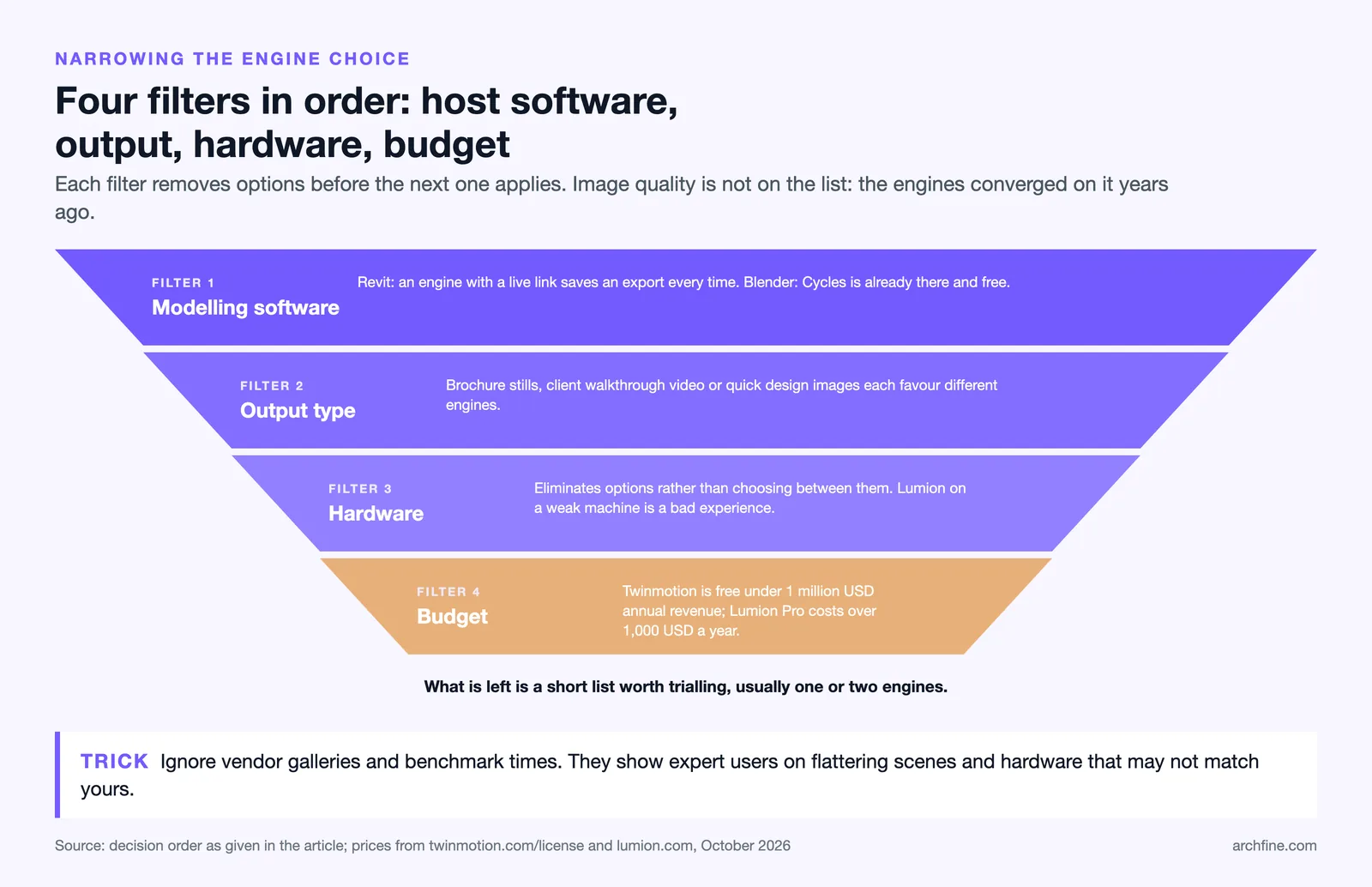
Your modelling software comes first. If you work in Revit, an engine with a live link removes an export cycle you would otherwise repeat constantly. If you work in Blender, Cycles is already there and free.
Your output type comes second. Stills for a brochure, walkthrough video for a client, or quick images during design each favour different engines.
Your hardware comes third, and it eliminates options rather than choosing between them. Lumion on an underpowered machine is a bad experience regardless of the software, as our guide to rendering system requirements covers.
Your budget comes fourth, and the spread is wide. Twinmotion is free below USD 1 million in annual gross revenue and Lumion Pro passes four figures annually, with the full picture in our breakdown of architecture software prices.
What Does Not Decide It
Marketing images. Every vendor shows work produced by expert users on scenes built to flatter the engine.
Benchmark render times. They measure a scene you will never render on hardware that may not match yours.
Feature lists. Every engine has physical sky, denoising and material libraries now, and the differences are in how they are exposed rather than whether they exist.
What the last studio you worked with used. Their workflow and yours are probably different, and the engine that suits a full time visualiser rarely suits a practice rendering occasionally.
Switching Engines Mid Practice
Changing render engine costs more than the licence, and most of the cost is invisible on a quote.
Materials do not transfer. Every engine has its own material system, and a library built over years in one engine arrives in another as approximate colour and nothing else.
Templates and presets do not transfer either. Camera setups, render settings and lighting rigs are all rebuilt, which is the work our guide to render settings by engine describes doing once.
Skill does transfer, more than people expect. Someone who understands lighting and materials in one engine learns another in weeks rather than months, because the underlying physics is the same.
Running two engines
Many practices do, and it works when the division is clear. A real time engine for design and client meetings, an offline engine for final imagery, with nobody trying to keep both scenes synchronised.
Where it fails is when the same image is attempted in both. Matching output between engines is genuinely hard, and a set mixing two engines rarely looks like one project.
Free and Low Cost Routes
Twinmotion below the revenue threshold and Blender with Cycles cover a complete workflow at no licence cost, which is a serious position rather than a compromise.
The tradeoff is time. Free engines ask for learning and setup that a paid plugin removes, and for a practice billing by the hour that time has a price.
The fuller picture of what is available at no cost sits in our roundups of free 3D rendering software and free architecture software.
A Short Route to a Decision
If you work in Revit or SketchUp and render occasionally, start with Enscape or Twinmotion. The live link matters more than anything else at that frequency.
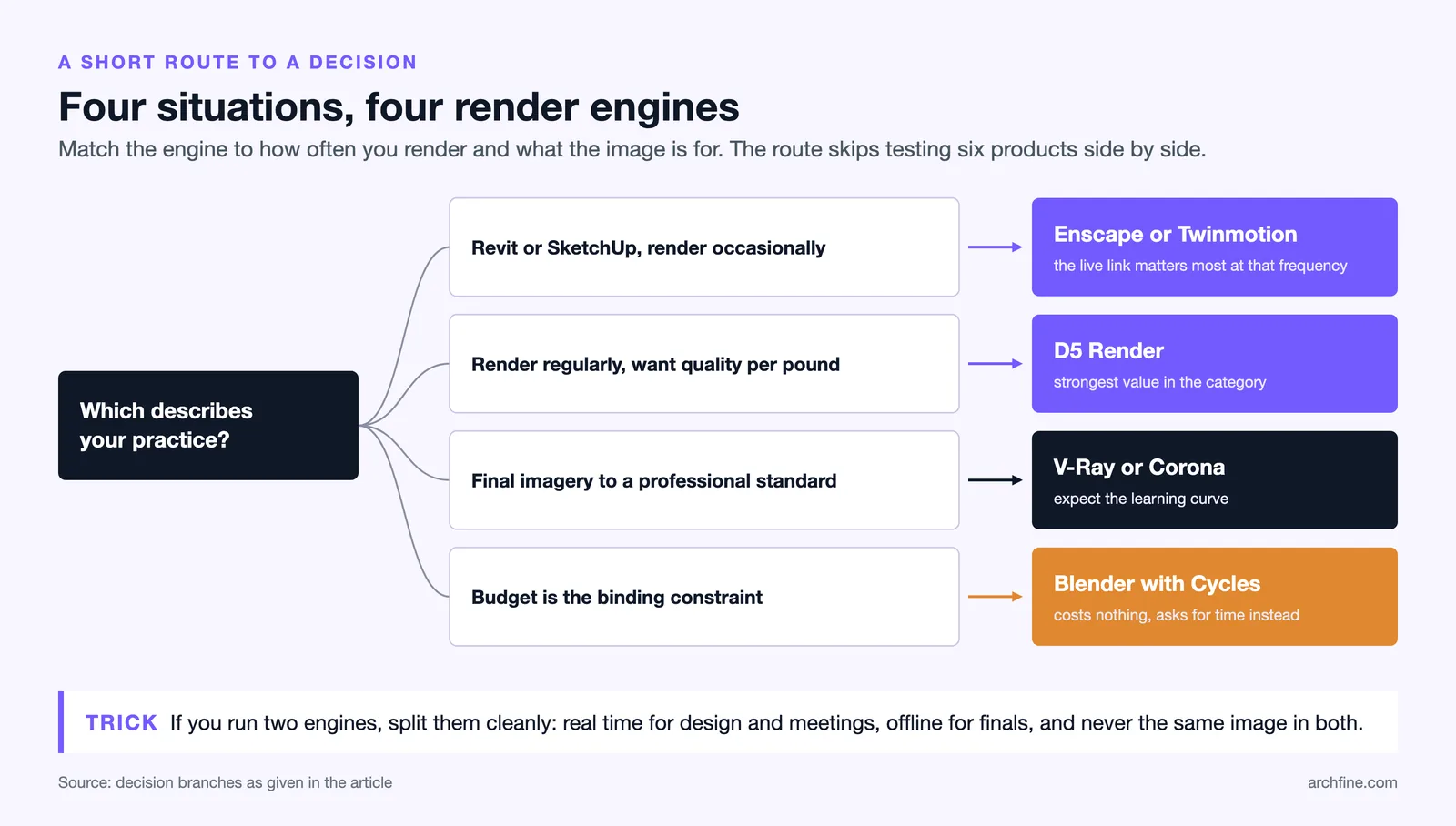
If you render regularly and want quality per pound, D5 is the strongest value in the category.
If you produce final imagery to a professional standard, V-Ray or Corona, and expect the learning curve.
If budget is the binding constraint, Blender with Cycles costs nothing and asks for time instead, as our guide to rendering in Blender covers.
Bottom Line: The engines converged on quality and diverged on workflow. Pick by how your model reaches the renderer and how often the design changes, not by which sample image you preferred.
A Note on Image Quality Claims
Every engine can produce an excellent image and every engine can produce a poor one. The variable is the person more than the software, which is why comparing vendor galleries tells you almost nothing.
Where engines genuinely differ in output is in defaults. An engine with good defaults produces an acceptable image quickly, and one with neutral defaults requires knowledge to reach the same point.
For a practice rendering occasionally, good defaults are worth more than ultimate capability, and that consideration rarely appears in a comparison. The engines set against each other on price, hardware and output sit together in our comparison of architectural rendering software.