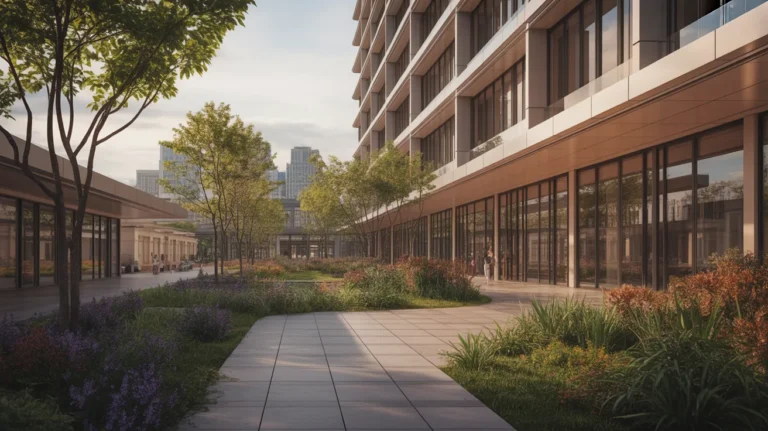
A Lumion alternative is usually sought for cost or hardware reasons, and the same is true of people looking to replace Enscape, V-Ray, Twinmotion or D5. The good news is that these engines are closer in output than in price, so switching often costs less quality than expected.
The bad news is that switching costs time in rebuilt materials and relearned settings, which rarely appears in the comparison. Any Lumion alternative therefore has to save more than the migration costs.
Here is what each engine’s users actually leave for, and what the sensible replacement is in each case.
Lumion Alternatives
People leave Lumion for two reasons: annual cost passing four figures, and the hardware demands in Lumion’s published system requirements that make an older machine unusable.
D5 Render is the direct replacement, costing substantially less with comparable real time output and lower hardware requirements.
Twinmotion is the free option below a revenue threshold, which for a small practice means no licence cost at all.
What you lose is the asset library. Lumion carries far more content than either alternative, and for anyone rendering landscapes and populated scenes constantly that library is a real part of the value.
Enscape Alternatives
Enscape users leave less often, because the live link to Revit, SketchUp and Rhino is the feature and few alternatives match it.
D5 Render has improved its connections and still imports rather than linking live, which is a genuine workflow difference on an active project.
Twinmotion offers direct sync with several packages and sits closest in behaviour.
Anyone leaving Enscape for cost should check the Chaos bundle first, since Chaos prices its collection so that two products together cost little more than one.
V-Ray Alternatives
V-Ray is left for complexity rather than cost. It exposes everything, which is why studios use it and why occasional users find it heavy.
Corona is the natural move, with far better defaults and a much shorter path to a good interior.
Cycles in Blender is free and production capable, at the cost of learning a new application, as our guide to rendering in Blender covers.
A real time engine is the honest answer for many people, since a large share of V-Ray users are producing images that a real time engine would handle in a fraction of the time.
Twinmotion and D5 Alternatives
Twinmotion users tend to leave when they cross the revenue threshold and the per seat cost appears, at which point D5 is usually cheaper.
D5 users leave rarely and usually for the live link, which points back to Enscape.
Both groups occasionally move up to an offline renderer when the output needs a level of control that a real time engine does not offer.
Replacement at a glance
| Leaving | Usually because | Best replacement | What you lose |
|---|---|---|---|
| Lumion | Cost, hardware | D5 or Twinmotion | Asset library |
| Enscape | Cost | Twinmotion or D5 | Live model link |
| V-Ray | Complexity | Corona or a real time engine | Fine control |
| Twinmotion | Crossed revenue threshold | D5 | Unreal ecosystem |
| D5 | Wants live link | Enscape | Price |
💡 Pro Tip
Run the trial on a finished project rather than a live one. You know what the images should look like and how long they took, which turns the trial into a measurement rather than an impression. Every engine offers one, and almost nobody uses it this way.
The Free Options
Twinmotion below the revenue threshold and Blender with Cycles cover a complete workflow at no licence cost.
Neither is a compromise on output. Both are compromises on time, since free tools ask for setup and learning that a paid plugin removes.
For a practice where the software budget is the binding constraint, that trade is frequently correct, and the wider free stack sits in our roundup of free 3D rendering software.
The Alternative Nobody Lists
The option most people skip is not switching. Most complaints about a render engine have a targeted fix that costs far less than migration.
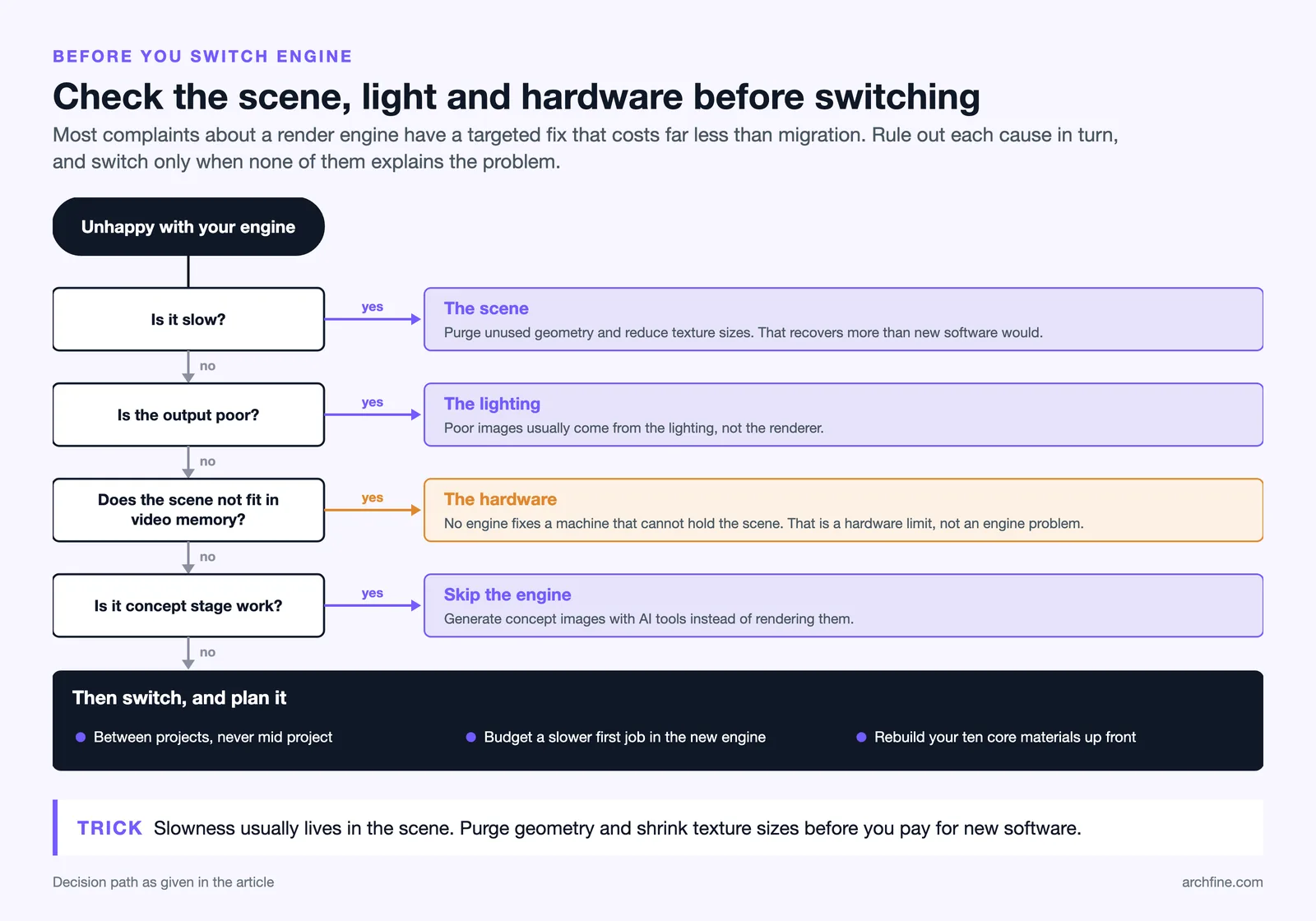
Slow performance is usually the scene rather than the engine, and purging geometry and reducing texture sizes recovers more than new software would.
Poor output is usually lighting rather than the renderer, as our guide to architectural lighting covers.
Hardware limits are hardware limits, and no engine fixes a machine that cannot hold the scene in video memory, which our guide to system requirements covers.
The other alternative that has genuinely changed this calculation is skipping the engine at concept stage entirely and generating images instead, which our roundup of AI design tools covers.
Bottom Line: These engines are closer in output than in price, so switching usually costs less quality than expected and more time than budgeted. Work out whether your complaint is about the engine, the scene or the hardware before paying for anything new.
Timing a Switch
If you are switching, do it between projects rather than during one. Practices that migrate mid project end up running both engines badly and producing images that do not match.
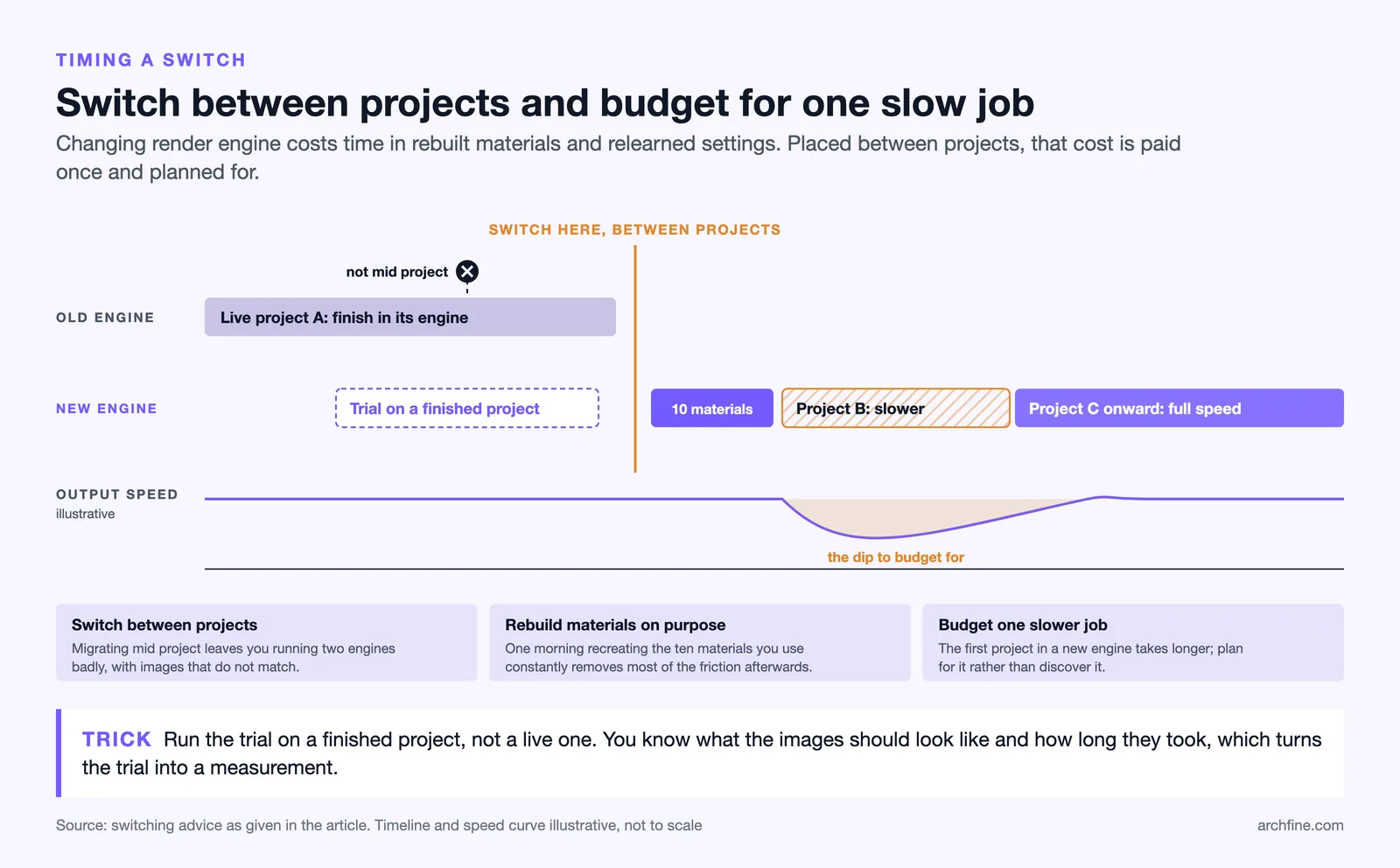
Allow a project of reduced efficiency. The first job in a new engine takes longer, and budgeting for that is better than discovering it.
Rebuild the material library deliberately rather than as you go. A morning spent creating the ten materials you use constantly removes most of the friction from every project afterwards.