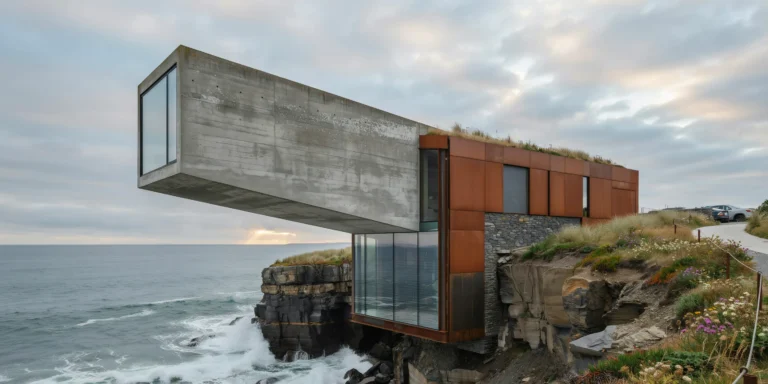
Fishing Village Coastal Hotel

Fishing Village Coastal Hotel

Nordic Vernacular 22 seconds ArchFine Pro 20 May 2026

Prompt Used

A photorealistic render of a small boutique hotel built within and between the existing structures of a historic fishing village on the Faroe Islands, a cluster of traditional grass-roofed black-tarred timber houses on a steep hillside above a protected harbor, sensitively converted and linked by new covered timber walkways. Existing buildings: Four original Faroese fishing houses (each approximately 8m x 5m, single story plus sleeping loft) with the characteristic black pine-tar timber cladding (horizontal boards, deeply weathered to a near-black silver-brown), steeply pitched roofs covered in turf — the turf alive, a lush deep green with wild thyme, sorrel, and grass species, the roof ridges with occasional yellow dandelion flowers. The stone foundations (dry-stacked local basalt) elevate each building 400mm above the steep hillside. New linking elements: Three covered walkways connecting the buildings — simple shed structures (3m wide x 2.4m height, same black-tarred timber cladding) with glazed sidewalls (slim steel-framed fixed glass panels) allowing views across the harbor while providing weather protection. The walkways step with the hillside terrain on stone foundation walls. Hillside and harbor: The steep hillside is vivid green grass with wild flowers, cut by a stone-paved path (irregular basalt flags) leading down to a small quay. Three traditional Faroese fishing boats (approximately 8m, clinker-built, painted in red, blue, and white) moored at the quay. The harbor is a sheltered inlet — dark still water reflecting the village and the surrounding cliff walls. On the opposite harbor wall, more traditional grass-roofed buildings in the same black timber, white-painted window surrounds, red doors. Sky and weather: A rapidly moving sky typical of the Faroes — layers of cloud moving at different speeds and altitudes, patches of vivid blue between the clouds, the light changing constantly. A shaft of sunlight breaks through and illuminates the green turf roofs in brilliant lime green against the dark sky behind the village. Camera angle: From the quay looking up the hillside toward the cluster of buildings, the new walkways connecting them visible between the original structures. The harbor water in the foreground reflects the village. Focal length equivalent 28mm. Aspect ratio 3:2. Time of day: 2:00 PM, June, dramatic Faroese summer light.

Before & After

Before - original sketch
Before
After - AI render
After

Ideal for vernacular conversion and remote island hospitality projects. Upload site plans or aerial survey photographs.
Getting Started with This Prompt

1

Grab the Prompt

Tap the copy button above and the entire prompt will be saved to your clipboard, ready to use.

2

Launch Your Renderer

Head over to Archfine AI or any compatible visualization tool you prefer working with.

3

Add Your Design

Drop in your floor plan, elevation sketch, or any reference image - then paste the prompt.

4

Render & Refine

Run the generation and review the output. Swap out a few keywords to explore completely different aesthetics.

Want a faster workflow? Archfine AI lets you skip prompt editing entirely - just upload and render.

How to Get Stronger Renders

1

Describe the Scene

Mention specific materials, time of day, weather, and camera perspective. The more context the AI has, the more realistic the output becomes.

2

Run Multiple Passes

Each generation is unique. Changing even a single adjective can shift the entire mood - so experiment freely and compare outcomes.

3

Blend Prompts Together

Borrow phrases from other entries in our collection and merge them. Hybrid prompts often deliver the most original visuals.

4

Start with a Clean Drawing

Crisp linework and high-contrast sketches give the AI a clear foundation. Blurry or cluttered inputs lead to softer, less defined renders.

Common Questions About This Prompt

Am I allowed to edit or customize this prompt?

Of course. Think of it as a foundation you can build on. Adjust the style, swap materials, change the lighting setup, or rewrite entire sections to fit your specific project needs.

Which rendering platform does this prompt work with?

It has been fine-tuned for Archfine AI, but the descriptive structure translates well to other popular AI visualization engines. You may need minor adjustments depending on the tool.

Does using this prompt cost anything?

Every prompt in our library is completely free. You can copy, adapt, and use them across personal portfolios, client presentations, or commercial marketing materials without restrictions.

What kind of input image gives the best output?

Clean line drawings with strong contrast tend to perform best. The AI reads edges, proportions, and spatial relationships from your input - so a well-drawn elevation or section will consistently outperform a rough napkin sketch.

Can I use the rendered image commercially?

Yes. Renders generated through Archfine AI on any paid plan come with full commercial usage rights. Use them in proposals, publications, social media, or anywhere else your work needs to shine.

Try this prompt yourself

Upload your own sketch and use this prompt to generate a stunning render.

Try on Archfine