Cantilevered Cliff House

Cantilevered Cliff House

Deconstructivist 26 seconds ArchFine Pro 22 September 2026

Prompt Used

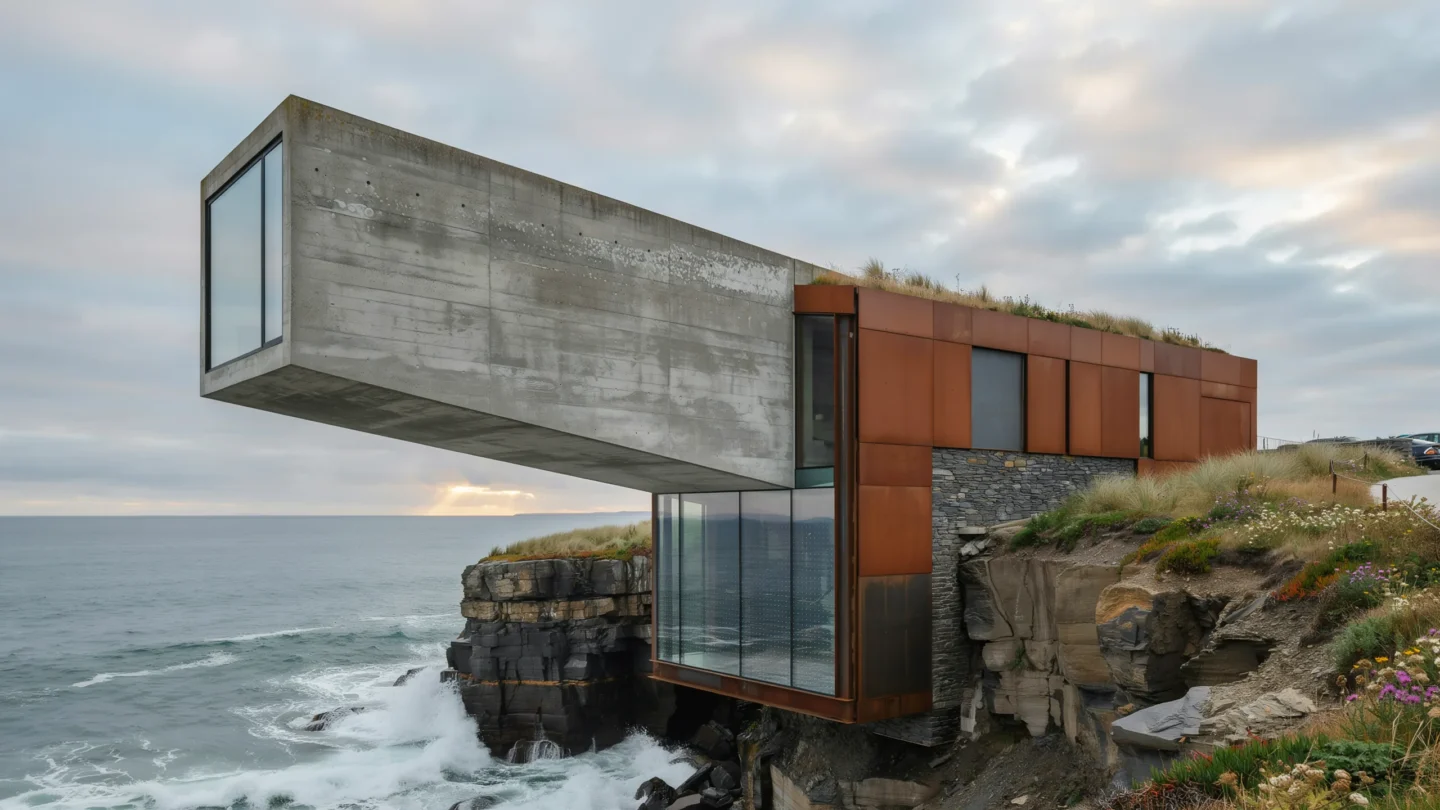
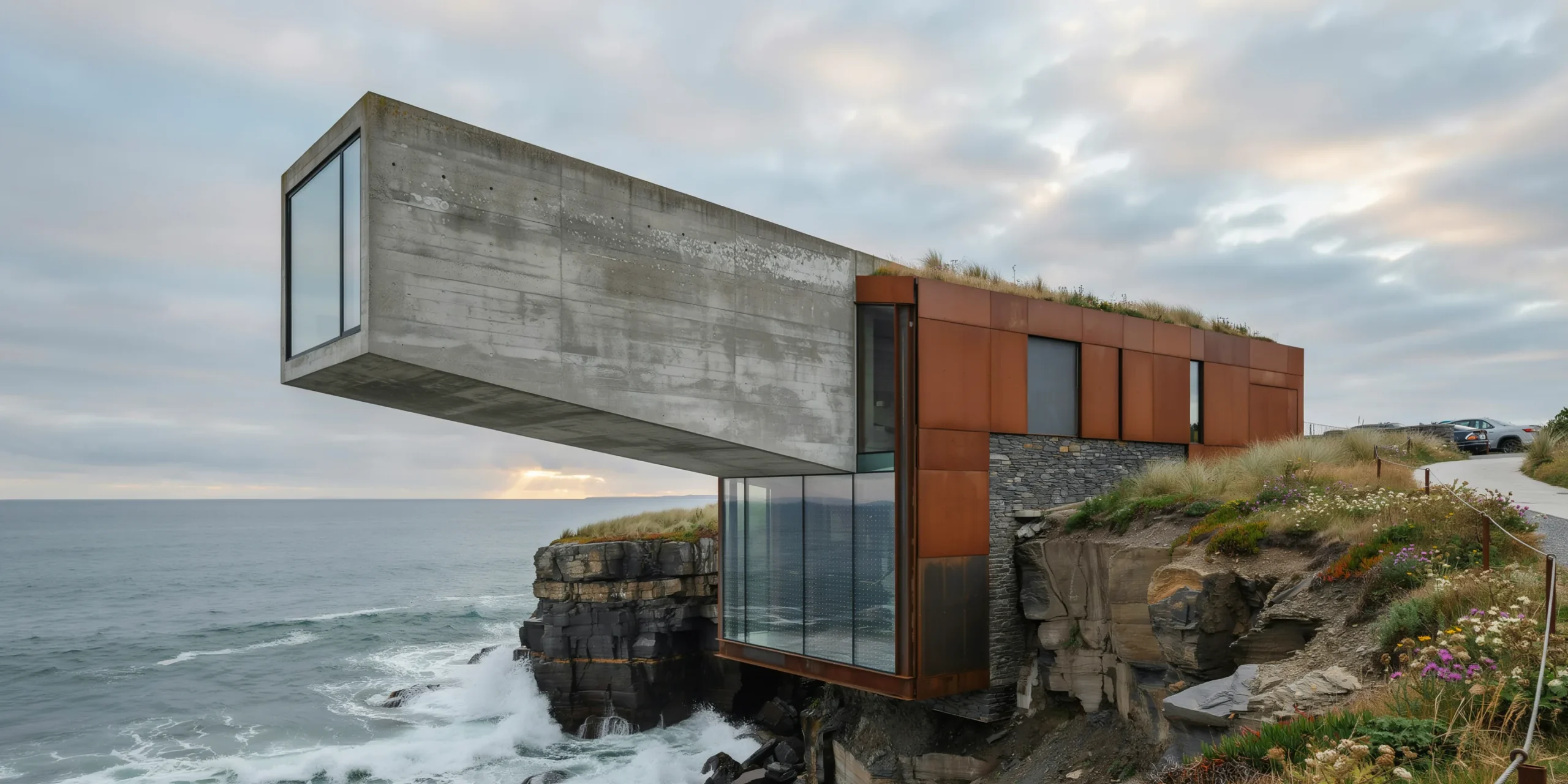
A dramatic cantilevered residential structure extending over a rocky Atlantic coastal cliff, approximately 25m above the crashing ocean below. The house is a bold geometric composition of two intersecting rectangular volumes — a grounded anchor volume (15m x 10m x 4m high, parallel to the cliff edge) and a cantilevered volume (18m x 8m x 3.5m high) projecting 12m beyond the cliff face at a slight upward angle (2 degrees), creating a dramatic hovering effect. Structure: The cantilevered volume is constructed from post-tensioned reinforced concrete with a smooth board-formed exterior finish showing the horizontal grain pattern of rough-sawn Douglas fir formwork boards (200mm wide). The concrete is left in its natural medium gray color, developing a subtle patina of lichen and mineral staining on the north-facing surfaces. The anchor volume is partially embedded into the cliff face, with exposed raw rock visible where the building meets the natural terrain. Structural steel moment connections (visible as expressed weathering steel Cor-Ten plates and bolts at the junction of the two volumes) celebrate the engineering rather than hiding it. Cladding accents: Sections of the grounded volume feature weathering steel (Cor-Ten A588) rain screen panels in their mature deep rust-brown patina, providing a warm contrast to the cool gray concrete. Glazing: The cantilevered volume features floor-to-ceiling structural glass on three sides. The glass is frameless structural silicone-bonded double-glazed units (each panel 3000mm x 3500mm, low-iron glass) with slim 20mm shadow-gap joints between panels. The end wall is a single dramatic 8m x 3.5m glass panel. A glass floor section (2m x 3m, laminated structural glass with anti-slip ceramic frit dots) at the far end of the cantilever allows occupants to see the waves crashing on rocks 25m below. Green roof: The anchor volume has a living roof planted with native coastal grasses, sea thrift (Armeria maritima), and wild coastal flowers in pink and white. Landscape: The cliff is composed of layered dark slate and granite, with horizontal stratification visible in the exposed rock face. Tufts of sea grass and wild coastal plants grow from crevices. A winding concrete path (1200mm wide, brushed finish) with a minimalist weathering steel cable railing leads from a parking area along the cliff top to the entrance. Ocean: Dramatic Atlantic waves (2-3m height) crashing against the base of the cliff, producing white spray and foam. Deep blue-green ocean extending to a distant horizon. Sky: Dramatic overcast sky with layered stratus clouds in shades of gray and silver, with a bright break in the clouds near the horizon allowing a shaft of golden light to illuminate the ocean surface in the middle distance. Camera angle: Photographed from a neighboring cliff approximately 50m to the southeast, looking back at the house in profile to fully display the cantilever projection over the cliff edge. The camera is at approximately the same elevation as the house. Focal length equivalent 70mm telephoto to compress perspective and emphasize the cantilever's drama. Aspect ratio 16:9. Time of day: late afternoon with dramatic stormy light, approximately 4 PM in autumn.

Before & After

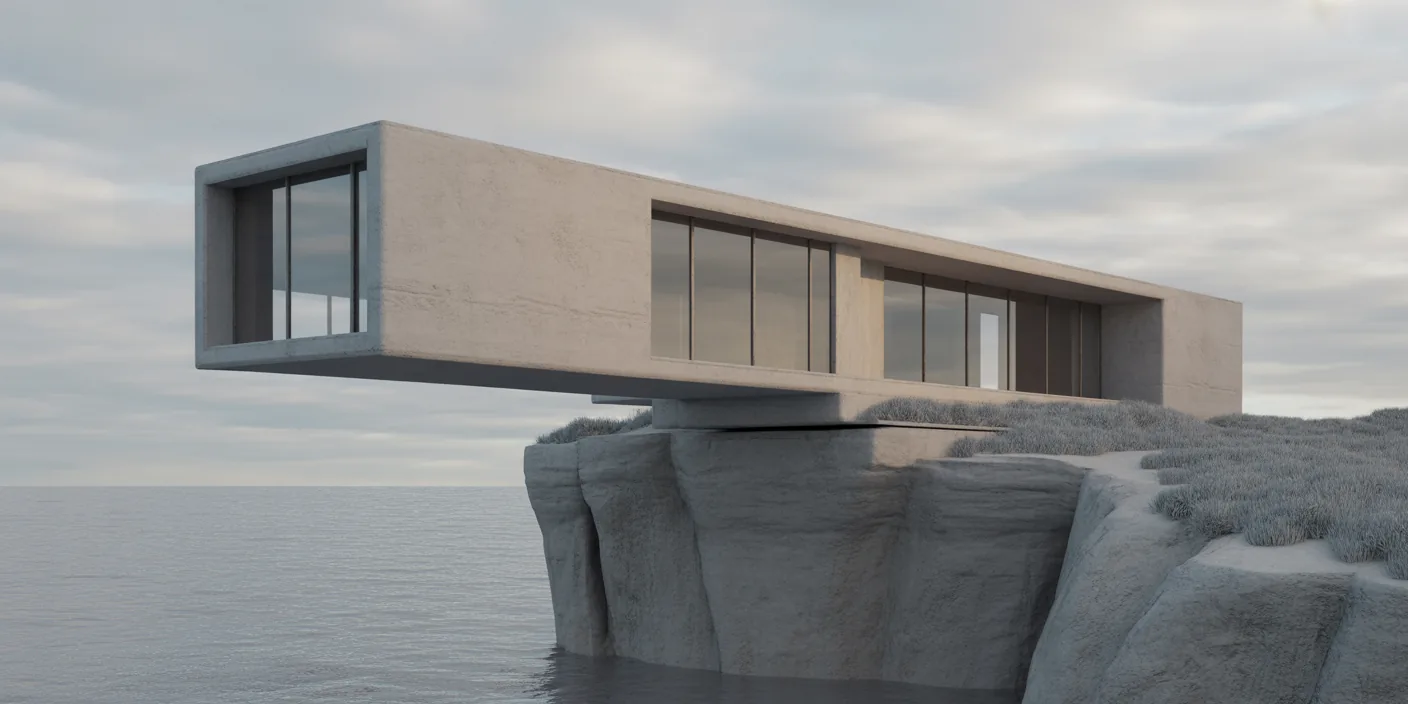
Before - original sketch
Before
Cantilevered Cliff House
After

Dramatic cantilevered house projecting 12m over a rocky Atlantic cliff with crashing waves below. Upload a sketch or site photo and ArchFine AI returns a photorealistic render of the scene.

Create bold conceptual residential designs. Input section drawings showing structural cantilever for accurate visualization.
Getting Started with This Prompt

1

Grab the Prompt

Tap the copy button above and the entire prompt will be saved to your clipboard, ready to use.

2

Launch Your Renderer

Head over to Archfine AI or any compatible visualization tool you prefer working with.

3

Add Your Design

Drop in your floor plan, elevation sketch, or any reference image - then paste the prompt.

4

Render & Refine

Run the generation and review the output. Swap out a few keywords to explore completely different aesthetics.

Want a faster workflow? Archfine AI lets you skip prompt editing entirely - just upload and render.

How to Get Stronger Renders

1

Describe the Scene

Mention specific materials, time of day, weather, and camera perspective. The more context the AI has, the more realistic the output becomes.

2

Run Multiple Passes

Each generation is unique. Changing even a single adjective can shift the entire mood - so experiment freely and compare outcomes.

3

Blend Prompts Together

Borrow phrases from other entries in our collection and merge them. Hybrid prompts often deliver the most original visuals.

4

Start with a Clean Drawing

Crisp linework and high-contrast sketches give the AI a clear foundation. Blurry or cluttered inputs lead to softer, less defined renders.

Common Questions About This Prompt

Am I allowed to edit or customize this prompt?

Of course. Think of it as a foundation you can build on. Adjust the style, swap materials, change the lighting setup, or rewrite entire sections to fit your specific project needs.

Which rendering platform does this prompt work with?

It has been fine-tuned for Archfine AI, but the descriptive structure translates well to other popular AI visualization engines. You may need minor adjustments depending on the tool.

Does using this prompt cost anything?

Every prompt in our library is completely free. You can copy, adapt, and use them across personal portfolios, client presentations, or commercial marketing materials without restrictions.

What kind of input image gives the best output?

Clean line drawings with strong contrast tend to perform best. The AI reads edges, proportions, and spatial relationships from your input - so a well-drawn elevation or section will consistently outperform a rough napkin sketch.

Can I use the rendered image commercially?

Yes. Renders generated through Archfine AI on any paid plan come with full commercial usage rights. Use them in proposals, publications, social media, or anywhere else your work needs to shine.

Try this prompt yourself

Upload your own sketch and use this prompt to generate a stunning render.

Try on Archfine