Contemporary City Rooftop Pool

Contemporary City Rooftop Pool

Luxury Contemporary 23 seconds ArchFine Pro 11 August 2026

Prompt Used

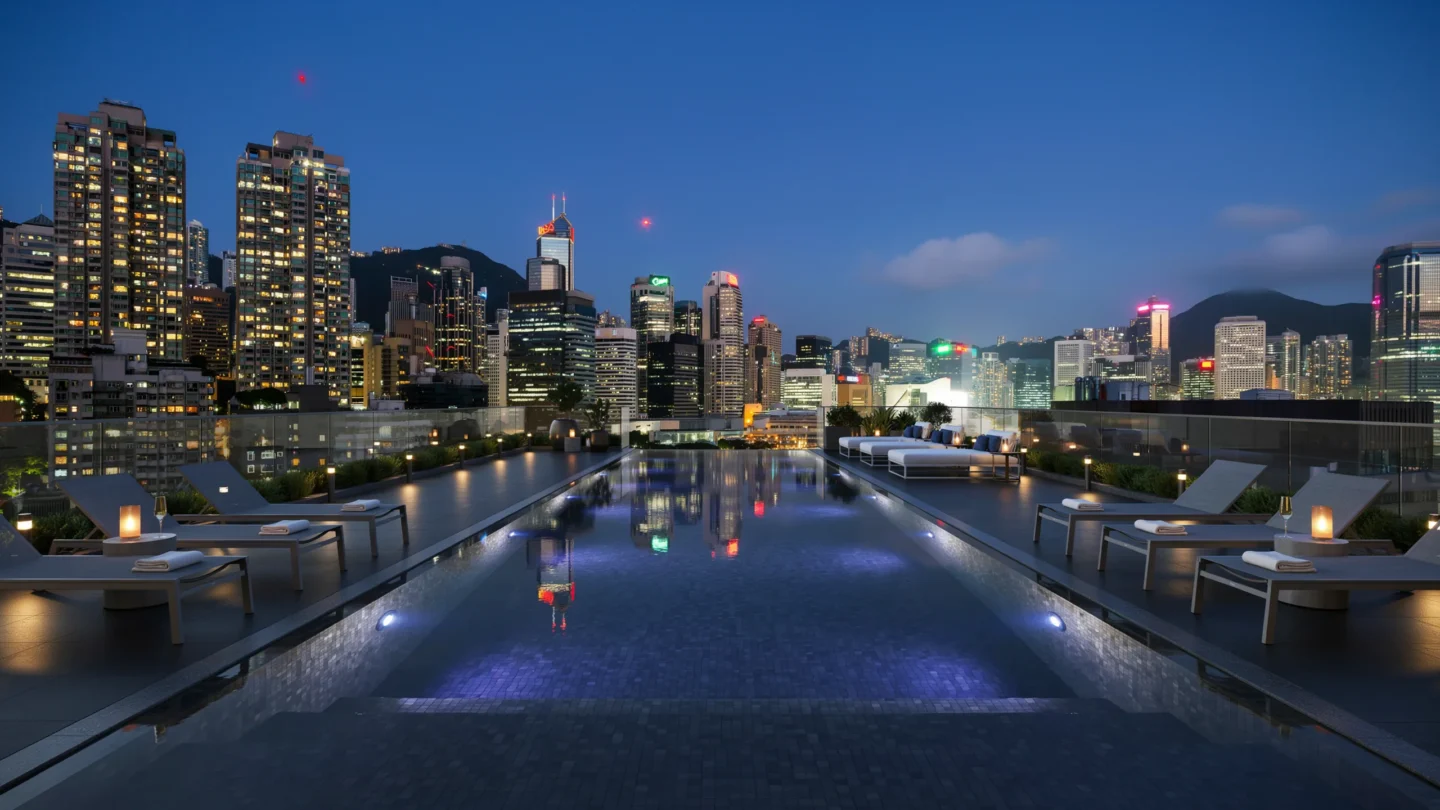
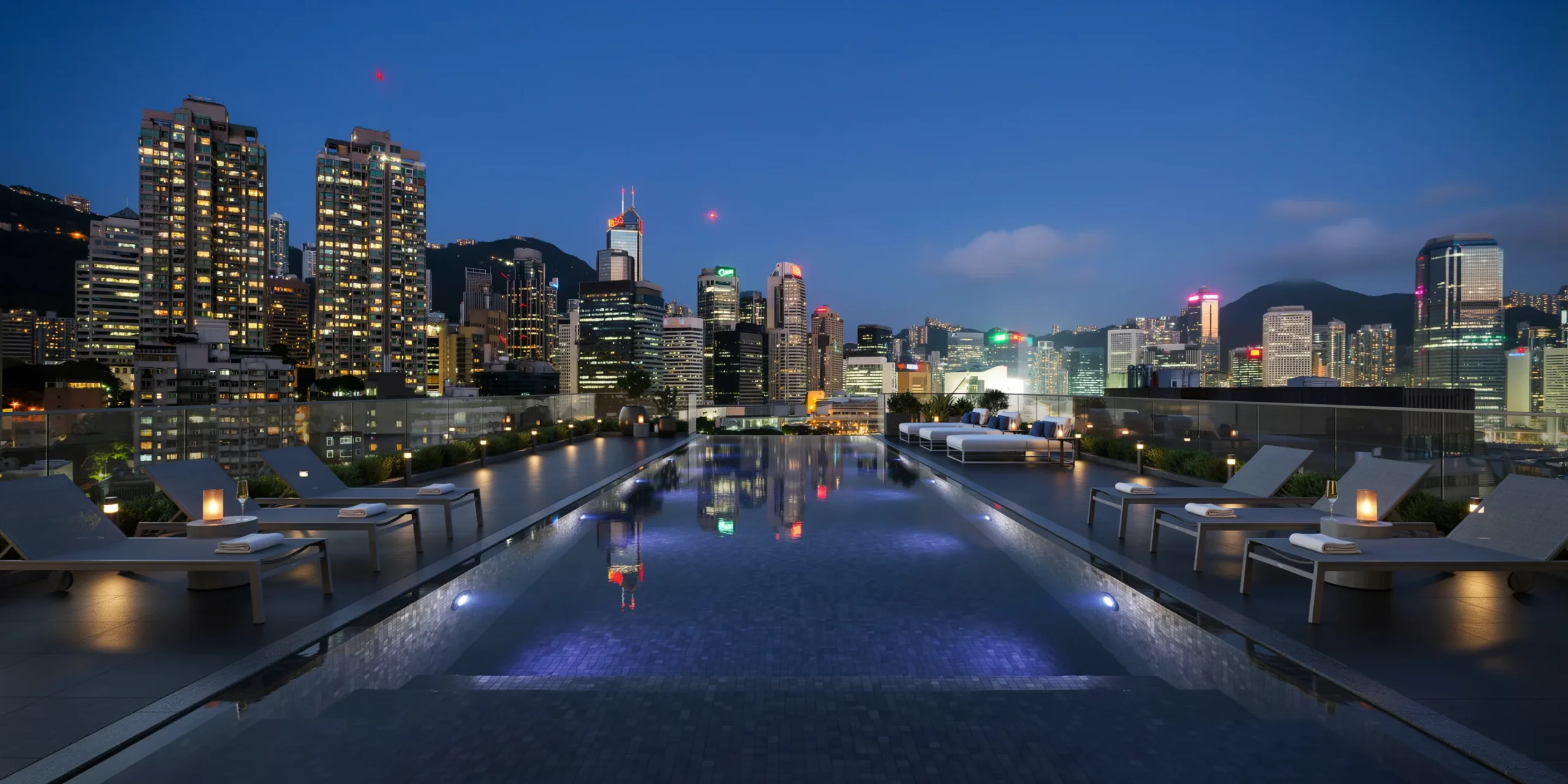
A photorealistic render of a luxury rooftop pool deck on a 15-story residential building in a contemporary Asian metropolis at blue hour. The pool is a 25m lap configuration (25m x 5m, depth 1.5m to 1.8m) in black granite tile (honed Absolute Black, 200mm x 100mm mosaic format) that makes the water appear as a dark mirror reflecting the city. The pool is oriented with its long axis toward the densest part of the skyline to maximize the reflection view. Pool surround: Honed black granite paving (600mm x 600mm) continuing the material palette around the pool on three sides. The fourth side (facing the skyline) has no coping — the water comes to within 100mm of a glass balustrade (frameless 15mm tempered glass with polished stainless steel point fixings) creating an apparent infinity edge toward the city. Pool water surface is calm and mirror-like, perfectly reflecting the building lights and neon signs of the surrounding city. Furniture: Eight sunloungers (powder-coated aluminum in matte anthracite, with charcoal gray mesh fabric) arranged in pairs along the long sides of the pool, each with a folded white towel. Between each pair, a minimal side table in polished concrete with a cylindrical LED candle (warm amber flame effect) and a champagne flute. Two large square daybeds (2000mm x 2000mm, stainless frame, white outdoor fabric mattress with accent cushions in midnight blue) at the far end of the pool. Lighting: The entire space is lit exclusively by artificial light. Recessed LED strip lighting under the pool coping (cool white 4000K) reflects off the water surface. Underwater LED lights in the pool floor (RGB, set to deep blue-violet, approximately 450nm) give the water a mysterious glowing quality from below. Pathway lighting from small marine-grade LED bollards (150mm height, warm white 2700K) lines the perimeter. The skyline provides a backdrop of warm amber, cool blue-white, and neon pink and green signage lights, all perfectly reflected in the pool surface. Skyline: Dense high-rise context (Hong Kong or Singapore aesthetic) — a mix of residential towers with lit windows creating a grid of warm yellow squares, commercial towers with illuminated logos, and background building masses silhouetted against an indigo sky. A few navigation lights (red blinking) on the tallest towers. The horizon faintly brighter where the city light reflects off low clouds. Camera angle: Low perspective from the pool edge (camera 400mm above the deck level), looking along the length of the pool toward the skyline. This position creates a dramatic reflection line where the pool meets the city lights. Focal length equivalent 24mm. Aspect ratio 16:9. Time of day: 9:30 PM, 90 minutes after sunset, deep blue hour sky.

Before & After

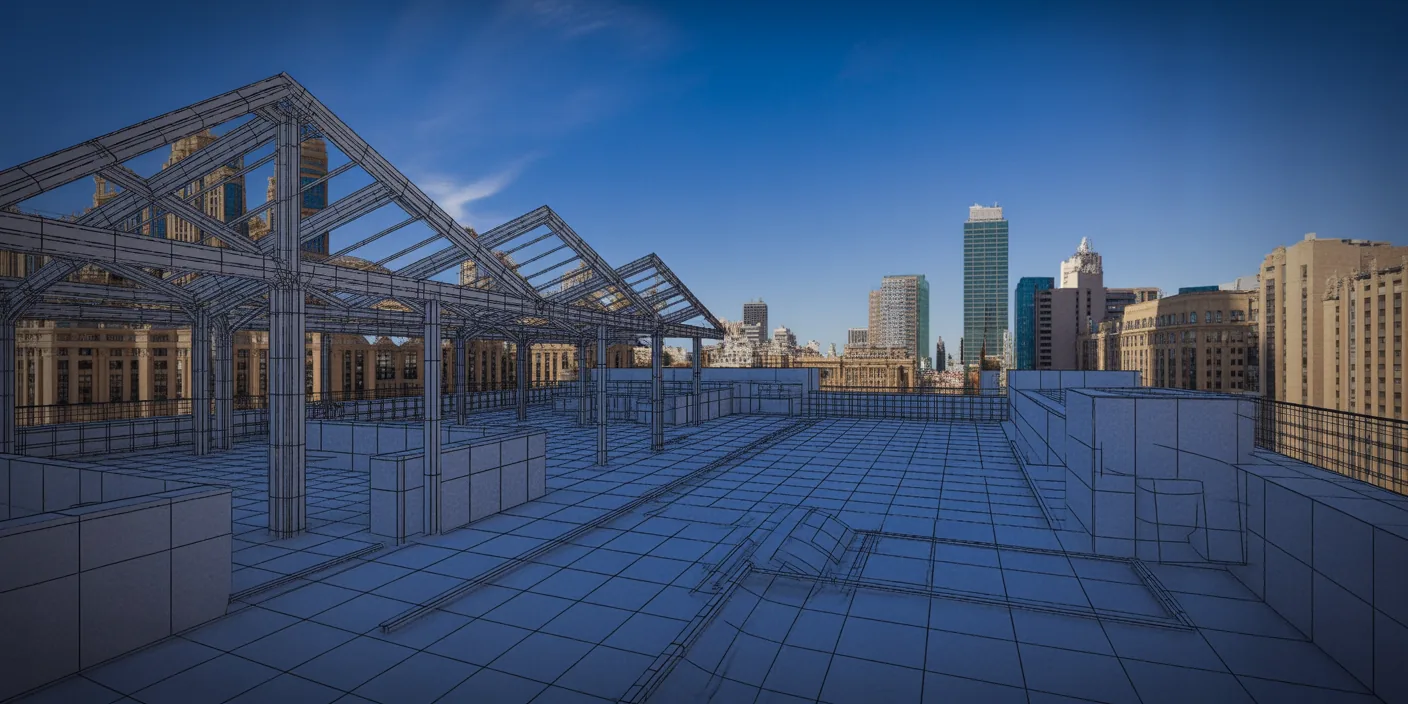
Before - original sketch
Before
Contemporary City Rooftop Pool
After

Luxury rooftop lap pool in black granite mirrors a dense Asian city skyline at blue hour. Hand ArchFine AI a sketch or photo and get a photorealistic version of the design.

Perfect for high-rise residential amenity renders. Upload building plans or rooftop layouts for accurate results.
Categories: Exterior

Getting Started with This Prompt

1

Grab the Prompt

Tap the copy button above and the entire prompt will be saved to your clipboard, ready to use.

2

Launch Your Renderer

Head over to Archfine AI or any compatible visualization tool you prefer working with.

3

Add Your Design

Drop in your floor plan, elevation sketch, or any reference image - then paste the prompt.

4

Render & Refine

Run the generation and review the output. Swap out a few keywords to explore completely different aesthetics.

Want a faster workflow? Archfine AI lets you skip prompt editing entirely - just upload and render.

How to Get Stronger Renders

1

Describe the Scene

Mention specific materials, time of day, weather, and camera perspective. The more context the AI has, the more realistic the output becomes.

2

Run Multiple Passes

Each generation is unique. Changing even a single adjective can shift the entire mood - so experiment freely and compare outcomes.

3

Blend Prompts Together

Borrow phrases from other entries in our collection and merge them. Hybrid prompts often deliver the most original visuals.

4

Start with a Clean Drawing

Crisp linework and high-contrast sketches give the AI a clear foundation. Blurry or cluttered inputs lead to softer, less defined renders.

Common Questions About This Prompt

Am I allowed to edit or customize this prompt?

Of course. Think of it as a foundation you can build on. Adjust the style, swap materials, change the lighting setup, or rewrite entire sections to fit your specific project needs.

Which rendering platform does this prompt work with?

It has been fine-tuned for Archfine AI, but the descriptive structure translates well to other popular AI visualization engines. You may need minor adjustments depending on the tool.

Does using this prompt cost anything?

Every prompt in our library is completely free. You can copy, adapt, and use them across personal portfolios, client presentations, or commercial marketing materials without restrictions.

What kind of input image gives the best output?

Clean line drawings with strong contrast tend to perform best. The AI reads edges, proportions, and spatial relationships from your input - so a well-drawn elevation or section will consistently outperform a rough napkin sketch.

Can I use the rendered image commercially?

Yes. Renders generated through Archfine AI on any paid plan come with full commercial usage rights. Use them in proposals, publications, social media, or anywhere else your work needs to shine.

Try this prompt yourself

Upload your own sketch and use this prompt to generate a stunning render.

Try on Archfine