Adaptive Reuse Power Station Apartments

Adaptive Reuse Power Station Apartments

Industrial Adaptive Reuse 25 seconds ArchFine Pro 22 July 2026

Prompt Used

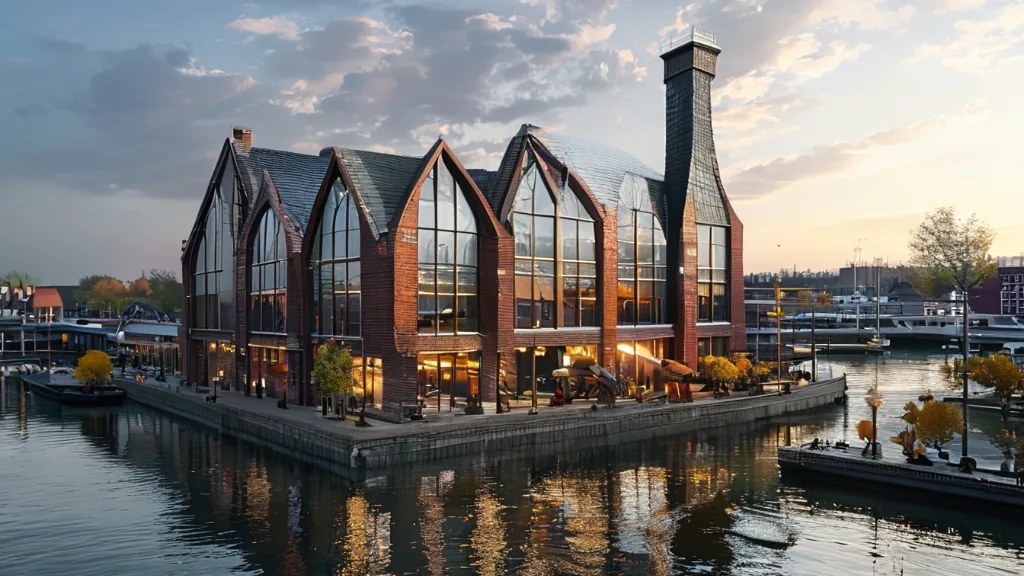
Photorealistic elevated waterfront perspective of a meticulously restored 1908 red-brick power station featuring authentic Flemish bond detailing, soaring arched limestone-keystoned windows, and a restored saw-tooth glazed roof with crisp architectural definition. A minimalist six-story glass and steel addition floats deliberately above the historic masonry structure, separated by a precise shadow gap that emphasizes the conversation between old and new materiality. The ground floor opens as a vibrant market hall visible through the grand arches, displaying cast-iron turbine display plinths alongside contemporary murals rendered in sharp focus. Late afternoon autumn sunlight streams from the southwest at 4:45 PM in mid-October, creating warm golden-hour raking light that catches the corbeled cornices with high clarity, while the sleek glass tower facade reflects burnished gold tones across its crystalline surface. Below, the dark Maas river water mirrors the entire composition with precise reflections, a distant container ship adding scale and industrial context to the scene. The contemporary quayside foreground features precisely laid basalt cobbles, polished stainless steel bollards, and mature yellow robinia trees with detailed foliage, all rendered with crisp detail. The composition is framed as a three-quarter view from boat level at approximately 28mm equivalent focal length in 16:9 aspect ratio, capturing the full adaptive reuse narrative against the Rotterdam waterfront with exceptional clarity and photorealistic texture throughout the brick, glass, water, and stonework surfaces.

Before & After

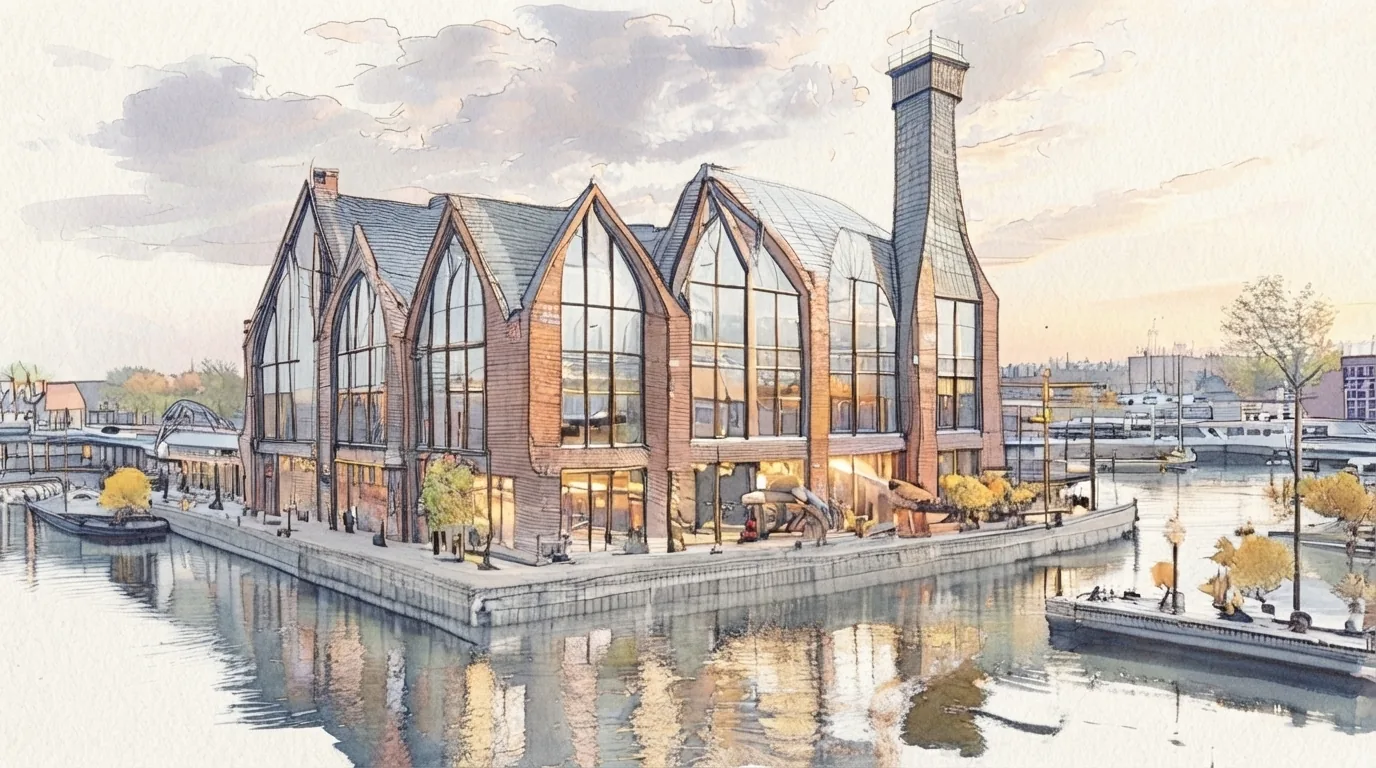
Before - original sketch
Before
After - AI render
After

Former 1908 coal-fired power station converted to loft apartments with glass rooftop addition on Rotterdam waterfront at golden hour. Sketch the form and ArchFine AI returns a finished image with realistic light.

Ideal for large-scale industrial heritage conversion and mixed-use waterfront projects. Upload heritage drawings or survey documents.
Getting Started with This Prompt

1

Grab the Prompt

Tap the copy button above and the entire prompt will be saved to your clipboard, ready to use.

2

Launch Your Renderer

Head over to Archfine AI or any compatible visualization tool you prefer working with.

3

Add Your Design

Drop in your floor plan, elevation sketch, or any reference image - then paste the prompt.

4

Render & Refine

Run the generation and review the output. Swap out a few keywords to explore completely different aesthetics.

Want a faster workflow? Archfine AI lets you skip prompt editing entirely - just upload and render.

How to Get Stronger Renders

1

Describe the Scene

Mention specific materials, time of day, weather, and camera perspective. The more context the AI has, the more realistic the output becomes.

2

Run Multiple Passes

Each generation is unique. Changing even a single adjective can shift the entire mood - so experiment freely and compare outcomes.

3

Blend Prompts Together

Borrow phrases from other entries in our collection and merge them. Hybrid prompts often deliver the most original visuals.

4

Start with a Clean Drawing

Crisp linework and high-contrast sketches give the AI a clear foundation. Blurry or cluttered inputs lead to softer, less defined renders.

Common Questions About This Prompt

Am I allowed to edit or customize this prompt?

Of course. Think of it as a foundation you can build on. Adjust the style, swap materials, change the lighting setup, or rewrite entire sections to fit your specific project needs.

Which rendering platform does this prompt work with?

It has been fine-tuned for Archfine AI, but the descriptive structure translates well to other popular AI visualization engines. You may need minor adjustments depending on the tool.

Does using this prompt cost anything?

Every prompt in our library is completely free. You can copy, adapt, and use them across personal portfolios, client presentations, or commercial marketing materials without restrictions.

What kind of input image gives the best output?

Clean line drawings with strong contrast tend to perform best. The AI reads edges, proportions, and spatial relationships from your input - so a well-drawn elevation or section will consistently outperform a rough napkin sketch.

Can I use the rendered image commercially?

Yes. Renders generated through Archfine AI on any paid plan come with full commercial usage rights. Use them in proposals, publications, social media, or anywhere else your work needs to shine.

Try this prompt yourself

Upload your own sketch and use this prompt to generate a stunning render.

Try on Archfine