Subalpine Pilgrimage Chapel

Subalpine Pilgrimage Chapel

Minimalist Sacred 20 seconds ArchFine Pro 23 July 2026

Prompt Used

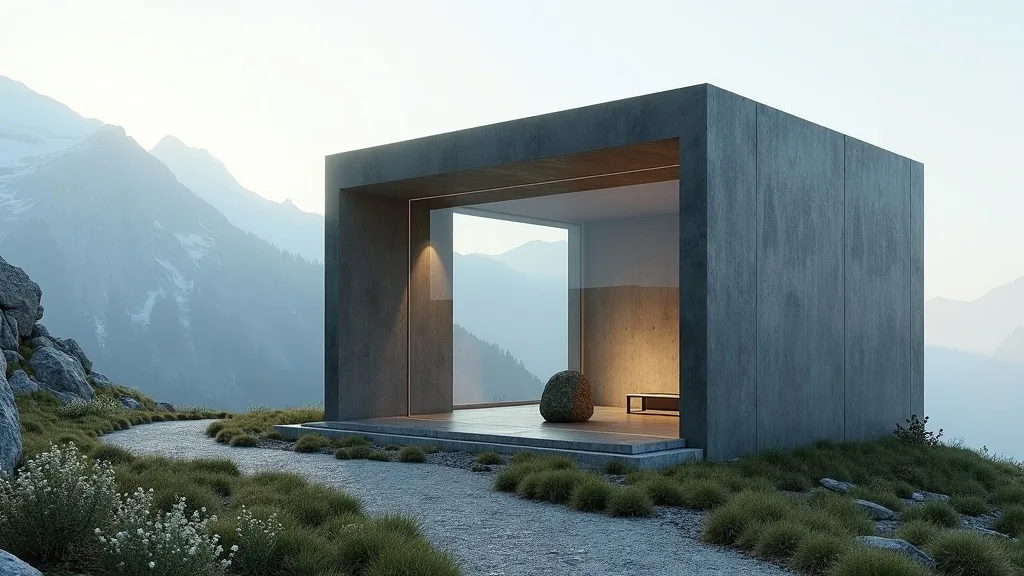
A photorealistic architectural render of a contemporary pilgrimage chapel positioned on a treeless Austrian Alpine ridge at 2,100m elevation, a minimal sculptural intervention replacing a 19th-century wayside cross destroyed by rockfall. The chapel is a monolithic rectilinear volume measuring 5m wide by 3m deep by 6m tall, clad entirely in raw lead sheet with mechanical seams at 600mm by 300mm intervals creating a subtle grid pattern across the dark gray surface; the lead weathers naturally to soft charcoal with lighter rain-wash variations and patina. The architectural gesture: the entire south wall is a single piece of 60mm thick laminated structural glass measuring 4.6m wide by 5.6m tall, crystal clear with minimal green tint, set flush with the exterior lead skin to frame a transparent panorama. The interior space reads as a vertical compression chamber, 4.4m wide by 2.4m deep by 5.4m tall, with flooring of raw Erzberg iron ore stone—a dark russet-black honed slab with visible iron inclusions. The north, east, and west walls are raw poured concrete finished with crushed local limestone aggregate, revealing pale cream tones and tactile stone texture. At the center, an uncut local serpentine boulder approximately 600mm by 400mm by 500mm (deep green with white veining) serves as the altar, illuminated by a concealed 4000K cool-white LED strip at ceiling level casting 200 lux of sharp focused light. Five simple solid larch wooden prayer kneelers in natural finish, no cushions, face the glass south wall. The camera approaches from the south along the worn limestone scree footpath at 15m distance, looking slightly upward with a 35mm equivalent focal length in portrait aspect ratio (2:3), capturing the full transparent south wall revealing interior and altar stone against the dramatic alpine panorama beyond. The exterior setting shows immediate exposure—a 300m drop visible on the south side, loose limestone scree footpath, a timber signpost 5m distant at the path junction, and alpine wildflowers (Edelweiss, alpine aster) in rock crevices around the base; a dry-stone wall remnant of the original 19th-century structure is incorporated into the north foundation. The sky is a deep altitude blue (Pantone 300U equivalent) with isolated lenticular clouds at ridge height showing sharp-edged flat bases and smooth domed tops in crisp definition. The sun strikes from the southeast at 45 degrees, illuminating the lead south-east corner with razor-sharp directional light and casting a defined building shadow across the scree. The time is 10:30 AM in early September; clear high-altitude air with excellent visibility, sharp focus, crisp architectural detail, and high clarity throughout.

Before & After

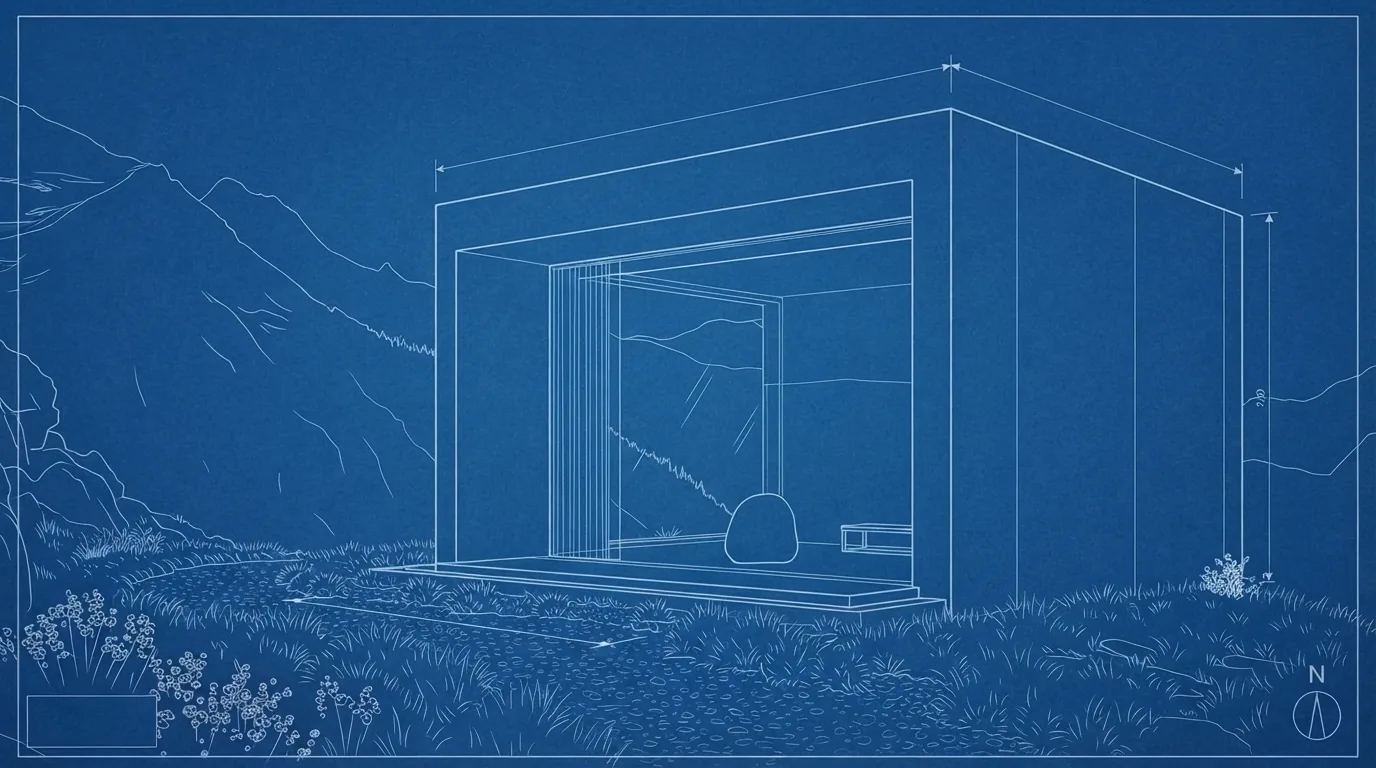
Before - original sketch
Before
Subalpine Pilgrimage Chapel
After

Monolithic lead-clad alpine chapel with full-height glass south wall and serpentine altar stone at 2100m elevation. Pair it with your own input and ArchFine AI generates the render in moments.

Ideal for sacred, memorial, and landscape architecture in mountain environments. Upload site topography or site photos.
Getting Started with This Prompt

1

Grab the Prompt

Tap the copy button above and the entire prompt will be saved to your clipboard, ready to use.

2

Launch Your Renderer

Head over to Archfine AI or any compatible visualization tool you prefer working with.

3

Add Your Design

Drop in your floor plan, elevation sketch, or any reference image - then paste the prompt.

4

Render & Refine

Run the generation and review the output. Swap out a few keywords to explore completely different aesthetics.

Want a faster workflow? Archfine AI lets you skip prompt editing entirely - just upload and render.

How to Get Stronger Renders

1

Describe the Scene

Mention specific materials, time of day, weather, and camera perspective. The more context the AI has, the more realistic the output becomes.

2

Run Multiple Passes

Each generation is unique. Changing even a single adjective can shift the entire mood - so experiment freely and compare outcomes.

3

Blend Prompts Together

Borrow phrases from other entries in our collection and merge them. Hybrid prompts often deliver the most original visuals.

4

Start with a Clean Drawing

Crisp linework and high-contrast sketches give the AI a clear foundation. Blurry or cluttered inputs lead to softer, less defined renders.

Common Questions About This Prompt

Am I allowed to edit or customize this prompt?

Of course. Think of it as a foundation you can build on. Adjust the style, swap materials, change the lighting setup, or rewrite entire sections to fit your specific project needs.

Which rendering platform does this prompt work with?

It has been fine-tuned for Archfine AI, but the descriptive structure translates well to other popular AI visualization engines. You may need minor adjustments depending on the tool.

Does using this prompt cost anything?

Every prompt in our library is completely free. You can copy, adapt, and use them across personal portfolios, client presentations, or commercial marketing materials without restrictions.

What kind of input image gives the best output?

Clean line drawings with strong contrast tend to perform best. The AI reads edges, proportions, and spatial relationships from your input - so a well-drawn elevation or section will consistently outperform a rough napkin sketch.

Can I use the rendered image commercially?

Yes. Renders generated through Archfine AI on any paid plan come with full commercial usage rights. Use them in proposals, publications, social media, or anywhere else your work needs to shine.

Try this prompt yourself

Upload your own sketch and use this prompt to generate a stunning render.

Try on Archfine