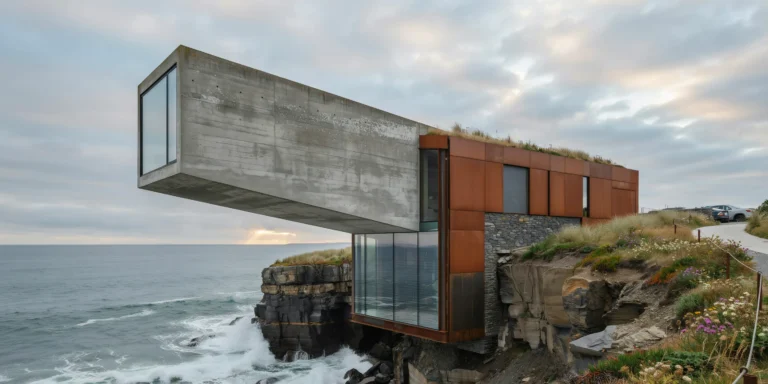
Cliffside Coastal Retreat

Cliffside Coastal Retreat

Coastal Minimalist 24 seconds ArchFine Pro 4 August 2026

Prompt Used

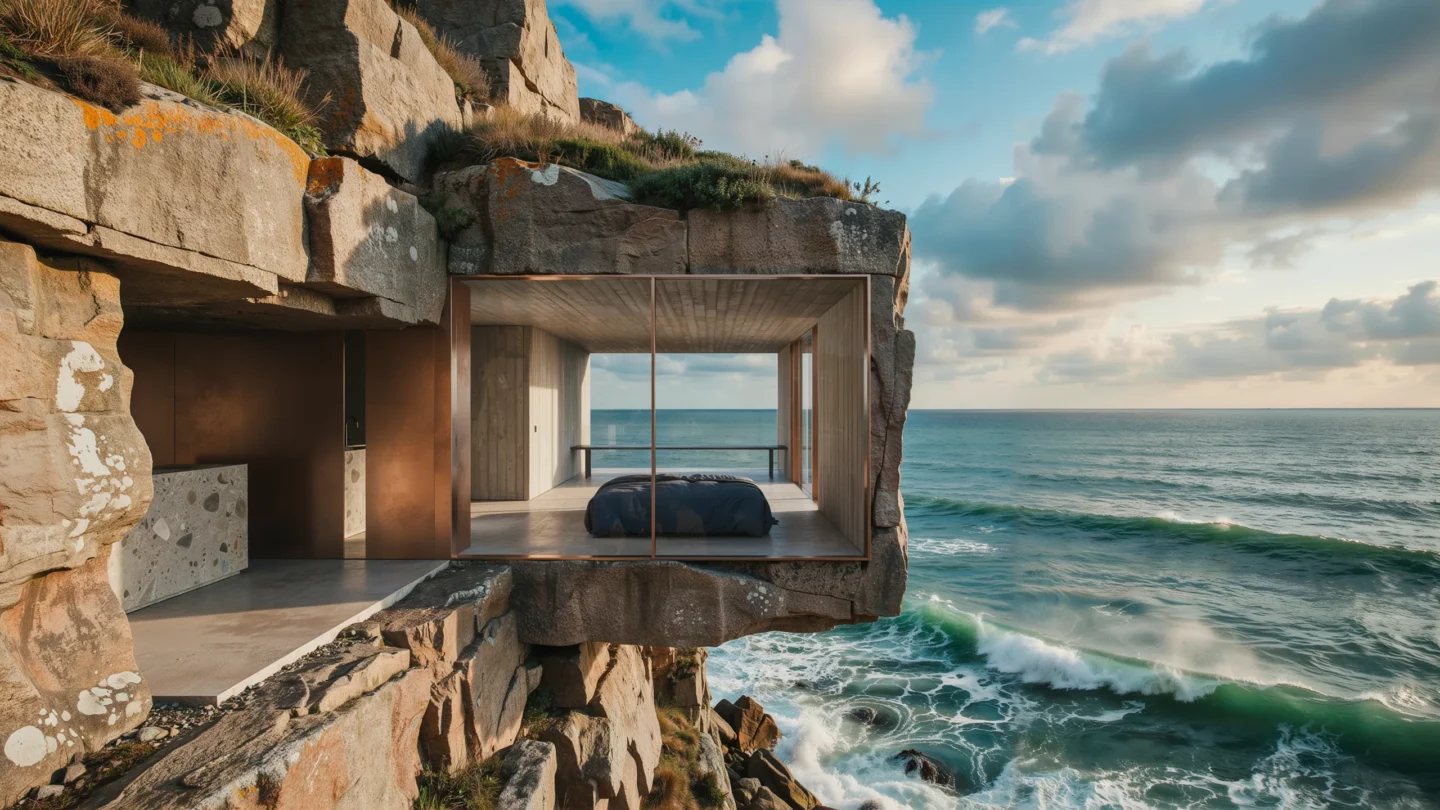
A photorealistic render of a minimalist coastal retreat built directly into a granite cliff face on the Brittany coast of France, the building carved and embedded into the rock rather than sitting on top of it. The structure occupies a natural ledge at approximately 30m above sea level, with the cliff rising a further 15m above the roof line and the Atlantic Ocean directly below and in front. Building form: The retreat is a simple rectangular volume (14m x 7m floor plate) embedded two-thirds into the rock face, with only the south-facing facade fully exposed. The roof is buried under a 500mm layer of sedum and wild thyme, matching the cliff-top vegetation above, so the building reads as a continuation of the geology from above. The buried side and rear walls are raw granite — the same material as the cliff — so the junction between building and rock is ambiguous. South facade: A frameless structural glass wall (14m wide x 2.8m tall) flush with the cliff face, the glass meeting the granite on both sides with a minimal silicone joint, no visible frame. The glass has a slight bronze tint and low-reflectivity coating, so the interior is clearly readable. Interior visible through the glass: an open-plan living and sleeping space with a raw concrete ceiling (120mm, board-formed with horizontal 100mm plank texture), polished concrete floor in warm gray, and minimalist furniture. Interior visible: A low platform bed (2000mm x 1800mm, 250mm height, upholstered in dark navy performance fabric) positioned centrally with unobstructed view through the glass to the sea. A single long shelf (4800mm x 300mm, 20mm thick tempered glass on blackened steel brackets) runs the full width of the room at head height. A cast concrete kitchen counter integrated into the rear rock wall, the rock itself forming the back wall of the kitchen — raw granite surface with mineral inclusions visible. Ocean and landscape: The Atlantic in early autumn conditions — a moderate swell with breaking white crests visible 50m offshore, the water a deep blue-green with surface texture from a 15-knot onshore wind. The sky is dramatic — large cumulus clouds with dark bases moving from the west, patches of intense blue between them, the light highly directional creating pools of sunlight on the water surface that contrast with shadow areas. Whitecaps and foam patterns on the water surface. Cliff geology: The granite cliff face flanking the building is rough and fractured, the rock faces in warm amber, gray, and pink tones, with white quartz veins. Patches of orange lichen on protected horizontal surfaces. Sea spray visible as a fine mist at the base of the cliff. Camera angle: Elevated perspective from a rock outcrop to the southeast, approximately 25m distance and 5m above the building floor level, looking toward the building and the ocean beyond. The relationship between the embedded building and the cliff geology is clearly legible. Focal length equivalent 35mm. Aspect ratio 16:9. Time of day: 2:00 PM, dynamic partly cloudy autumn afternoon.

Before & After

Before - original sketch
Before
After - AI render
After

Minimalist retreat carved into a Brittany granite cliff with frameless glass facade and Atlantic views. Drop in a massing sketch or model screenshot and ArchFine AI renders it in seconds.

Perfect for dramatic site-specific coastal residential concepts. Upload site topography or cliff surveys.
Getting Started with This Prompt

1

Grab the Prompt

Tap the copy button above and the entire prompt will be saved to your clipboard, ready to use.

2

Launch Your Renderer

Head over to Archfine AI or any compatible visualization tool you prefer working with.

3

Add Your Design

Drop in your floor plan, elevation sketch, or any reference image - then paste the prompt.

4

Render & Refine

Run the generation and review the output. Swap out a few keywords to explore completely different aesthetics.

Want a faster workflow? Archfine AI lets you skip prompt editing entirely - just upload and render.

How to Get Stronger Renders

1

Describe the Scene

Mention specific materials, time of day, weather, and camera perspective. The more context the AI has, the more realistic the output becomes.

2

Run Multiple Passes

Each generation is unique. Changing even a single adjective can shift the entire mood - so experiment freely and compare outcomes.

3

Blend Prompts Together

Borrow phrases from other entries in our collection and merge them. Hybrid prompts often deliver the most original visuals.

4

Start with a Clean Drawing

Crisp linework and high-contrast sketches give the AI a clear foundation. Blurry or cluttered inputs lead to softer, less defined renders.

Common Questions About This Prompt

Am I allowed to edit or customize this prompt?

Of course. Think of it as a foundation you can build on. Adjust the style, swap materials, change the lighting setup, or rewrite entire sections to fit your specific project needs.

Which rendering platform does this prompt work with?

It has been fine-tuned for Archfine AI, but the descriptive structure translates well to other popular AI visualization engines. You may need minor adjustments depending on the tool.

Does using this prompt cost anything?

Every prompt in our library is completely free. You can copy, adapt, and use them across personal portfolios, client presentations, or commercial marketing materials without restrictions.

What kind of input image gives the best output?

Clean line drawings with strong contrast tend to perform best. The AI reads edges, proportions, and spatial relationships from your input - so a well-drawn elevation or section will consistently outperform a rough napkin sketch.

Can I use the rendered image commercially?

Yes. Renders generated through Archfine AI on any paid plan come with full commercial usage rights. Use them in proposals, publications, social media, or anywhere else your work needs to shine.

Try this prompt yourself

Upload your own sketch and use this prompt to generate a stunning render.

Try on Archfine