
AI rendering for architecture students gives access to photorealistic visualization without expensive software licenses or high-end hardware. Free and low-cost AI rendering platforms let students produce polished renders for studio critiques, portfolio projects, and thesis presentations by uploading a model screenshot or sketch rather than running a full render pipeline.
For most of the past two decades, photorealistic architectural rendering was a resource that separated professional studios from student work. Producing a high-quality render required either an expensive software license, a workstation with a capable GPU, or hours of overnight render time on university lab machines. That gap has largely closed. AI rendering for architecture students is now a practical part of the studio workflow — accessible on a laptop, often free, and fast enough to use during the design process rather than only at the end.
This guide covers the best free and low-cost AI rendering tools available to architecture students today, how to integrate them into studio projects at different stages, and what to look for when choosing a platform that fits a student budget.
Why AI Rendering Matters for Architecture Students
Architecture school has always placed a premium on visual communication. A strong design presented with weak visuals rarely lands the way it should in a studio critique. Conversely, students who can produce compelling imagery have a consistent advantage — not because the image replaces the design, but because it translates spatial ideas into something an audience can immediately read.
Traditional rendering workflows put students in a difficult position. Learning V-Ray, Enscape, Lumion, or Corona takes significant time investment on top of an already demanding studio schedule. Rendering a single high-quality image can take hours of setup, material assignment, lighting calibration, and compute time. AI rendering changes the equation by compressing that workflow: upload an image of your model, describe the desired output, and receive a photorealistic result in under a minute.
Beyond speed, AI rendering tools lower the barrier to experimentation. Testing five different facade materials or three lighting conditions no longer costs five hours — it costs five minutes. That shift has real implications for design development, not just for final presentation.
Free and Affordable AI Rendering Options for Students
The market for AI rendering tools has expanded rapidly. The options below span fully free tools, self-hosted open-source platforms, and low-cost SaaS products with student-accessible pricing.
Fully Free AI Rendering Tools
Stable Diffusion (self-hosted): The most capable free option for students willing to set up a local installation. Stable Diffusion, running through interfaces like ComfyUI or AUTOMATIC1111, can produce high-quality architectural visualizations with the right prompting and ControlNet configurations. The trade-off is setup complexity and the requirement for a reasonably capable GPU. It is genuinely free with no usage limits, making it attractive for students who need volume output for thesis or portfolio projects.
Adobe Firefly (free tier): Students with access to Adobe Creative Cloud through their university often have access to Firefly’s generative features at no additional cost. Firefly’s architecture-specific results vary but are improving. The free tier has monthly generation limits that reset each billing cycle.
RoomGPT: A narrower tool focused on interior space transformations. It accepts a photo of a room and returns a redesigned version in a selected style. Useful for students working on interior-heavy projects, though it is not designed for exterior architectural visualization.
Low-Cost SaaS Options with Student-Friendly Pricing
Several AI rendering platforms offer subscription tiers or credit-based pricing that fits within a student budget. For students producing renders regularly across multiple projects, a low-cost subscription often makes more sense than piecing together free-tier limits across multiple platforms.
ArchFine is built specifically for architectural rendering. The platform accepts an uploaded image — a model screenshot, a hand sketch, or a photo of a physical model — and generates a photorealistic architectural render in approximately 30 seconds. Unlike general-purpose AI image generators, ArchFine is trained on architectural output, which means results maintain spatial coherence and material fidelity appropriate for studio and portfolio use. Check the current pricing page for available free tier and student offer details.
Midjourney: Widely used for concept ideation and early-stage visualization. Midjourney does not currently offer a free tier, but its entry-level subscription covers a volume of renders adequate for most student projects. It works best for atmospheric renders and early design exploration rather than precise technical output.
💡 Pro Tip
For architecture studio crits, generate at least one AI render from your model early in the design process, even if the design is not finalized. Showing a rough but photorealistic visualization at an interim review gives critics a clearer sense of spatial intent than a wireframe or diagram alone. AI tools make this fast enough that it no longer needs to wait until the final submission week.
Free Tiers That Work for Portfolio Projects
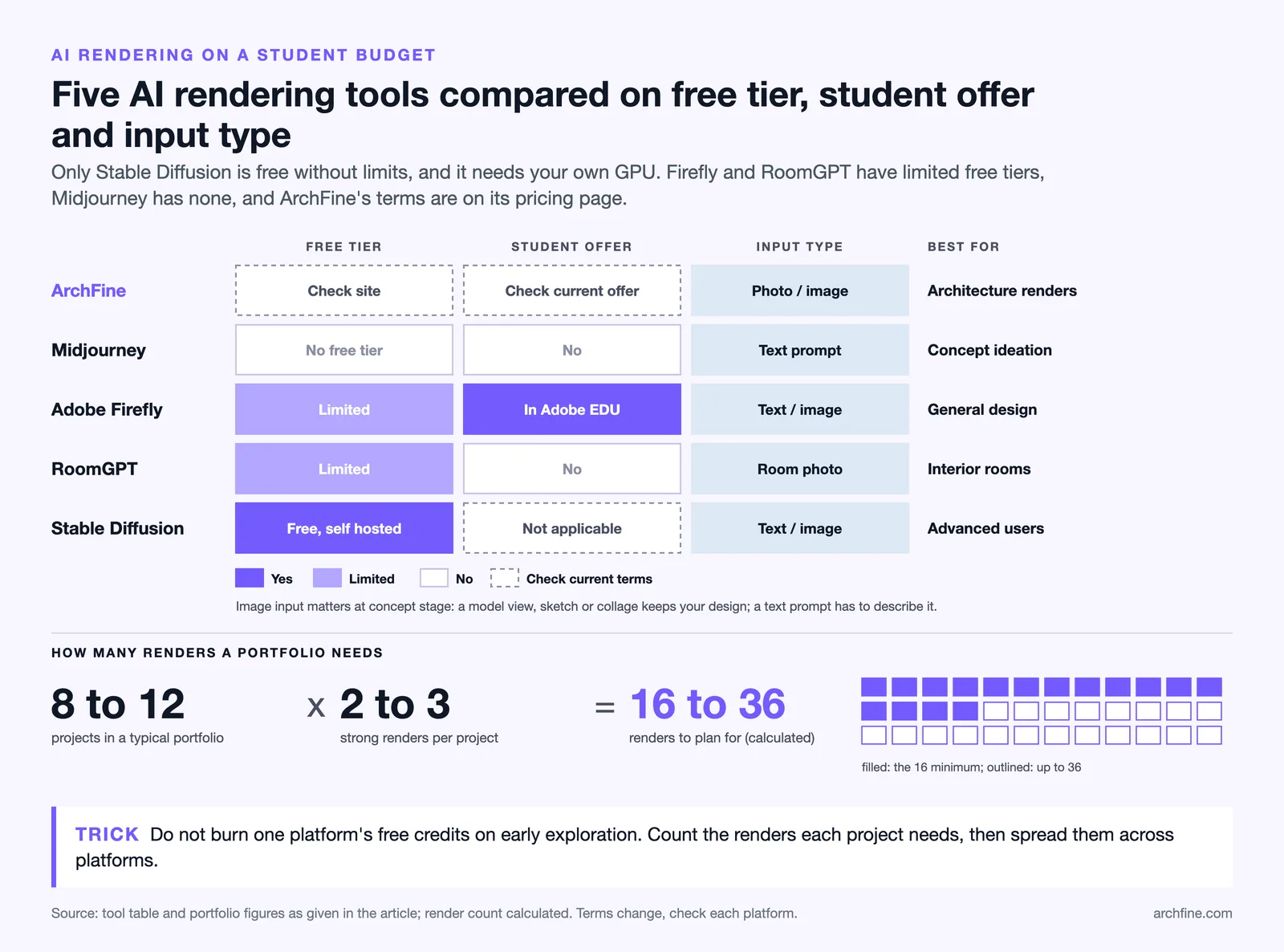
For students whose primary need is producing a small set of high-quality renders for a portfolio rather than ongoing studio output, free-tier limits across multiple platforms can cover the requirement without any subscription cost. A typical architecture portfolio contains eight to twelve projects. If each project needs two to three strong renders, a combination of free-tier credits across ArchFine, Adobe Firefly, and one other platform can produce that volume over the course of a semester.
The key is planning: identify which projects need AI renders, estimate the number of images required, and distribute render generation across platforms accordingly rather than exhausting one platform’s free allocation on early-stage exploration.
Free and Low-Cost AI Rendering Tools for Architecture Students
| Tool | Free Tier | Student Discount | Input Type | Best For |
|---|---|---|---|---|
| ArchFine | Yes (check site) | Check current offer | Photo / image | Architecture renders |
| Midjourney | No free tier | No | Text prompt | Concept ideation |
| Adobe Firefly | Yes (limited) | Included in Adobe EDU | Text / image | General design |
| RoomGPT | Yes (limited) | No | Room photo | Interior rooms |
| Stable Diffusion | Free (self-hosted) | N/A | Text / image | Advanced users |
Free tier availability and student pricing for the tools listed above may change over time. Always check each platform’s current pricing page before making a decision.
📌 Did You Know?
Most major architectural software companies including Autodesk, McNeel, and Graphisoft offer free educational licenses for students enrolled in accredited architecture programs. Pairing these free modeling tools with low-cost AI rendering platforms gives architecture students a near-professional visualization workflow for under $20 per month.
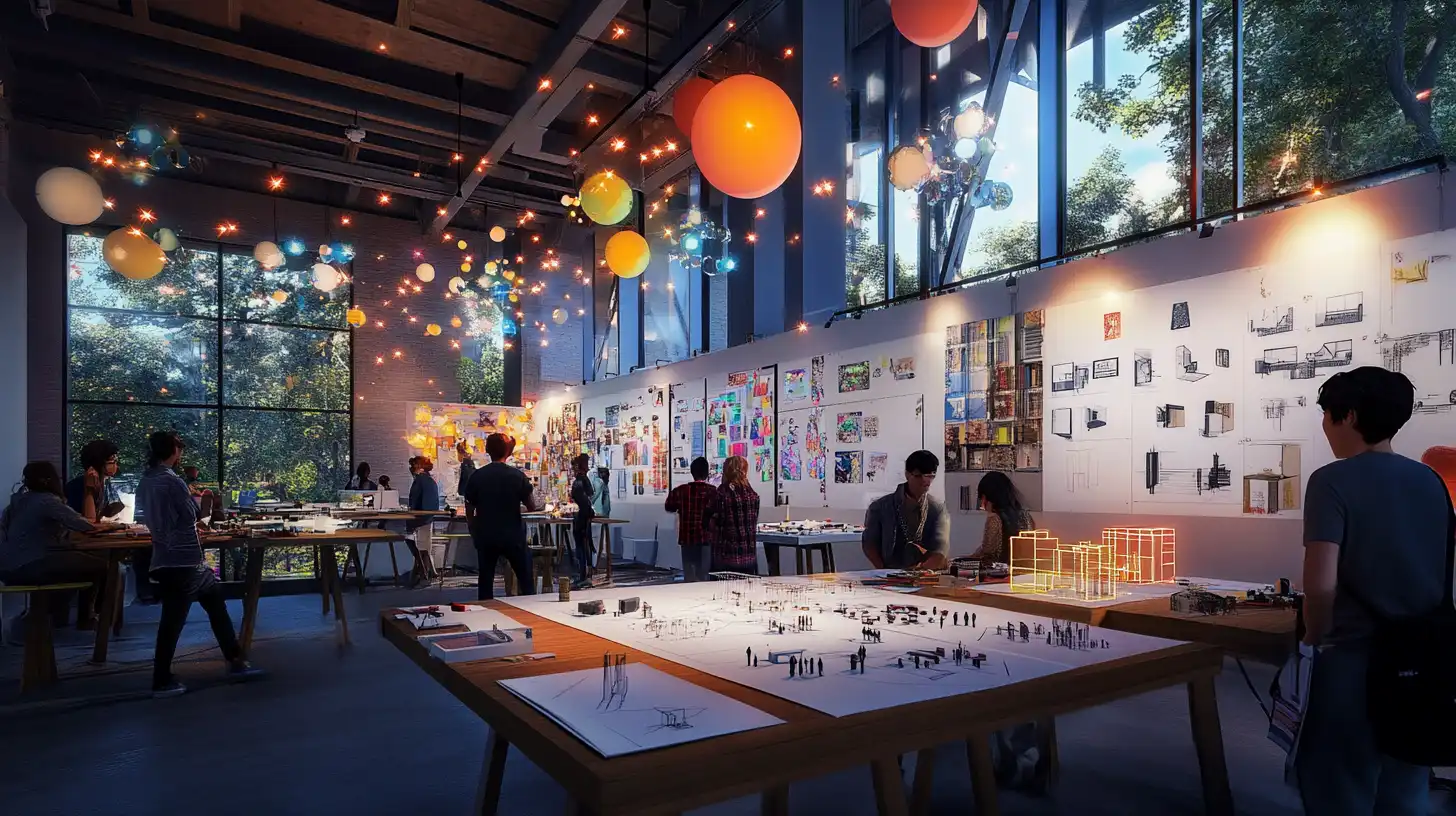
How to Use AI Rendering in Architecture Studio Projects
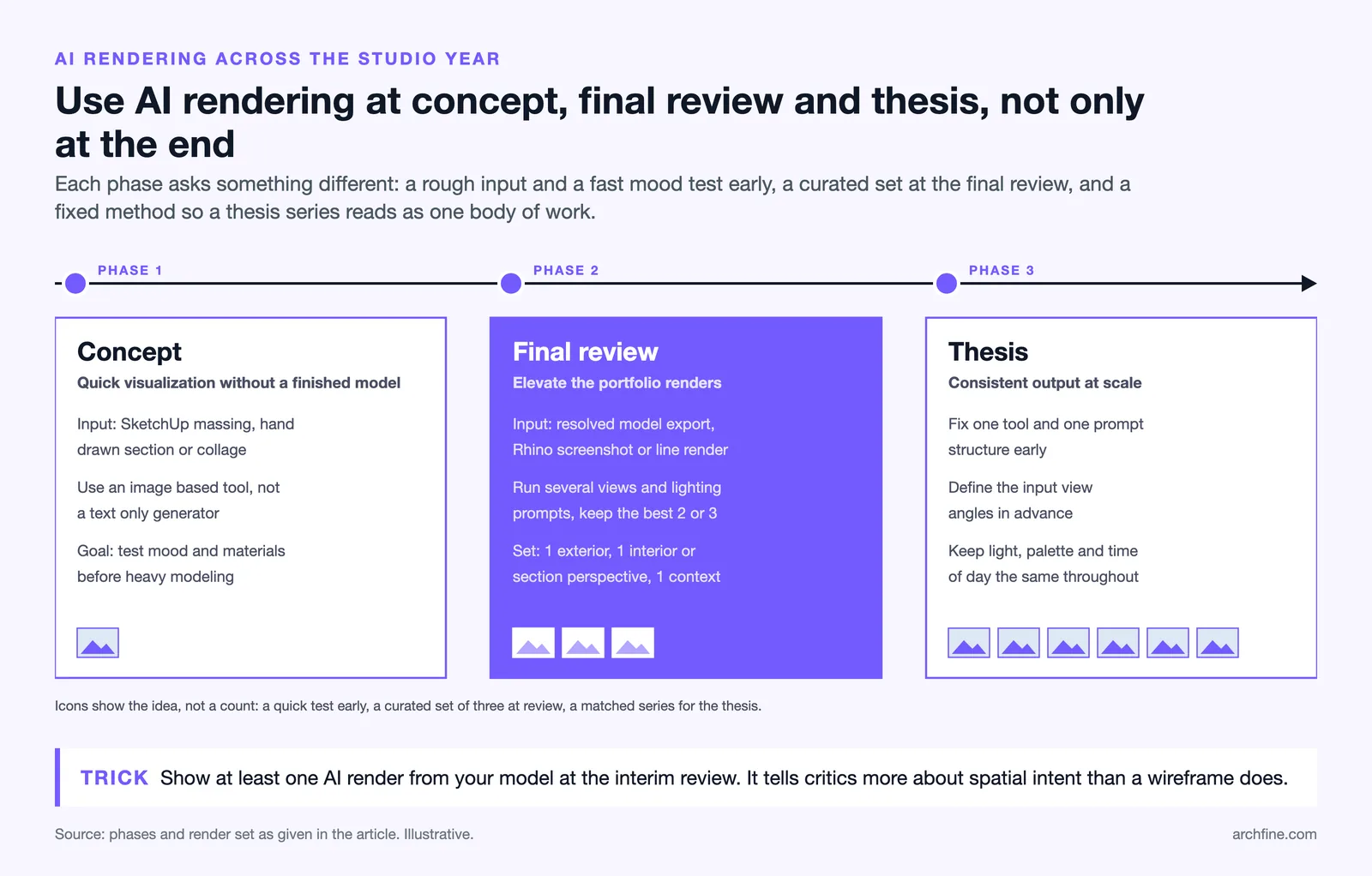
The most effective approach to AI rendering for architecture students is not to treat it as a final-step polish tool — it is most valuable when integrated across the design timeline.
Concept Phase: Quick Visualization Without 3D Modeling
In early design phases, formal 3D models are rarely complete enough to render through traditional pipelines. AI rendering tools accept rougher inputs. A quick SketchUp massing model, a hand-drawn section sketch, or a collaged diagram can all serve as an input image that an AI tool develops into a photorealistic visualization. This allows students to test the atmospheric and material direction of a design before committing significant modeling time.
For concept-phase work, prioritize tools that accept image inputs rather than text-only generators. ArchFine and similar image-based AI rendering platforms are better suited to this workflow than text-prompt tools like Midjourney, which require descriptive prompting to approximate a specific design intent.
Final Review: Elevating Your Portfolio Renders
For final studio reviews, the standard for visual output is higher. AI rendering at this stage should work from a more resolved model — a SketchUp export, a Rhino viewport screenshot, or a rendered line drawing. The goal is a photorealistic result that communicates the final design intent clearly to a review panel.
At this stage, run multiple AI renders from slightly different viewpoints or with different lighting and material prompts. Select the two or three that best communicate the project’s spatial quality. A strong AI render student project submission at final review typically includes one exterior view, one interior or section perspective, and one atmospheric contextual view.
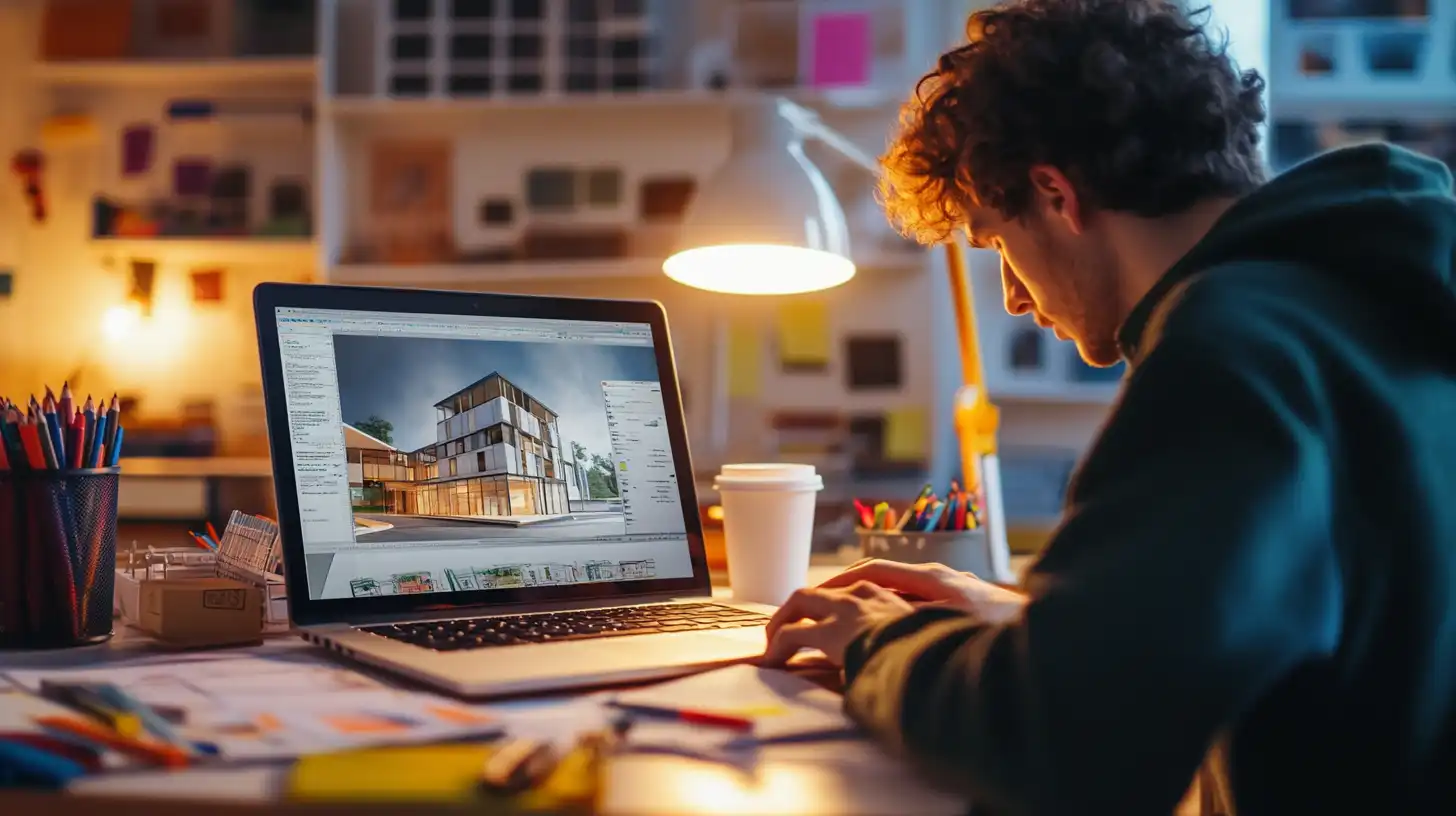
Thesis Projects: Consistent Visual Output at Scale
Thesis projects demand a volume of high-quality visualization that would be prohibitively time-consuming using traditional rendering tools. AI rendering for university projects at the thesis level typically means generating a consistent set of renders across multiple sites, building configurations, or design phases. Consistency of visual style — lighting temperature, material palette, time of day — matters for a thesis presentation more than for a single studio project.
For thesis-scale work, establish a rendering approach early: a specific AI tool, a consistent prompt structure, and a defined set of input view angles. Applying this framework across all generated renders produces a cohesive body of visualization work that reads as intentional rather than assembled from different sources.
How ArchFine Works for Architecture Students
ArchFine is designed around the specific workflow requirements of architectural visualization rather than general-purpose image generation. Students access the platform through a web browser with no software installation required. The process is three steps: upload an image of the architectural project — a model screenshot, a sketch, or a photo — add a text prompt describing the desired output style and context, and receive a photorealistic render in approximately 30 seconds.
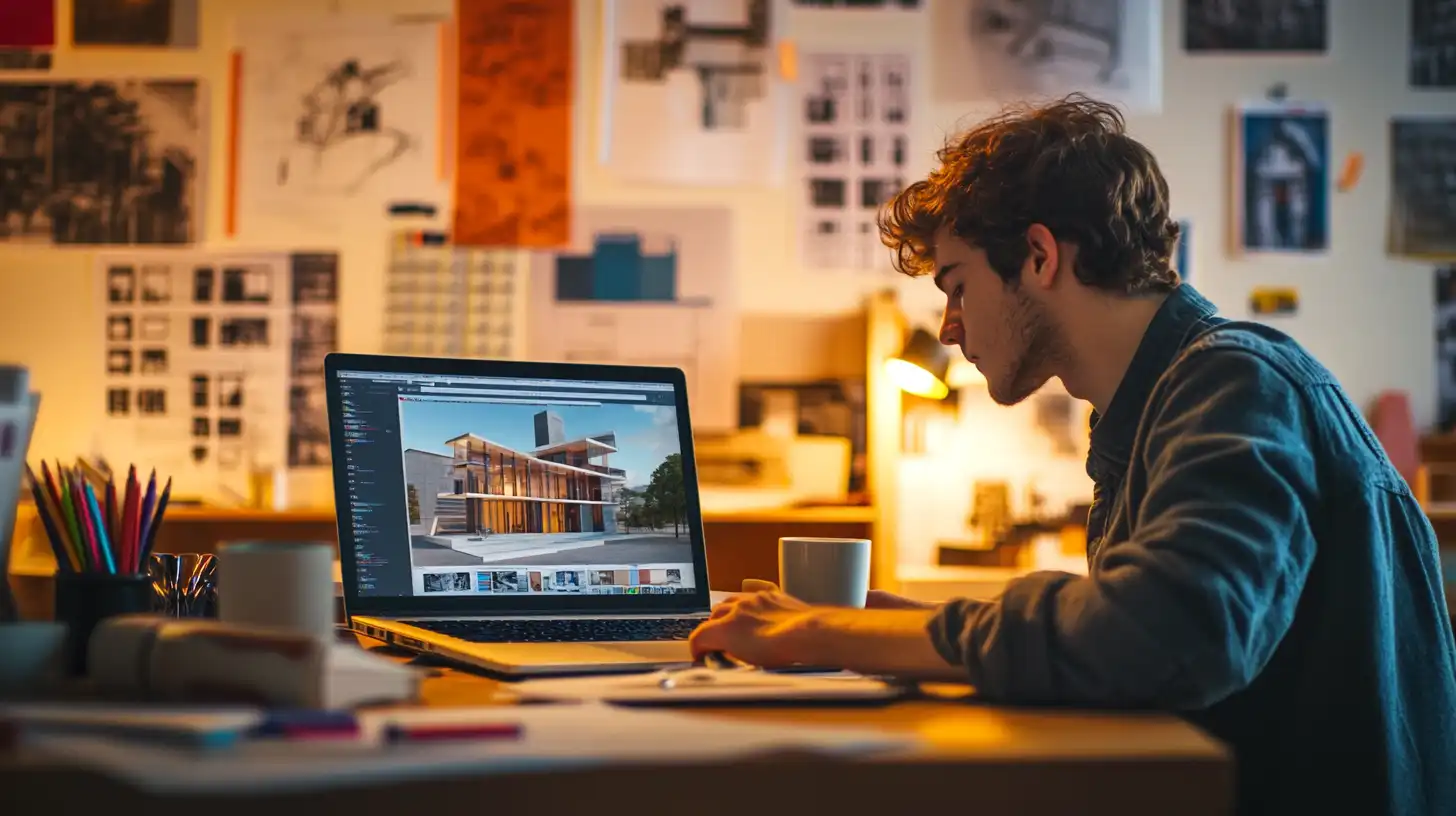
Because ArchFine is trained on architectural content, the outputs maintain spatial coherence appropriate for studio and portfolio use. Exterior renders respect building proportions. Interior renders produce plausible material and lighting conditions rather than the distorted spatial results that general-purpose AI image tools sometimes generate with architectural subject matter.
For students working on a budget, ArchFine’s free tier provides access to the core rendering capability without a subscription commitment. The platform’s pricing page lists current free allocation and any active student-specific offers. The workflow is fast enough that ArchFine student rendering can fit within studio sessions and desk crits, not just final submission preparation.
Tips for Getting the Best Results on a Student Budget
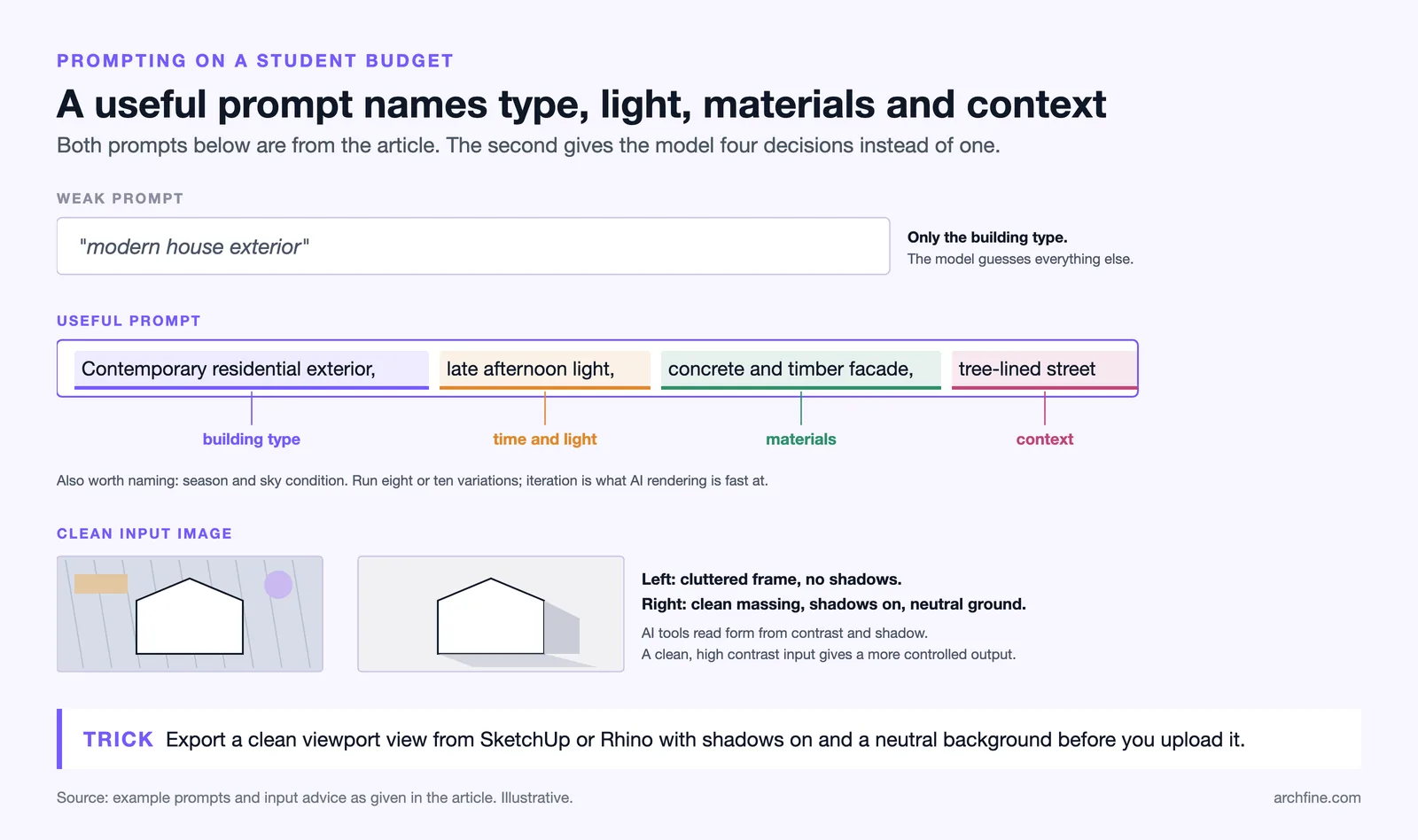
Getting strong results from an AI architectural visualization tool requires some adjustment to how inputs are prepared and how output is evaluated. The following practices improve results across most platforms without requiring additional cost.
Prepare clean input images. AI rendering tools perform better with clean, high-contrast input images. For a SketchUp or Rhino model, export a viewport screenshot with shadows on and a neutral background. Remove visual clutter from the frame. A clean input image produces a more controlled output.
Be specific in text prompts. Describe not just the building type but the atmosphere: time of day, season, sky condition, material qualities, surrounding context. “Contemporary residential exterior, late afternoon light, concrete and timber facade, tree-lined street” will produce a significantly more useful render than “modern house exterior.”
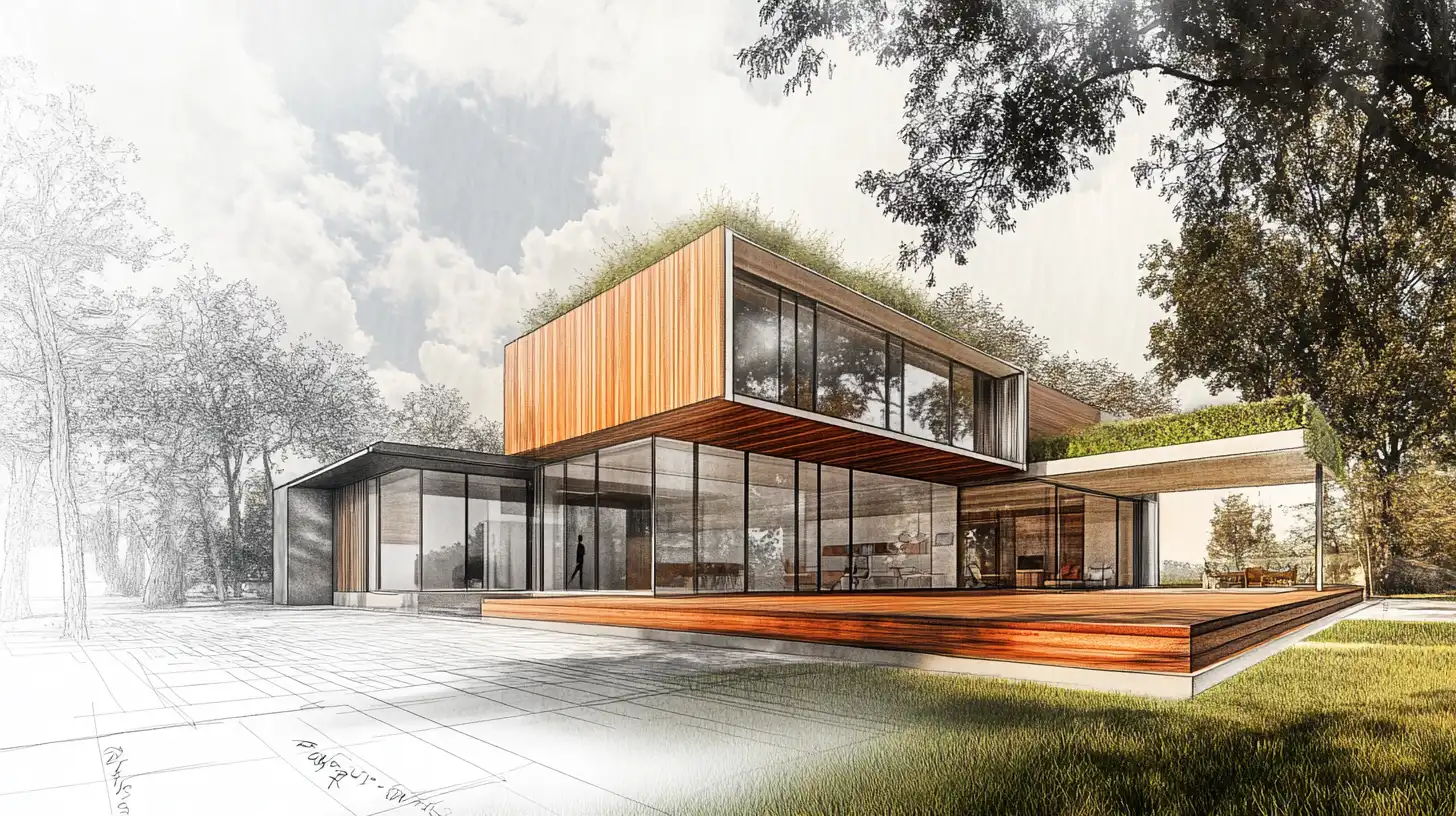
Use AI rendering for iteration, not just finalization. The speed of AI rendering makes it practical to run eight or ten variations of a render to test different material directions or lighting conditions. This is a design development tool as much as a presentation tool.
Combine free tools strategically. Use a text-prompt tool like Midjourney for early concept mood exploration where you do not yet have a model to upload. Switch to an image-based tool like ArchFine once a model exists for renders that must represent the actual design.
⚠️ Common Mistake to Avoid
Many architecture students over-invest time in perfecting renders at the expense of design development. AI rendering tools are fast precisely because they are designed for iteration. Running ten quick AI renders to test different material and lighting directions is more valuable for design development than spending two days perfecting a single render in V-Ray.
💡 Pro Tip
When building your architecture portfolio, use AI rendering to produce consistent image quality across all projects regardless of when they were made. Older studio projects with weak renders can be upgraded quickly by re-rendering a model export or even a photo of a physical model through an AI tool, bringing visual consistency to the full portfolio without rebuilding old models.
FAQ: AI Rendering for Architecture Students
Can architecture students use AI rendering for free?
Yes. Several AI rendering platforms offer free tiers that are adequate for student use. ArchFine provides a free tier that covers core rendering functionality. Adobe Firefly is available at no additional cost to students with university-provided Adobe Creative Cloud access. Stable Diffusion can be run entirely free as a self-hosted open-source tool. For students who need a moderate volume of renders without a subscription, combining free-tier allocations across two or three platforms is a practical approach.
Is AI rendering allowed in architecture school projects?
Policies vary by institution and by course. Most architecture programs that have addressed the topic treat AI rendering as a visualization tool comparable to Photoshop or Lumion — permitted when the design work itself is original. Students should check their program’s academic integrity policy and, when in doubt, disclose to their instructors how visualization was produced. Transparency about tools used is generally a stronger position than ambiguity.
How do I render a SketchUp or Rhino model with AI for free?
Export a clean viewport screenshot from SketchUp or Rhino with shadows on and a neutral sky background. Upload that image to an AI rendering platform such as ArchFine or Adobe Firefly. Add a text prompt describing the desired render style, materials, and lighting conditions. The AI tool will interpret your model geometry and generate a photorealistic result. For best output, use a perspective view that clearly shows the building’s primary facade and spatial character. Autodesk’s education program provides free Revit licenses for enrolled students; SketchUp is a Trimble product with its own student plan ($55 per year as of October 2026).
What is the best free AI rendering tool for architecture students?
ArchFine is the most architecture-specific option among tools with a free tier, producing outputs that maintain spatial coherence appropriate for studio and portfolio use. For students comfortable with technical setup, Stable Diffusion running locally is the most capable fully free option. Adobe Firefly is worth using for students who already have university Adobe Creative Cloud access. The best choice depends on whether the student needs exterior or interior rendering, how much technical setup is acceptable, and the volume of renders required per project.
Can I use AI renders in my architecture portfolio?
Yes, provided the portfolio clearly represents your design authorship. AI rendering is a visualization tool — the spatial thinking, program resolution, structural logic, and design decisions are yours. Many firms now expect students to be competent with AI visualization tools, and a portfolio that demonstrates effective use of AI rendering alongside strong design work is a competitive advantage. It is good practice to label AI-assisted renders in your portfolio credits the same way you would note which software was used for drawings or diagrams. For more guidance on portfolio presentation standards, ArchDaily publishes regular features on architecture student portfolio preparation. When you start applying for jobs, an architectural designer resume guide can help you present these visualization skills on your resume as well.
🔑 Key Takeaways
- AI rendering for architecture students is now accessible on a laptop with no expensive hardware or software license required.
- Free tiers across platforms including ArchFine, Adobe Firefly, and Stable Diffusion cover the volume of renders needed for most student portfolio projects.
- AI rendering is most valuable when used throughout the design process — not only at final submission — because speed enables design iteration.
- For thesis-scale projects, establish a consistent prompting and input workflow early to maintain visual coherence across a large body of rendered work.
- Pairing free architectural modeling licenses from Autodesk, McNeel, or Graphisoft with a low-cost AI rendering platform gives students a near-professional visualization workflow for under $20 per month.
- ArchFine is designed specifically for architectural output, making it a practical first choice for students whose renders must represent actual building designs rather than atmospheric concepts.