Subterranean Wine Cave Restaurant

Subterranean Wine Cave Restaurant

Volcanic Underground 26 seconds ArchFine Pro 21 July 2026

Prompt Used

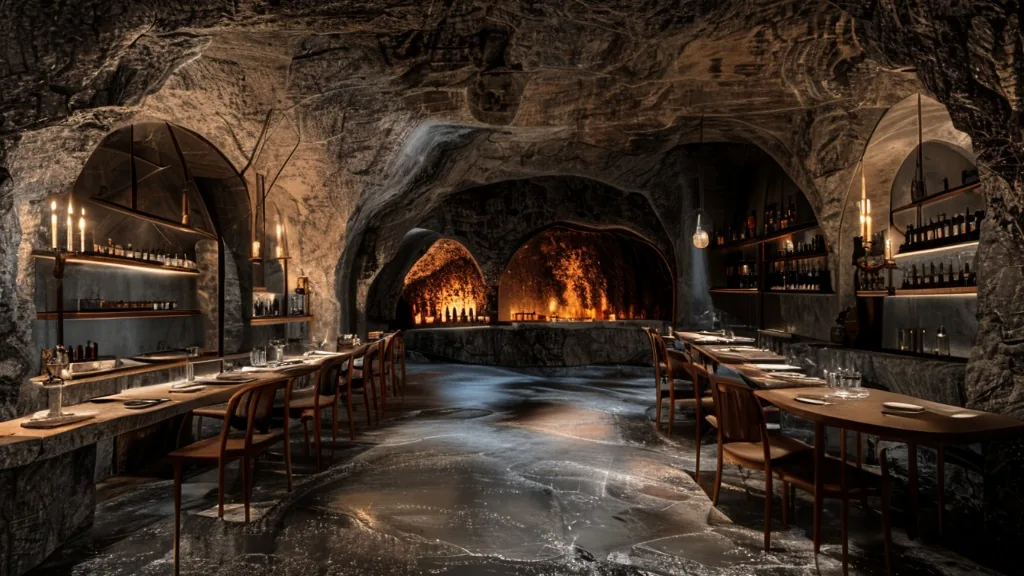
Photorealistic architectural rendering of a subterranean luxury wine cave restaurant excavated eight meters beneath a Sicilian vineyard into near-black Etna basalt stone. The primary oval dining chamber features a dramatic groin-vaulted ceiling with bush-hammered basalt walls exhibiting natural crystalline mineral sparkle and deep charcoal tones. Eight walnut dining tables with chestnut wood chairs are positioned in organic, asymmetrical arrangement throughout the space, each dressed with crisp white linen tablecloths and crystal wine glasses catching warm light. Illumination derives from eight ornate hand-forged iron candelabra casting dancing golden candlelight across the tables, supplemented by a recessed three-meter-tall wine niche carved into the far basalt wall and lined with 200 Etna DOC wine bottles backlit by warm 2200K amber LED strips creating a glowing focal point. The honed basalt floor reflects candlelight with subtle warmth, interrupted by a single precise pencil-thin shaft of pale moonlight crossing the stone surface. Secondary dining chambers are visible through low stone archways leading deeper into the excavation. Cool subterranean atmosphere of approximately 15 degrees Celsius is evident through visible condensation on glassware rims and delicate kitchen smoke wisps curling through the air. Viewpoint is a 28mm wide-angle eye-level perspective positioned at the entrance looking toward the wine display niche, capturing the full elliptical chamber in sharp focus with crisp detail and high clarity. Time of day is 9 PM during active dinner service. Materials are rendered with pronounced texture: rough bush-hammered basalt walls, polished stone floor, aged walnut grain, wrought iron oxidation, and candlelit brass patina.

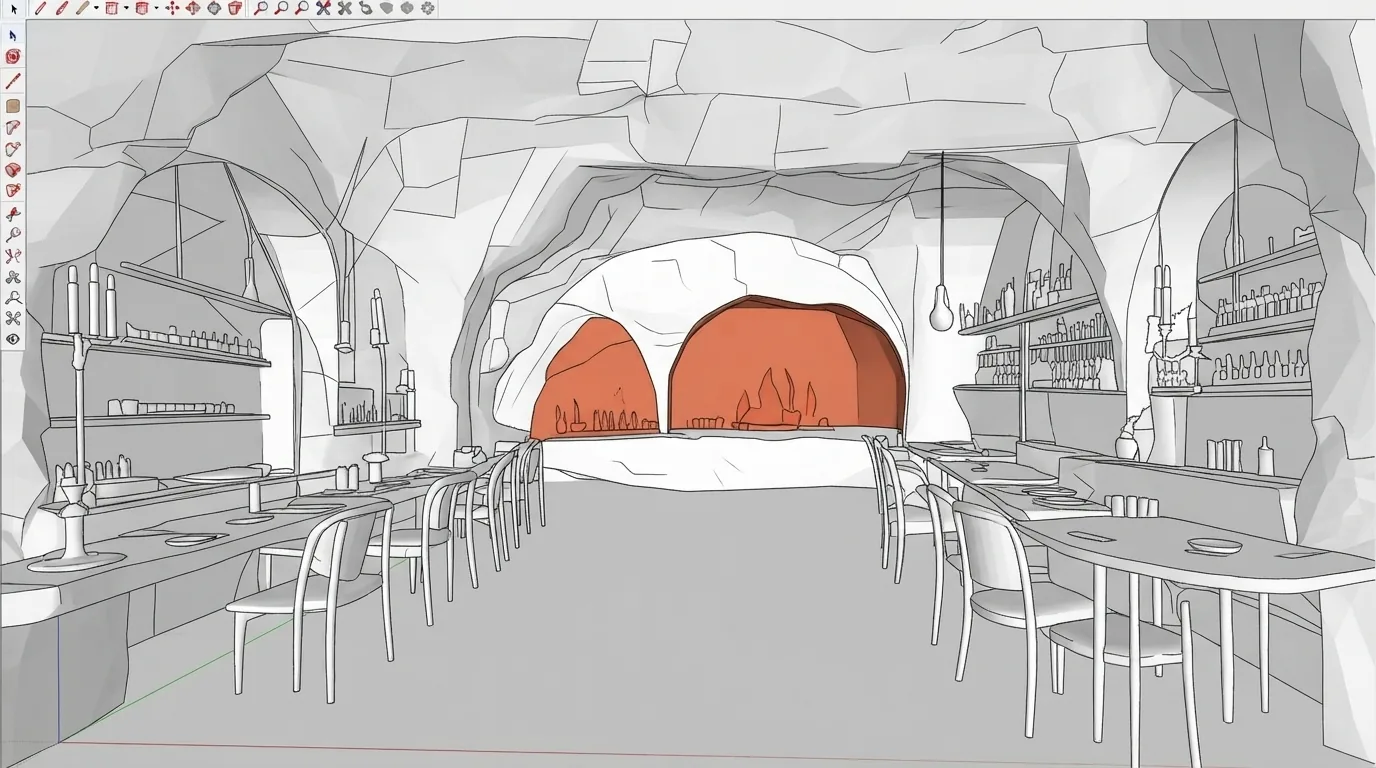
Before & After

Before - original sketch
Before
Subterranean Wine Cave Restaurant
After

Underground restaurant carved into Etna volcanic basalt with candlelit dining and 200-bottle wine niche carved from lava rock. Upload your design and ArchFine AI renders the scene with believable materials and shadows.

Ideal for destination hospitality and subterranean dining concepts. Upload cave survey data or geological sections.
Categories: Dining Interior

Getting Started with This Prompt

1

Grab the Prompt

Tap the copy button above and the entire prompt will be saved to your clipboard, ready to use.

2

Launch Your Renderer

Head over to Archfine AI or any compatible visualization tool you prefer working with.

3

Add Your Design

Drop in your floor plan, elevation sketch, or any reference image - then paste the prompt.

4

Render & Refine

Run the generation and review the output. Swap out a few keywords to explore completely different aesthetics.

Want a faster workflow? Archfine AI lets you skip prompt editing entirely - just upload and render.

How to Get Stronger Renders

1

Describe the Scene

Mention specific materials, time of day, weather, and camera perspective. The more context the AI has, the more realistic the output becomes.

2

Run Multiple Passes

Each generation is unique. Changing even a single adjective can shift the entire mood - so experiment freely and compare outcomes.

3

Blend Prompts Together

Borrow phrases from other entries in our collection and merge them. Hybrid prompts often deliver the most original visuals.

4

Start with a Clean Drawing

Crisp linework and high-contrast sketches give the AI a clear foundation. Blurry or cluttered inputs lead to softer, less defined renders.

Common Questions About This Prompt

Am I allowed to edit or customize this prompt?

Of course. Think of it as a foundation you can build on. Adjust the style, swap materials, change the lighting setup, or rewrite entire sections to fit your specific project needs.

Which rendering platform does this prompt work with?

It has been fine-tuned for Archfine AI, but the descriptive structure translates well to other popular AI visualization engines. You may need minor adjustments depending on the tool.

Does using this prompt cost anything?

Every prompt in our library is completely free. You can copy, adapt, and use them across personal portfolios, client presentations, or commercial marketing materials without restrictions.

What kind of input image gives the best output?

Clean line drawings with strong contrast tend to perform best. The AI reads edges, proportions, and spatial relationships from your input - so a well-drawn elevation or section will consistently outperform a rough napkin sketch.

Can I use the rendered image commercially?

Yes. Renders generated through Archfine AI on any paid plan come with full commercial usage rights. Use them in proposals, publications, social media, or anywhere else your work needs to shine.

Try this prompt yourself

Upload your own sketch and use this prompt to generate a stunning render.

Try on Archfine