ArchFine vs PromeAI is a comparison that matters for architects who need more than concept sketches turned into pretty images. ArchFine is a dedicated architectural rendering platform built specifically for photorealistic exterior and interior visualization. PromeAI is a broader design tool used across architecture, interior design, product development, and fashion. This breakdown covers where each tool performs, where it falls short, and which one actually fits a professional architectural workflow.
What Is PromeAI and How Does It Approach Architectural Rendering?
PromeAI is a web-based AI design platform that gained traction for its sketch rendering capability. You upload a hand-drawn sketch, a floor plan, or a screenshot from modeling software, and the tool generates a photorealistic version based on selected style presets. The process is fast, often delivering results in under 15 seconds.
The platform supports a wide range of industries. Architects can feed in SketchUp wireframes or rough hand sketches and receive client-ready concept images without touching V-Ray or Lumion. Interior designers can test material options and color schemes quickly. The same tool also handles product design, fashion mockups, and image-to-video conversion.
PromeAI uses Stable Diffusion and ControlNet technology under the hood, which gives it a degree of control over spatial relationships and geometry. The style library is extensive, covering modern, Scandinavian, industrial, Japanese, and a dozen other architectural aesthetics. Users can adjust how closely the AI follows the source sketch through a creativity slider that ranges from strict geometric adherence to looser, more interpretive generation.
💡 Pro Tip
When using PromeAI for architectural sketches, set the geometry adherence slider toward the stricter end for facade studies. A more creative setting works well for early massing concepts but often introduces proportional distortions that make the result unsuitable for client presentations of defined designs.
Where PromeAI earns its place is in early-stage concept visualization. Architects who need to show three or four aesthetic directions quickly, without investing hours in modeling, find real value here. The breadth of the platform is also useful for teams that do both architecture and interior design work from the same subscription.

What Is ArchFine and What Makes It Architecture-Specific?
ArchFine is a chat-based AI rendering SaaS built around one specific workflow: uploading a project image or sketch and receiving a photorealistic architectural render in approximately 30 seconds. Unlike multi-purpose platforms, ArchFine focuses exclusively on architectural visualization, meaning the underlying model is trained on architectural outputs rather than general design content.
The interface is intentionally simple. Users upload an image, add a prompt describing the desired material, environment, time of day, or style, and the platform handles the generation. There is no steep learning curve, no complex toolset to navigate, and no need to understand prompt engineering deeply. The goal is to make high-quality architectural rendering accessible to professionals who need results, not software training.
ArchFine handles both interior and exterior rendering. Exteriors benefit from the model’s understanding of building materials, facade systems, and environmental context. Interior renders maintain spatial accuracy and realistic material finishes. The photorealistic output quality is the platform’s primary differentiator, with results aimed at the presentation stage rather than only the ideation stage.
📌 Did You Know?
According to the State of AI in Architecture report by Chaos (2024), the primary barrier for architectural firms adopting AI visualization tools is no longer image quality — it is control and predictability of results. Architects increasingly need tools that behave consistently across a project, not just produce a single impressive image.
ArchFine vs PromeAI: Side-by-Side Comparison
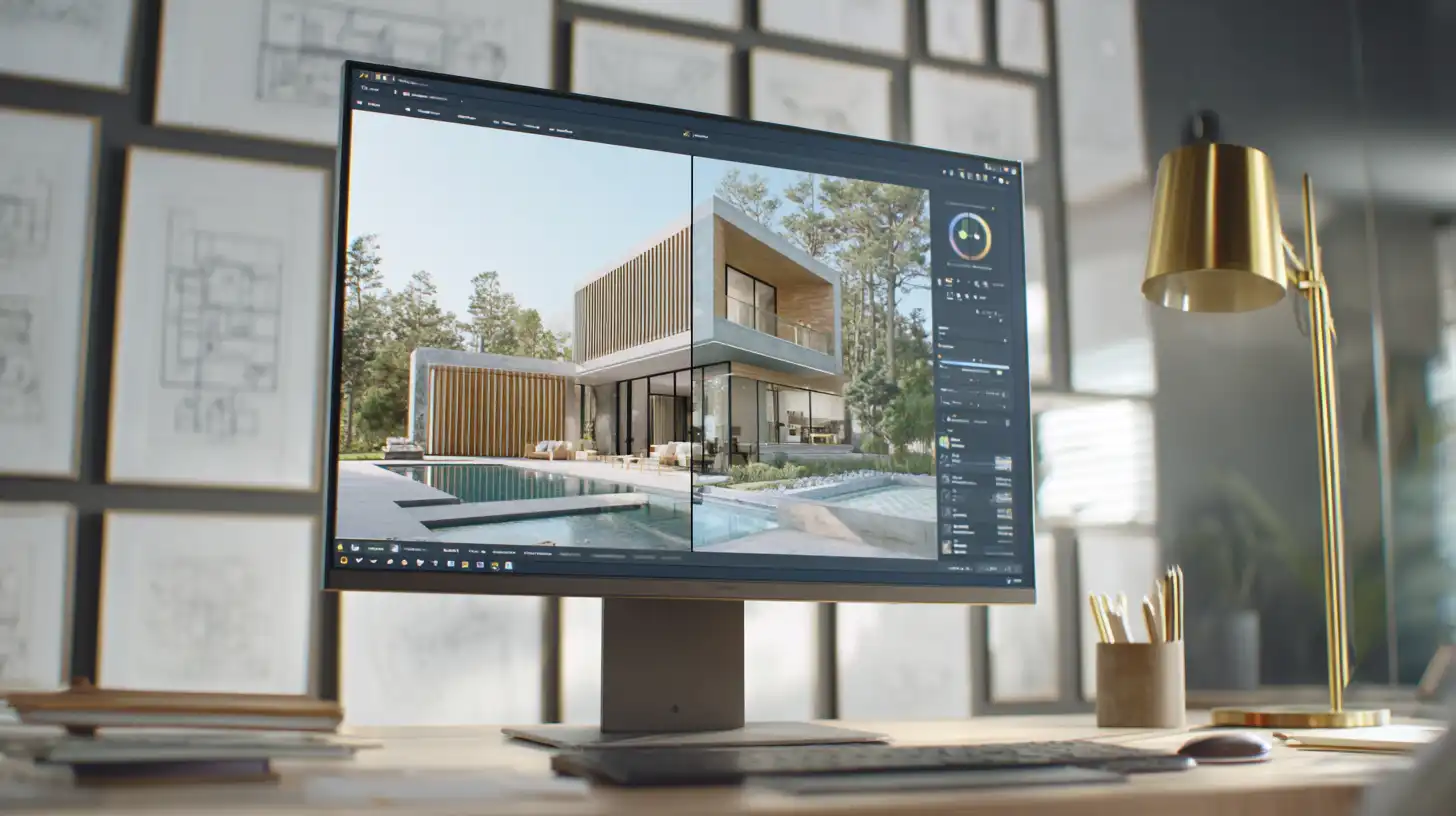
The two platforms serve overlapping needs but approach them differently. The table below covers the key differences architects and design professionals will encounter in practice.
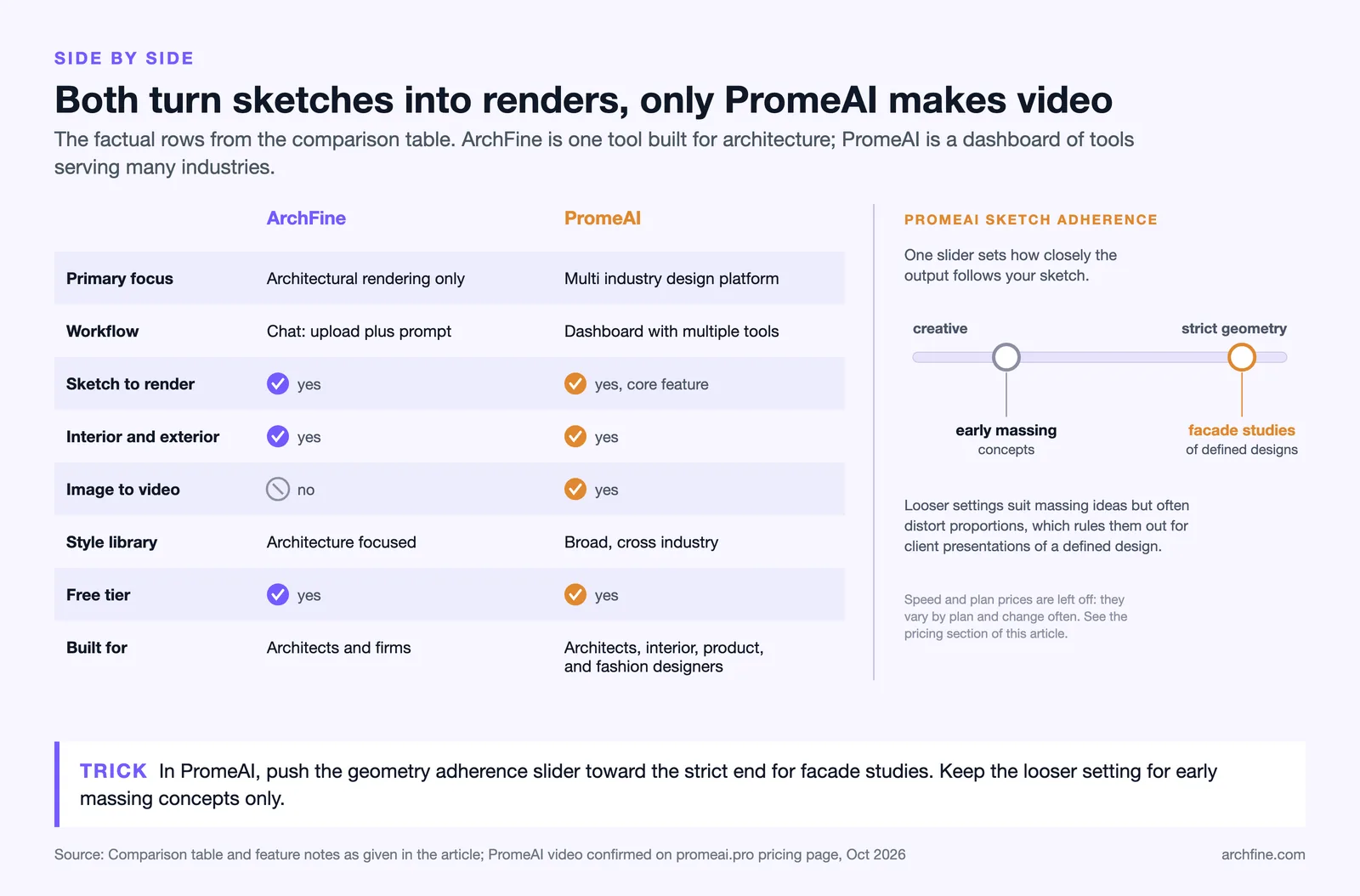
| Feature | ArchFine | PromeAI |
|---|---|---|
| Primary focus | Architectural rendering only | Multi-industry design platform |
| Workflow | Chat-based upload + prompt | Dashboard with multiple tools |
| Sketch to render | Yes | Yes (core feature) |
| Interior rendering | Yes | Yes |
| Exterior rendering | Yes | Yes |
| Image-to-video | No | Yes |
| Style library | Architecture-focused styles | Broad cross-industry styles |
| Generation speed | ~30 seconds | ~10–15 seconds |
| Paid plans start at | See archfine.com for pricing | $16/month (Base plan, billed annually) |
| Free tier available | Yes | Yes |
| Target users | Architects, architecture firms | Architects, interior designers, product designers, fashion |
PromeAI Architectural Rendering: Strengths and Limitations
PromeAI’s sketch rendering capability is genuinely fast and accessible. For architects who need to quickly produce three or four design directions to show a client early in a project, the platform delivers usable concept images without requiring modeling skills. The style selection is broad, and the creative fusion feature allows blending a reference image with a sketch to guide the aesthetic output.
The platform’s strength is also its limitation. Because PromeAI is built to serve multiple industries, its model is trained across a much wider range of image types — from fashion garments to game environment art to product sketches. For architectural outputs specifically, this breadth can reduce precision. Details like material behavior under specific light conditions, the weight of structural elements, and the spatial logic of building entrances can be handled inconsistently, particularly on complex facades or in images that require architectural vocabulary to interpret correctly.
PromeAI architectural rendering performs well for concept stages. For final presentation renders or images that need to communicate specific material choices and architectural intent with precision, the results can require significant post-processing or multiple iterations to reach a client-ready standard.
⚠️ Common Mistake to Avoid
Architects often treat AI-generated concept images as finished renders and send them directly to clients without review. Both ArchFine and PromeAI outputs should be evaluated for architectural accuracy before use in client presentations — checking proportions, material behavior, and spatial logic against the actual design intent. A tool that produces a convincing-looking image quickly is not the same as one that produces an accurate representation of your design.

How Does ArchFine vs PromeAI Output Quality Compare?
Output quality depends on what you are rendering and at what stage. For early concept exploration, PromeAI’s sketch to render workflow produces results fast enough to support real-time design decision-making. The ability to generate multiple variations from one sketch in minutes is useful for client workshops and early-stage design reviews.
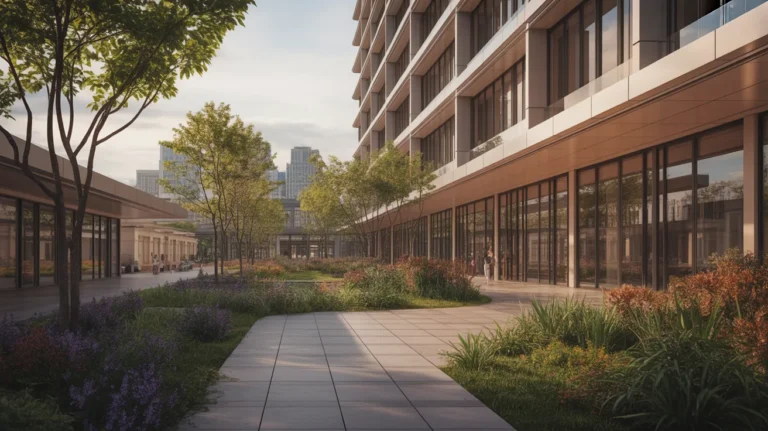
For photorealistic rendering intended for presentation, ArchFine’s architecture-specific training produces outputs with greater material fidelity and spatial coherence. The focus on architectural datasets means the model better understands how concrete reads at different scales, how glazing reflects in facade compositions, and how landscape elements interact with built form. These distinctions matter when the output is going into a planning submission, a competition entry, or a client approval package.
PromeAI vs ArchFine output quality ultimately depends on the use case. If you need volume quickly at the concept stage, PromeAI’s speed and breadth of style options give it an advantage. If you need consistent, photorealistic results that hold up to client scrutiny, ArchFine’s dedicated architecture focus produces more reliable outcomes.
🎓 Expert Insight
“AI can quickly generate various design options and adjustments to spatial layouts, allowing architects to concentrate more on improving design quality.” — Alex Solomon, Child Graddon Lewis
This captures the real value of AI rendering tools in practice: not replacing the design process, but compressing the time between a design idea and a visual representation. The tool that serves this best is the one whose output quality requires the least correction before it supports a design decision.

PromeAI Pricing 2026: What Does It Cost?
PromeAI offers a free tier with limited generation credits. As of October 2026, paid plans start at $16/month for the Base plan (billed annually, or $19 month to month), which is for personal use only with no commercial rights, with the Standard plan at $29/month (billed annually), the first tier with a full commercial license, representing the most commonly used option for individual professionals. The Pro plan runs $59/month billed annually, an Ultimate tier above it adds unlimited image and video generation, and team pricing is available for organizations. High-resolution upscaling is restricted to paid tiers.
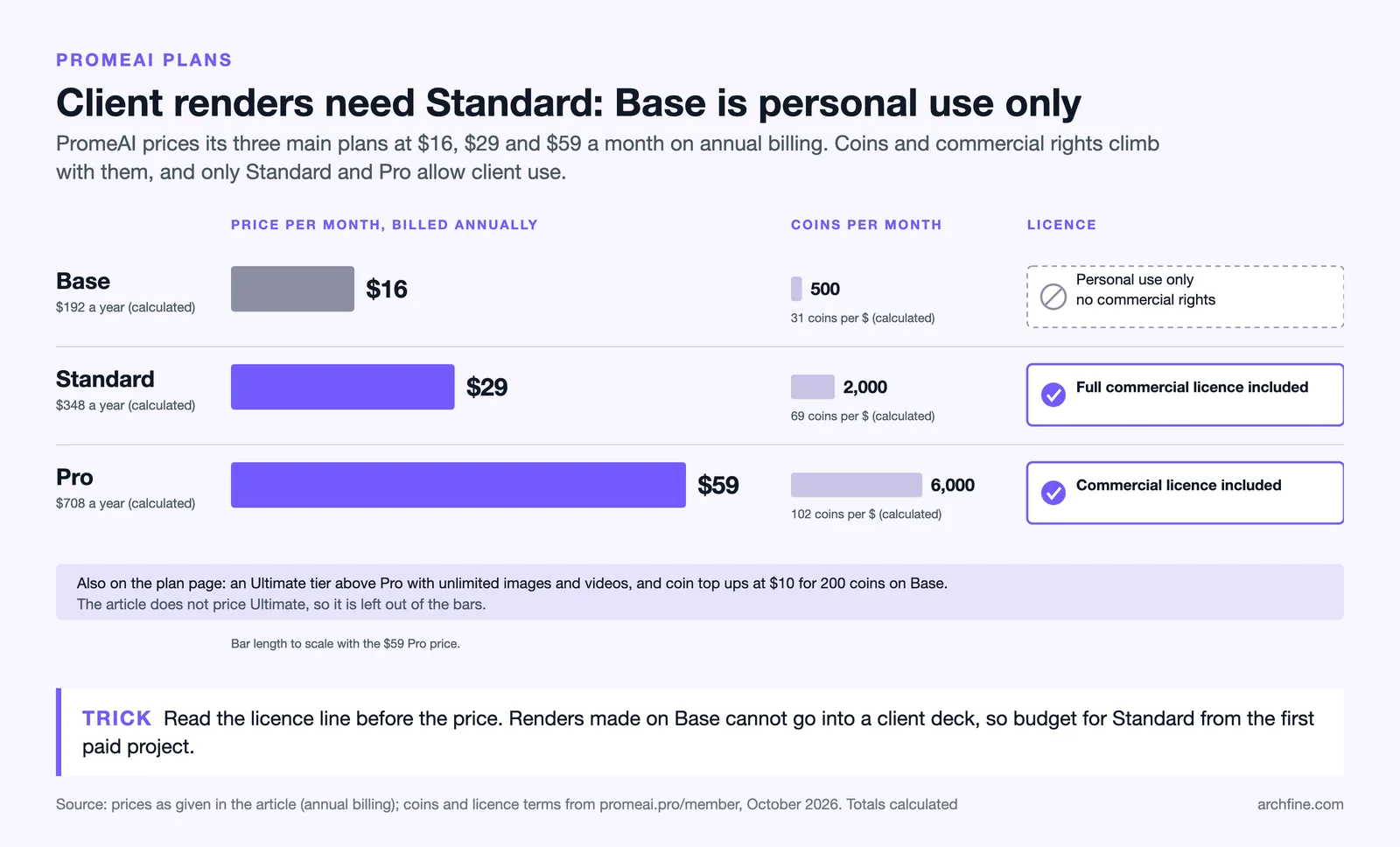
For architects evaluating the PromeAI alternative for architects question purely on cost, the Standard plan is a reasonable entry point for regular professional use. The free tier is useful for testing output quality against specific project types before committing to a subscription.
Which Tool Fits Which Workflow?
The right choice between ArchFine and PromeAI depends on where in the design process you primarily need AI rendering support and how much architectural precision matters to your output.
PromeAI suits architects and designers who need a broad creative tool for early-stage ideation, work across multiple disciplines (including interior design and product visualization), and need fast concept images to support design exploration. The platform’s width is an asset if you use one subscription to cover several different types of visual output across your practice.
ArchFine suits architects who need photorealistic architectural renders that hold up to client and presentation scrutiny. The focused workflow — upload, prompt, render — reduces friction for professionals who want results without managing a complex toolset. For firms whose output is primarily architectural visualization, the architecture-specific training translates to fewer iterations needed to reach a usable result.
💡 Pro Tip
Test any AI rendering tool with a project type you work on regularly, not with a generic or ideal test case. Upload a real sketch from a current or recent project and evaluate whether the output accurately represents the scale, material intent, and spatial logic of that specific design. Generic impressive-looking results from stock-style inputs often do not hold up when applied to actual professional workflows.
AI Design Visualization Comparison: Key Takeaways for Design Professionals
The AI rendering tool landscape has matured quickly, and the distinction between dedicated architecture AI and general design platforms is becoming more meaningful as the work moves from concept generation toward presentation quality. For professionals evaluating an AI rendering tool for design professionals, a few practical points are worth keeping in mind.
First, speed and output quality operate on a tradeoff. Faster generation often means less architectural precision.
Second, breadth versus depth is a genuine trade-off. PromeAI’s range of features across multiple design industries is an asset for versatile design practices. ArchFine’s focus on architectural rendering produces more consistent results within that specific domain.
Third, the concept-to-presentation pipeline matters. If your workflow ends at the concept stage, a fast generalist tool may be sufficient. If your renders need to stand up in a client meeting, a planning panel, or a competition brief, the quality ceiling of the tool you choose has real professional consequences.
✅ Key Takeaways
- ArchFine focuses exclusively on architectural rendering; PromeAI covers multiple design industries.
- PromeAI’s sketch to render workflow is faster for concept-stage ideation across varied project types.
- ArchFine’s architecture-specific model produces more consistent photorealistic results for presentation-grade output.
- As of October 2026, PromeAI pricing starts at $16/month (Base, billed annually) with a Standard plan at $29/month; ArchFine offers a free tier with subscription options available at archfine.com.
- Neither tool replaces traditional rendering for final production-quality images — both serve the concept-to-presentation pipeline upstream of software like V-Ray or Lumion.
- The best tool is the one whose output quality matches your specific workflow stage, not the one with the most features.
Final Verdict: ArchFine vs PromeAI
Both tools have a place in modern architectural practice. PromeAI is a capable multi-purpose design platform with strong sketch rendering features and a competitive pricing structure. It works well for concept exploration, client workshops, and practices that need visual output across several design disciplines from one subscription.
ArchFine is built for one thing: producing photorealistic architectural renders that architects can use in real professional contexts. The focused architecture training, the simple upload-and-prompt workflow, and the attention to how buildings actually look — materials, light, scale, space — make it the stronger option for architects whose primary output is architectural visualization rather than broader creative design.
For architects who spend significant time on rendering and need consistent, presentation-ready results, ArchFine is the more purpose-fit tool. For design professionals who work across disciplines and value a single platform for varied visual tasks, PromeAI’s breadth offers real utility. The two tools are not direct competitors so much as tools designed for different positions in the same workflow.