
ArchFine vs Chaos render is a comparison between two fundamentally different approaches to architectural visualization. ArchFine uses AI to generate photorealistic renders from uploaded images in roughly 30 seconds, while Chaos V-Ray is a physically-based render engine requiring 3D model setup, material configuration, and significant processing time. The right choice depends on your project phase, team size, and how much control you need over the final output.
What Is ArchFine and How Does It Work?
ArchFine is a browser-based AI rendering platform built specifically for architectural visualization. Users upload a photo or sketch of a space, add a text prompt describing the desired style or atmosphere, and receive a photorealistic render within about 30 seconds. There is no 3D modeling required, no plugin to install, and no render farm to configure.
The platform targets architects, interior designers, and small studios who need fast visual output during client presentations, early design phases, or concept approvals. Because everything runs in the browser and is powered by cloud-based AI models, the results are consistent regardless of the user’s hardware. A laptop from 2019 and a high-end workstation will produce identical render times.
💡 Pro Tip
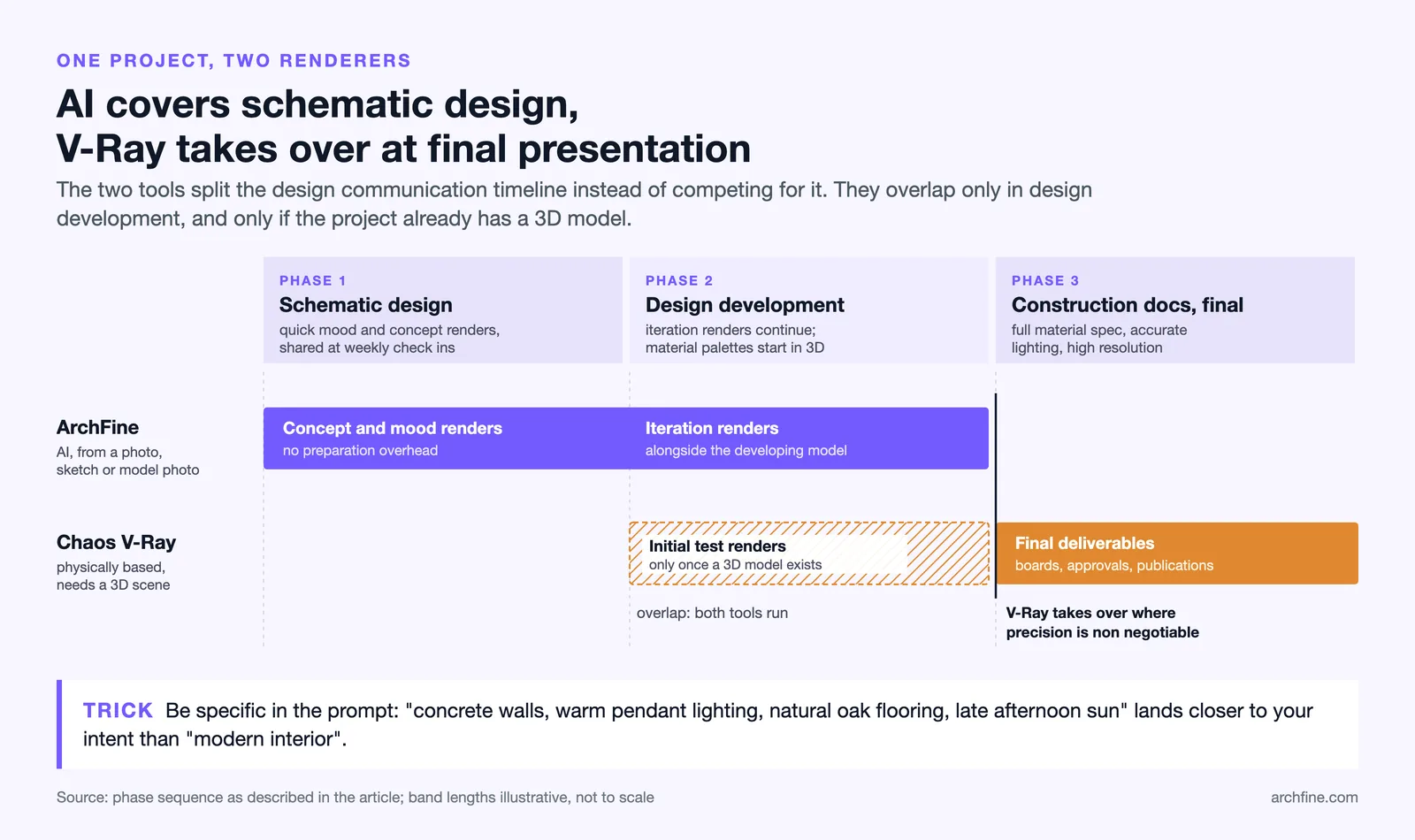
For early client presentations, AI rendering tools like ArchFine work best when your prompt is specific about materials and lighting conditions. Instead of “modern interior,” try “concrete walls, warm pendant lighting, natural oak flooring, late afternoon sun.” The more precise the prompt, the closer the output is to your actual design intent.
What Is Chaos V-Ray and the Chaos Ecosystem?
Chaos V-Ray is a physically-based rendering engine that works as a plugin inside major 3D and BIM software including 3ds Max, SketchUp, Rhino, Revit, Maya, and Cinema 4D. Originally developed by Chaos Group, founded in Sofia in 1997, V-Ray has become the industry standard for high-end architectural visualization. It won a Scientific and Engineering Academy Award in 2017 and an Engineering Emmy Award in 2021 for its contributions to photorealistic rendering in film and television.
Today, Chaos operates as a broader software company. Its product line includes V-Ray for physically-based rendering, Enscape for real-time design previews, Corona for interior rendering, Vantage for GPU-accelerated scene exploration, and Chaos Cloud for offloading render jobs to remote servers. This ecosystem is powerful, but it also means users are committing to a multi-product environment with subscription costs across several tools.
📌 Did You Know?
V-Ray earned Chaos co-founder Vlado Koylazov a Scientific and Engineering Academy Award in 2017, and its rendering engine is the same one used for architectural renders and blockbuster productions alike. The same rendering technology that brought cinematic dragons to life is what many architecture studios rely on for their client deliverables.
ArchFine vs Chaos Render: Head-to-Head Comparison
The table below compares both tools across the criteria that matter most for architecture and design workflows.
| Criteria | ArchFine | Chaos V-Ray |
|---|---|---|
| Render Speed | ~30 seconds per image | Minutes to hours depending on scene complexity |
| Input Required | Photo or sketch + text prompt | Full 3D scene with materials, lights, camera |
| Learning Curve | Minimal — minutes to first render | Steep — weeks to months of learning |
| Hardware Needed | Any device with a browser | High-spec workstation or GPU required |
| Output Control | Prompt-guided, AI-interpreted | Full control over every material, light, and camera |
| Pricing Model | Subscription SaaS | Annual license + Chaos Cloud credits |
| Use Case Fit | Concept phases, client pitches, fast iterations | Final deliverables, competitions, film-quality output |
| Integration | Standalone browser app | Plugin for SketchUp, Revit, Rhino, 3ds Max, Maya |
| Cloud Option | Native — all renders run in the cloud | Chaos Cloud (credit-based, $1/credit entry price) |
Render Speed: AI vs Physically-Based Processing
Speed is where ArchFine and Chaos render diverge most sharply. ArchFine generates a rendered image from a photo upload in approximately 30 seconds. The AI model interprets the spatial data in the image, applies the style described in the prompt, and outputs a photorealistic result without any intermediate steps.
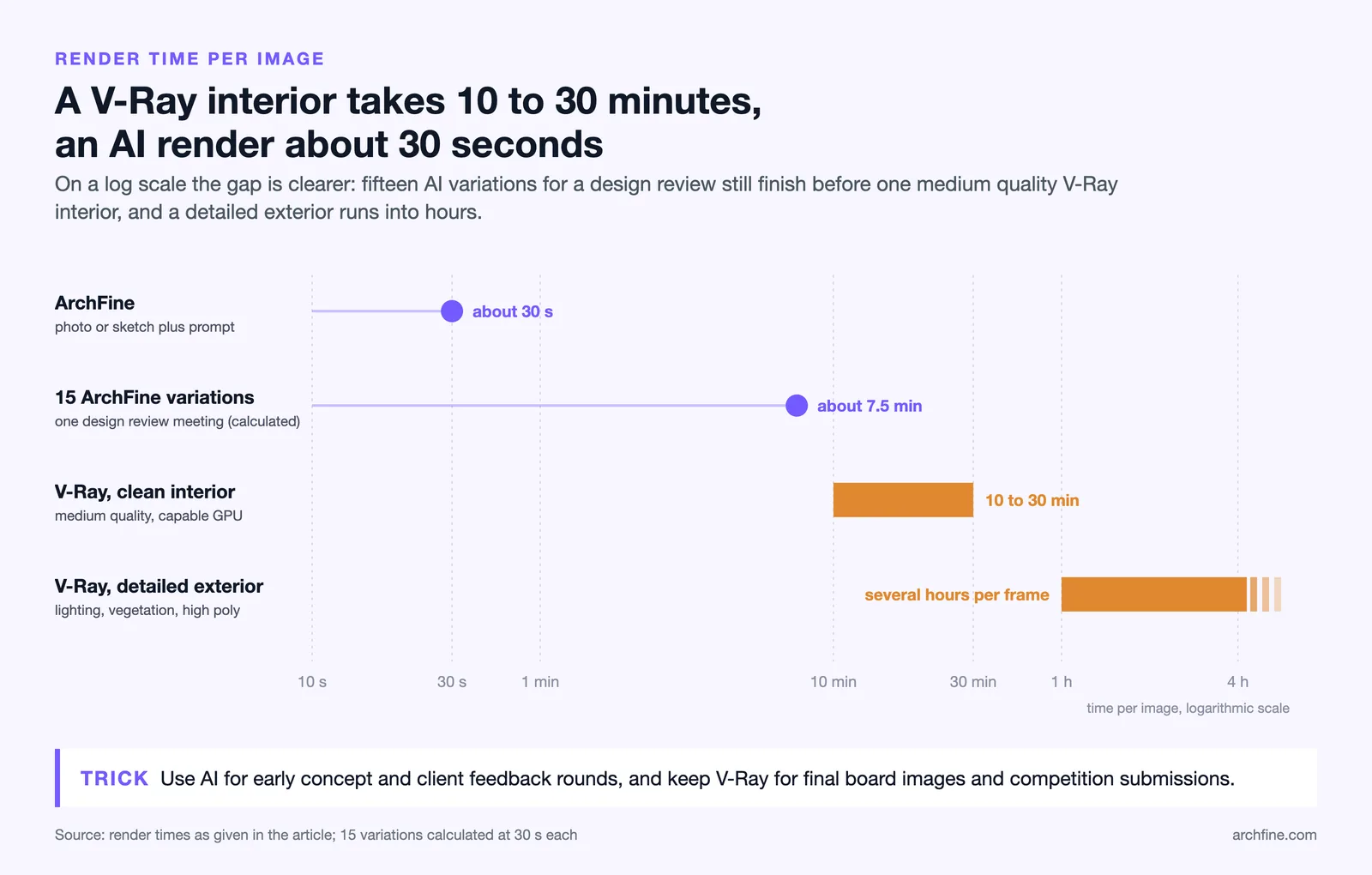
V-Ray’s render time depends entirely on scene complexity. A clean interior scene at medium quality might finish in 10 to 30 minutes on a capable GPU. A detailed exterior scene with complex lighting, vegetation, and high-poly geometry can take several hours per frame. Chaos Cloud can reduce this significantly by distributing the job across multiple remote machines, but that comes with per-credit costs that add up quickly on large projects.
For teams that need 10 or 15 quick variations during a design review meeting, ArchFine’s speed advantage is substantial. For teams delivering a single final image that needs to be technically flawless and photometrically accurate, V-Ray’s slower but controlled process is what the job demands.
💡 Pro Tip
Many studios now use both tools at different stages. AI rendering handles early concept exploration and client feedback rounds, while V-Ray takes over for final board images and competition submissions. Treating them as complementary rather than competing tools often produces better results than committing exclusively to one approach.
How Much Does Chaos Render Cost vs ArchFine?
Pricing is a critical factor, especially for smaller firms and solo practitioners. V-Ray’s licensing varies by host application, but the V-Ray Solo plan for SketchUp, for instance, runs as an annual subscription. Chaos Cloud, used for offloading renders to Chaos’s servers, is billed on a credit system. Entry packages start at $1 per credit, with bulk pricing dropping to $0.55 per credit at the 50,000-credit tier, according to Chaos’s own pricing pages.
On top of V-Ray’s base license cost, studios need to account for the hardware required to run it efficiently. A capable rendering workstation with a high-end GPU represents a significant capital investment. Chaos Cloud reduces this burden, but it replaces hardware costs with ongoing per-render cloud charges that scale with project volume.
ArchFine operates as a subscription SaaS with no hardware requirement. The cost structure is predictable and does not vary based on scene complexity, resolution settings, or render time. For small architecture firms that run frequent client-facing presentations but lack a dedicated visualization specialist, this model is often more cost-effective than maintaining a full V-Ray setup.
⚠️ Common Mistake to Avoid
Many firms compare AI rendering tools against V-Ray on output quality alone and dismiss AI options as insufficient. This misses the point. AI architectural rendering is not trying to replicate V-Ray’s pixel-perfect physics simulation. It is solving a different problem: generating communicative, client-ready visuals in minutes, not hours. Judging a 30-second AI render against a 4-hour V-Ray output is not a fair comparison of the tools’ actual value in a real project workflow.
Render Quality: What Each Tool Produces
Chaos V-Ray produces physically-based renders. Light behaves according to real-world optics: photon bounces, caustics, subsurface scattering, accurate shadow calculations. Every material in the scene has physically correct reflectance and roughness values. The result, when set up well, is indistinguishable from a photograph. This is why V-Ray remains the standard for competition boards, published portfolios, and large-scale client presentations where every surface needs to be exact.
ArchFine takes a different approach. The AI interprets the composition, spatial relationships, and prompt instructions in the uploaded image, then generates a realistic render based on those inputs. The output is not physically simulated — it is AI-generated. This means the quality is high and visually convincing, but it will not be geometrically precise in the same way a V-Ray render is. Shadows, reflections, and material textures may be interpreted rather than calculated.
For design communication, ArchFine’s quality is more than sufficient. For technical documentation, material specification boards, or deliverables where a client will scrutinize every detail against actual product samples, V-Ray’s level of precision is still the professional standard.
Workflow Integration: Where Each Tool Fits in a Real Project
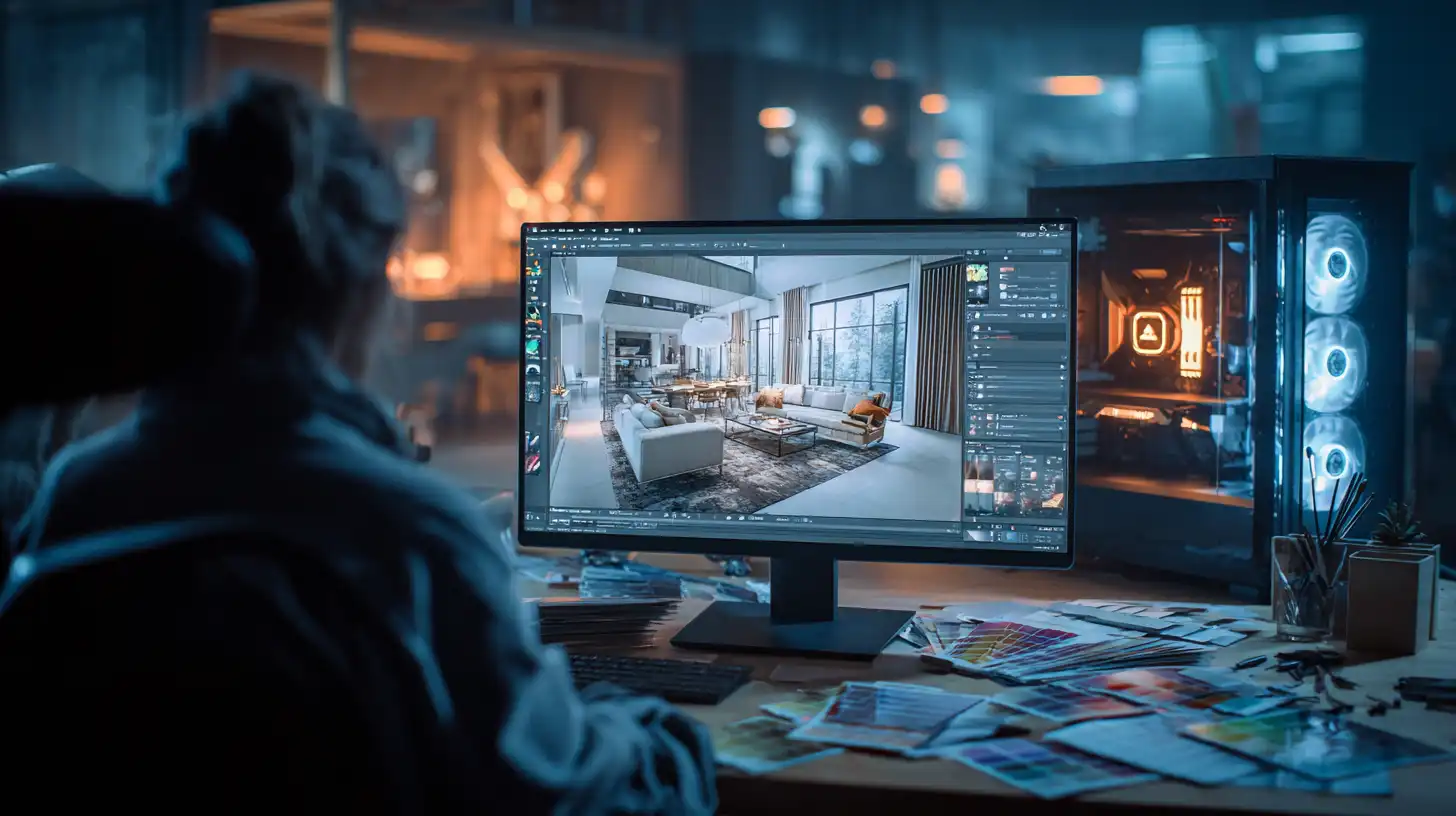
Chaos V-Ray integrates directly into the modeling and BIM software architects already use. A Revit model can be rendered inside V-Ray without exporting to another application. A SketchUp massing study can be lit and rendered without leaving the SketchUp environment. This tight integration means V-Ray fits into an existing design pipeline, but it also requires that a 3D model already exists to meaningful standards before a render is possible.
ArchFine works from photographs and sketches. This means it can produce visualization output at the earliest stages of a project, before any 3D model has been built. A hand sketch on paper or a rough photo of a physical model is enough to start generating client-ready visuals. That flexibility is especially valuable for design-development and feasibility phases where committing time to a full 3D model setup would slow the process.
The V-Ray vs AI rendering architecture comparison, then, is partly a timeline question. If your project is past the schematic phase and you have a developed model, V-Ray becomes the stronger tool for final imagery. If you are in early design or client pitching mode, AI rendering covers ground V-Ray cannot reach yet.
Who Should Use ArchFine?
ArchFine is a practical choice for architecture firms that present frequently to clients during the design process, small studios that do not employ a dedicated visualization specialist, and individual architects who need quick turnaround on concept images without investing in V-Ray licensing or render hardware. It is also well-suited for interior designers working from existing photos of a space — uploading a photo and describing a redesign is a direct use case the platform handles well.
The platform’s browser-based architecture means there is no installation, no license management, and no workstation specification to worry about. A firm with five architects can all access the same tool on their standard work laptops without IT involvement.
Who Should Use Chaos V-Ray?
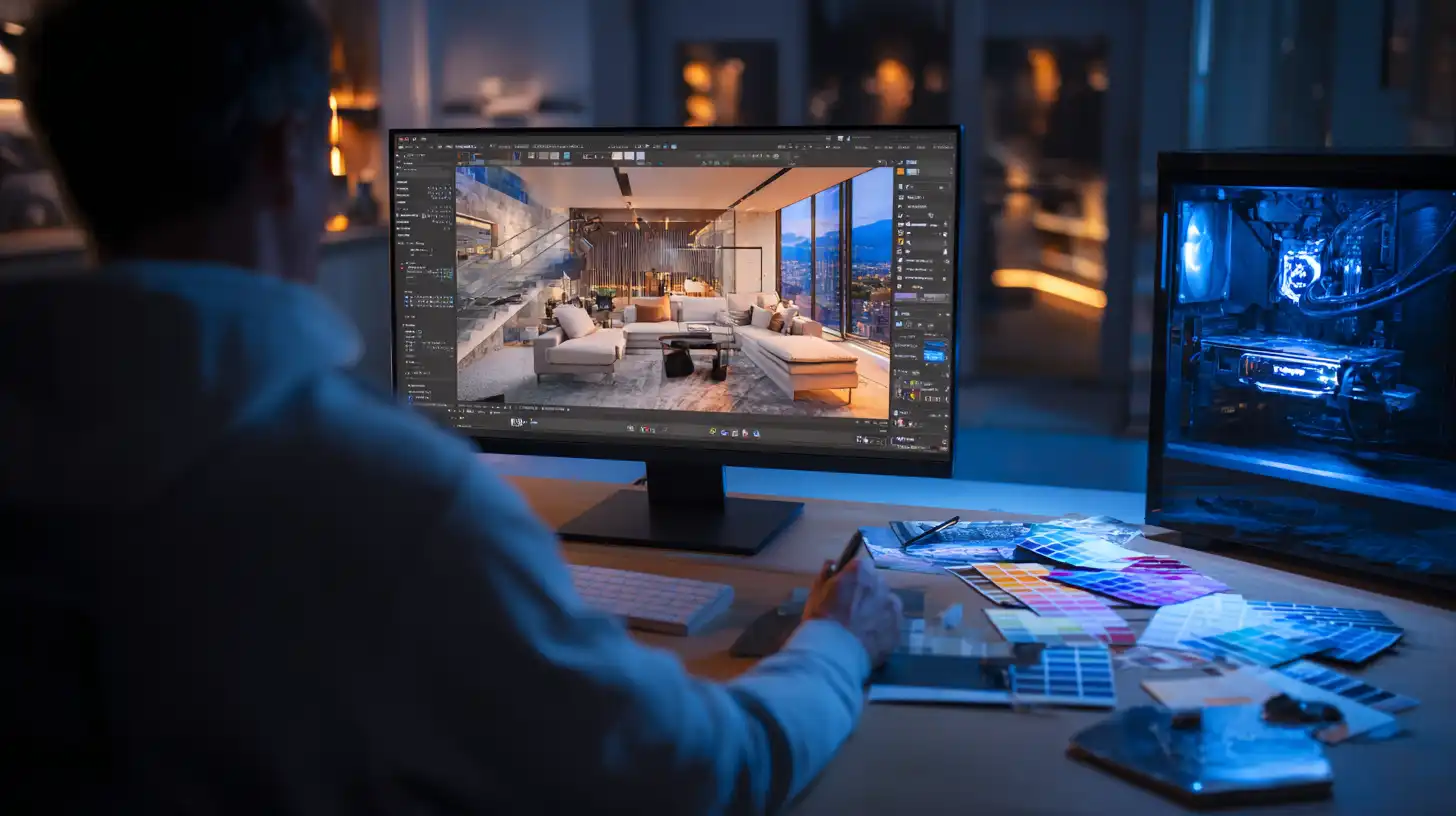
V-Ray remains the choice for studios producing final-quality architectural visualization for competitions, publications, and high-budget clients. If the deliverable is a full rendering set for a major building, a CGI film sequence, or a presentation where the images need to hold up at large scale and in print, V-Ray is the appropriate tool. It is also the right choice for studios that have already built a V-Ray workflow, assembled material libraries, and trained their team on the software.
Chaos Cloud makes the cost-per-render more variable, which can be an advantage for firms with uneven workloads. Instead of maintaining render farm hardware, teams can push large jobs to the cloud during peak periods. The full Chaos V-Ray product page gives a detailed breakdown of its features across different host applications.
Chaos Group Software Alternative for Small Firms in 2025
The rise of AI architectural rendering tools reflects a real gap in the market. V-Ray is technically superior for final output, but its total cost of ownership — licenses, hardware, training, render time — can exceed what small firms can justify. AI rendering platforms offer a different value proposition: lower cost, faster output, lower technical barrier.
For architectural practices evaluating their visualization pipeline in 2025, the question is not whether AI rendering replaces V-Ray. It does not, at least not for final deliverables. The question is whether AI tools can handle a meaningful portion of your rendering volume at a fraction of the cost and time, freeing V-Ray for the projects where its quality difference actually matters to the client.
🎓 Expert Insight
“The tools that win in practice are not always the most powerful ones — they are the ones that fit the team’s actual capacity and the client’s actual expectations.”
This observation, common among senior visualization professionals, applies directly to the V-Ray vs AI rendering architecture debate. A firm with three architects and no CGI specialist is unlikely to produce high-quality V-Ray output consistently. An AI tool that integrates into their existing workflow will produce more reliable client communication, even if the individual output ceiling is lower.
The Architectural Rendering Pipeline Comparison: Using Both Tools
The most practical takeaway from an ArchFine vs Chaos render evaluation is that the two tools serve different parts of the design communication timeline. The architectural rendering pipeline does not have to choose one or the other. A typical sequence might look like this:
Schematic Design: ArchFine for quick mood and concept renders from rough sketches or reference photos. Share with clients during weekly check-ins without preparation overhead.
Design Development: ArchFine continues to handle iteration renders. If the project has moved to a 3D model, initial V-Ray test renders can begin establishing material palettes.
Construction Documents / Final Presentation: V-Ray for final deliverable quality. Full material specification, accurate lighting, and high-resolution output for competition boards, client approvals, or publications.
This phased approach extracts the speed advantage of AI rendering where it matters most, and the quality advantage of V-Ray where that precision is non-negotiable.
✅ Key Takeaways
- ArchFine renders in approximately 30 seconds from a photo or sketch; Chaos V-Ray requires a developed 3D scene and takes minutes to hours depending on complexity.
- V-Ray produces physically-based, geometrically precise renders suited for final deliverables and competition boards. ArchFine produces AI-generated visuals suited for concept communication and client presentations.
- Chaos V-Ray licensing, hardware, and Chaos Cloud credits represent a significant total cost of ownership. ArchFine uses a flat subscription model with no hardware requirement.
- Small architecture firms and solo practitioners typically get more operational value from AI rendering tools during design phases. Larger studios with visualization specialists benefit from V-Ray’s precision for final outputs.
- Using both tools at different project phases — AI for early stages, V-Ray for finals — is a practical approach that optimizes cost, speed, and output quality across a project lifecycle.
For more on Chaos’s full product ecosystem, including cloud rendering options and integration details across host applications, the Chaos all products page provides a current overview. For architects evaluating rendering options from an industry research perspective, ArchDaily regularly publishes workflow case studies from practicing firms.