Why Architectural Visualization Matters
Every building starts as an idea. Before concrete is poured, before steel is welded, before a single foundation trench is dug, someone has to communicate what a structure will look and feel like. That communication — from architect’s mind to client’s imagination — is the core mission of architectural visualization.
The story of architectural visualization, often shortened to “archviz” in the industry, is really a story about trust. When a client commits millions of dollars to a project they cannot yet touch, they are placing their faith in images. The quality, accuracy, and emotional impact of those images have always determined whether projects move forward or stall at the proposal stage.
What has changed dramatically over the centuries is how those images are produced. The journey spans roughly 4,000 years — from reed styluses pressed into wet clay tablets in Mesopotamia to AI systems that transform a rough pencil sketch into a photorealistic hero image in under thirty seconds. Each technological leap expanded what architects could show, how fast they could show it, and how many people could participate in the design conversation.
A 2025 survey by Architizer and Chaos found that AI adoption in architecture is accelerating rapidly: excitement around AI experimentation grew by 20% compared to the previous year, and 11% of firms were already integrating AI into their design processes.
Understanding this evolution is not just an academic exercise. For practicing architects, it reveals which visualization methods still serve specific purposes — and why the newest tools, including AI-powered platforms like ArchFine AI, do not simply replace traditional skills but build upon them in powerful ways.
Ancient Origins: When Drawing Was Architecture
The earliest known architectural drawings date back more than 4,000 years to ancient Egypt and Mesopotamia. These were not artistic renderings in any modern sense — they were functional documents. Carved reliefs and papyrus scrolls depicted building layouts and elevations, serving as construction guides for temples, granaries, and royal palaces.
The Greeks and Romans refined this tradition considerably. Vitruvius, the Roman architect and engineer who lived in the first century BCE, codified architectural principles in his foundational treatise De Architectura. His work emphasized drawing techniques such as orthographic projections — the practice of representing three-dimensional objects from fixed viewpoints — which became the standard for architectural communication for centuries to come.
Vitruvius argued that “order, arrangement, eurythmy, symmetry, and economy” were the fundamental pillars of architectural design. These principles, articulated over 2,000 years ago, still underpin modern 3D visualization workflows.
At this stage, architects were essentially artists working in the physical realm. Their drawings were flat, two-dimensional, and lacked depth or spatial realism. The visual language of architecture evolved alongside fine art itself — and it would take a specific breakthrough in Renaissance Italy to change that forever.
The Renaissance Breakthrough: Perspective Changes Everything
In 1415, Filippo Brunelleschi — the Florentine architect best remembered for his magnificent dome atop the Cathedral of Santa Maria del Fiore — demonstrated linear perspective for the first time. This was a mathematical method for depicting three-dimensional depth on a two-dimensional surface by converging parallel lines toward vanishing points, mimicking how the human eye actually perceives space.
The impact on architecture was transformative. Before perspective, architects could show what a building contained. After perspective, they could show what it felt like to stand inside one. Masaccio, Leonardo da Vinci, and Raphael rapidly adopted and advanced these techniques, blending architecture and fine art in ways that elevated both disciplines.
For architectural visualization specifically, perspective was the single most important invention until the computer. It gave architects the ability to create realistic portrayals of unbuilt structures — helping clients in the church and government understand (and fund) ambitious projects. This was, in essence, the first “hero image” era: compelling visual presentations designed to persuade decision-makers.
The Renaissance didn’t just change how architects drew — it changed how they designed. Perspective enabled architects to think spatially before construction, testing proportions and sight lines on paper rather than discovering problems on the building site. This principle of “preview before you build” remains the core value proposition of every archviz tool ever created, including today’s AI platforms.
The Modernist Revolution: From Beaux-Arts to Bauhaus
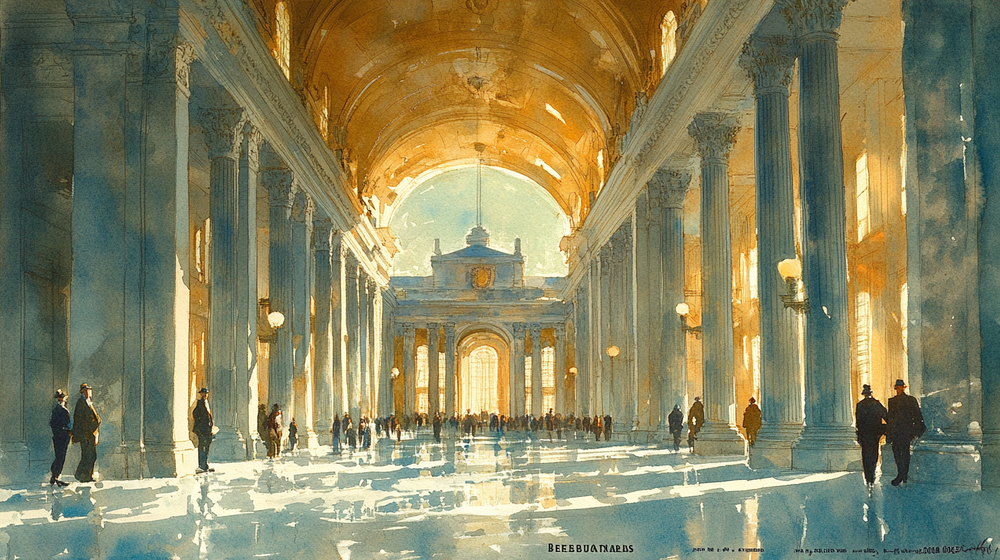
The nineteenth century brought the formalized study of architectural illustration through master-class traditions at institutions like the École des Beaux-Arts in Paris. Students learned to produce exquisite watercolor renderings, ink perspectives, and charcoal studies under the guidance of experienced practitioners. These were deeply skilled, time-intensive productions — a single presentation rendering could take weeks.
By the early twentieth century, architects like Frank Lloyd Wright and Hugh Ferriss demonstrated how visualization could shape architectural culture itself. Wright’s hand-drawn perspectives — characterized by bold lines and geometric clarity — communicated his philosophy of organic architecture with artistic conviction. Ferriss, working in 1920s and 1930s New York, produced dramatic charcoal renderings of skyscrapers that influenced both public imagination and real development decisions.

The Modernists — Le Corbusier, Mies van der Rohe, Walter Gropius — pushed visualization in a different direction. As architecture shifted toward geometric minimalism, so did its visual language. Diagrams, color-coded plans, and diagrammatic perspectives became tools for communicating not just the “what” but the “why” of a design. The Bauhaus school emphasized functional design and simplified visual communication, establishing a tradition of clean, purposeful architectural graphics.
The Hugh Ferriss Memorial Prize, awarded by the American Society of Architectural Illustrators, remains the highest honor in architectural graphic representation. It recognizes the enduring importance of visual storytelling in architecture — a craft that predates digital technology by centuries.
Innovations in reproduction technology also played a critical role. Blueprinting and diazo printing allowed architects to distribute their plans efficiently for the first time, improving collaboration and accelerating construction timelines. Visualization was no longer confined to a single precious drawing — it became a tool for coordination.
The Digital Dawn: CAD Rewrites the Rules
The history of digital architectural visualization begins in 1963 with Ivan Sutherland’s Sketchpad, a pioneering computer program developed at MIT that allowed users to interact with graphics on a screen using a light pen. It was a proof of concept rather than a practical tool, but it established the fundamental idea that buildings could be designed on screens rather than paper.
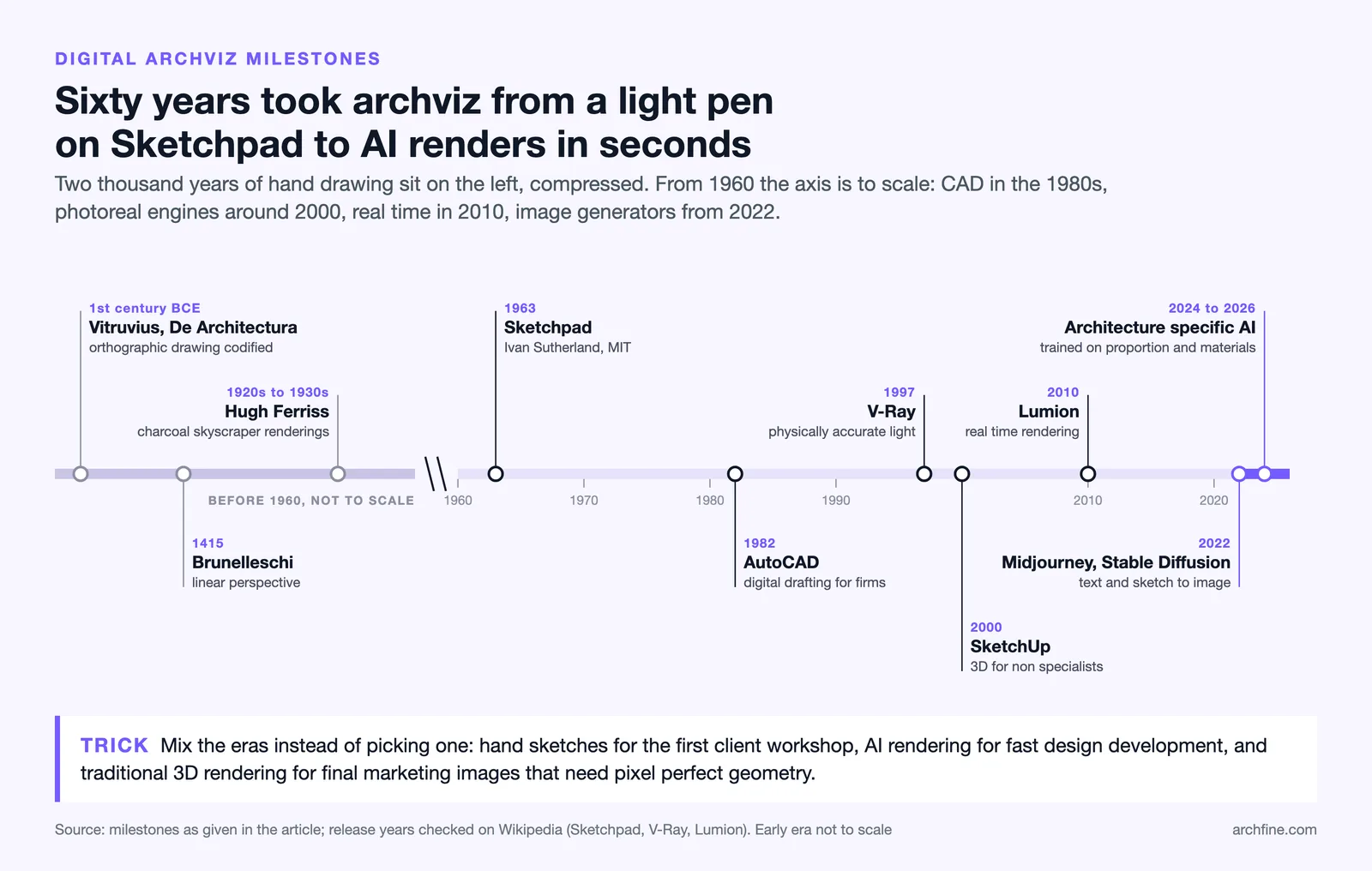
The real transformation arrived in the 1980s with the commercial availability of Computer-Aided Design (CAD) software. Autodesk, co-founded by John Walker and 15 others in 1982, released AutoCAD — and the architectural profession was never the same. CAD enabled architects to draft, edit, and duplicate drawings with unprecedented accuracy and speed, eliminating hours of manual redrafting when designs changed.
Key Milestones in Digital Archviz
| Year | Milestone | Significance |
|---|---|---|
| 1963 | Sketchpad by Ivan Sutherland | First program to use a graphical interface for design, proving computers could be used for visual creation. |
| 1982 | AutoCAD Launch | Autodesk releases AutoCAD, making digital drafting accessible to architecture firms worldwide. |
| 1997 | V-Ray by Chaos Group | A turning point in photorealistic rendering, bringing physically accurate light simulation to archviz. |
| 2000 | SketchUp Released | SketchUp’s intuitive interface democratizes 3D modeling for architects who are not 3D specialists. |
| 2010 | Lumion Released | Real-time rendering becomes practical for everyday architectural use. |
| 2022–2023 | AI Image Generation Emerges | Midjourney and Stable Diffusion introduce text-to-image and sketch-to-render capabilities. |
| 2024–2026 | Purpose-Built AI Rendering | Architecture-specific AI tools like ArchFine AI mature with trained models that understand architectural proportion, materials, and spatial logic. |
However, early CAD was still primarily two-dimensional. The drawings were precise but lacked the emotional impact of a skilled hand rendering. CAD laid the essential groundwork for 3D modeling systems, but the leap to visual realism required entirely different technologies.
The 3D Rendering Era: Pixels Meet Photorealism
The late 1990s and 2000s witnessed the convergence of 3D modeling software, increasingly powerful graphics hardware, and specialized rendering engines that together created the modern archviz industry. Programs like 3ds Max, Cinema 4D, and Rhino provided the modeling environment. Rendering engines like V-Ray, Mental Ray, and later Corona Renderer handled the complex physics of light simulation.
The introduction of physically based rendering (PBR) was a watershed moment. PBR algorithms simulate how light interacts with real-world materials — the way glass refracts, metal reflects, fabric absorbs — using physics rather than artistic approximation. Combined with high dynamic range imaging (HDRI) for realistic environmental lighting, architects could produce images that were genuinely difficult to distinguish from photographs.
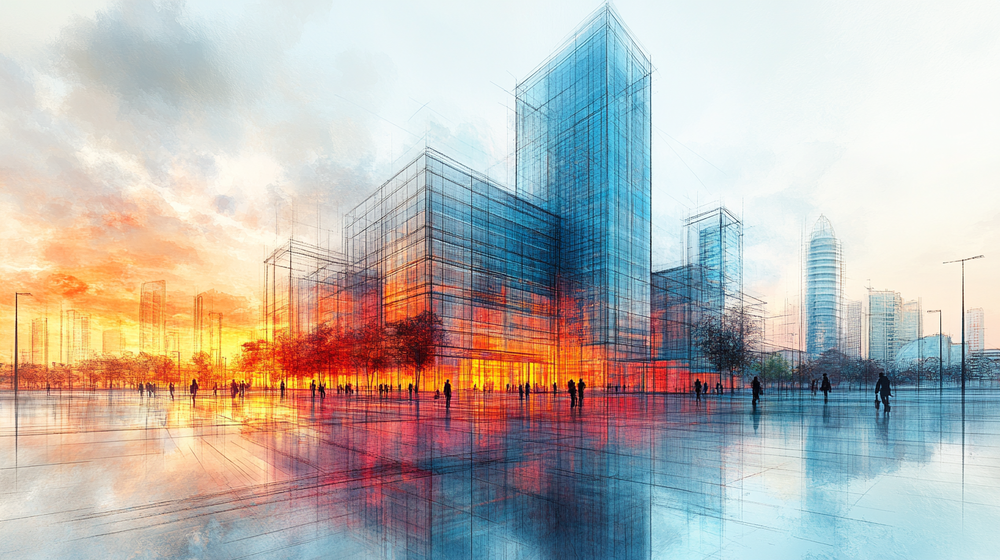
Even in the AI era, understanding physically based rendering principles makes you a better prompt writer and quality judge. Knowing how light behaves on different materials helps you evaluate whether an AI-generated render is architecturally convincing or just aesthetically pleasant.
This era also established a new professional category: the architectural visualization specialist. These practitioners combined architectural knowledge with 3D artistry, post-production skills, and technical expertise in rendering pipelines. Studios like MIR, Brick Visual, and DBOX set quality benchmarks that influenced the entire industry.
The downside was time and cost. A single photorealistic exterior rendering could take days to set up and hours to render, even on powerful hardware. Interior scenes with complex lighting were worse. This created a significant barrier — smaller firms often could not afford the time investment or specialized staff required for high-quality visualization.
BIM: When Models Became Databases
Building Information Modeling (BIM) represented a fundamental shift in how architects think about digital models. Where CAD treated drawings as geometry, BIM treats models as data-rich representations of actual building components. A wall in a BIM model is not just a rectangle — it has material properties, thermal performance data, cost information, and construction sequencing attributes.
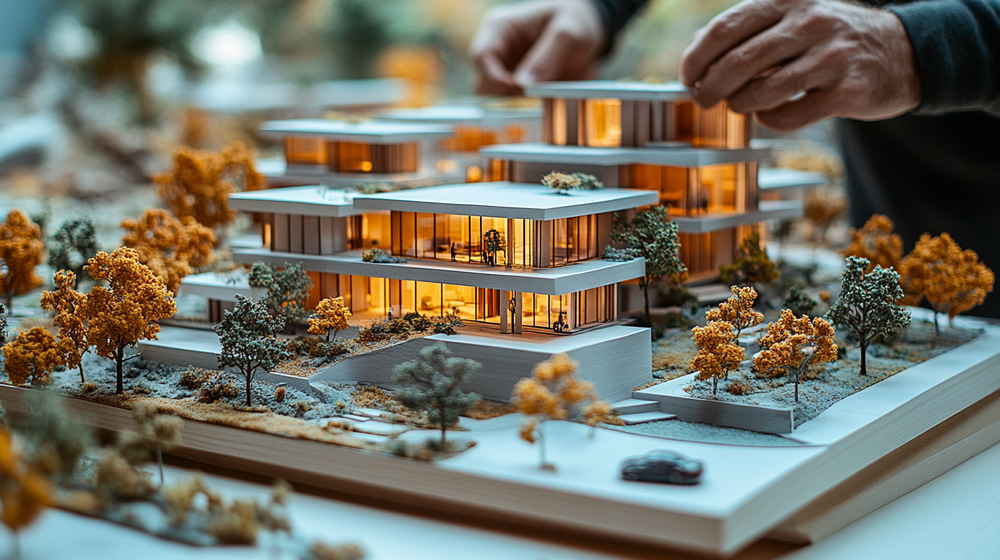
Platforms like Autodesk Revit, ArchiCAD, and Bentley Systems transformed BIM from concept to industry standard. For visualization, BIM’s significance was twofold. First, it provided far richer source data for rendering — materials, assemblies, and environmental conditions were already embedded in the model. Second, it created a seamless pipeline from design to visualization, as rendering tools like Enscape, Twinmotion, and D5 Render could plug directly into BIM models.
Real-time rendering integrations proved especially powerful. An architect working in Revit could click a single button to launch Enscape and walk through their design in photorealistic quality — no export, no scene setup, no waiting for renders. This collapsed the traditional separation between “designing” and “visualizing” into a single fluid workflow.
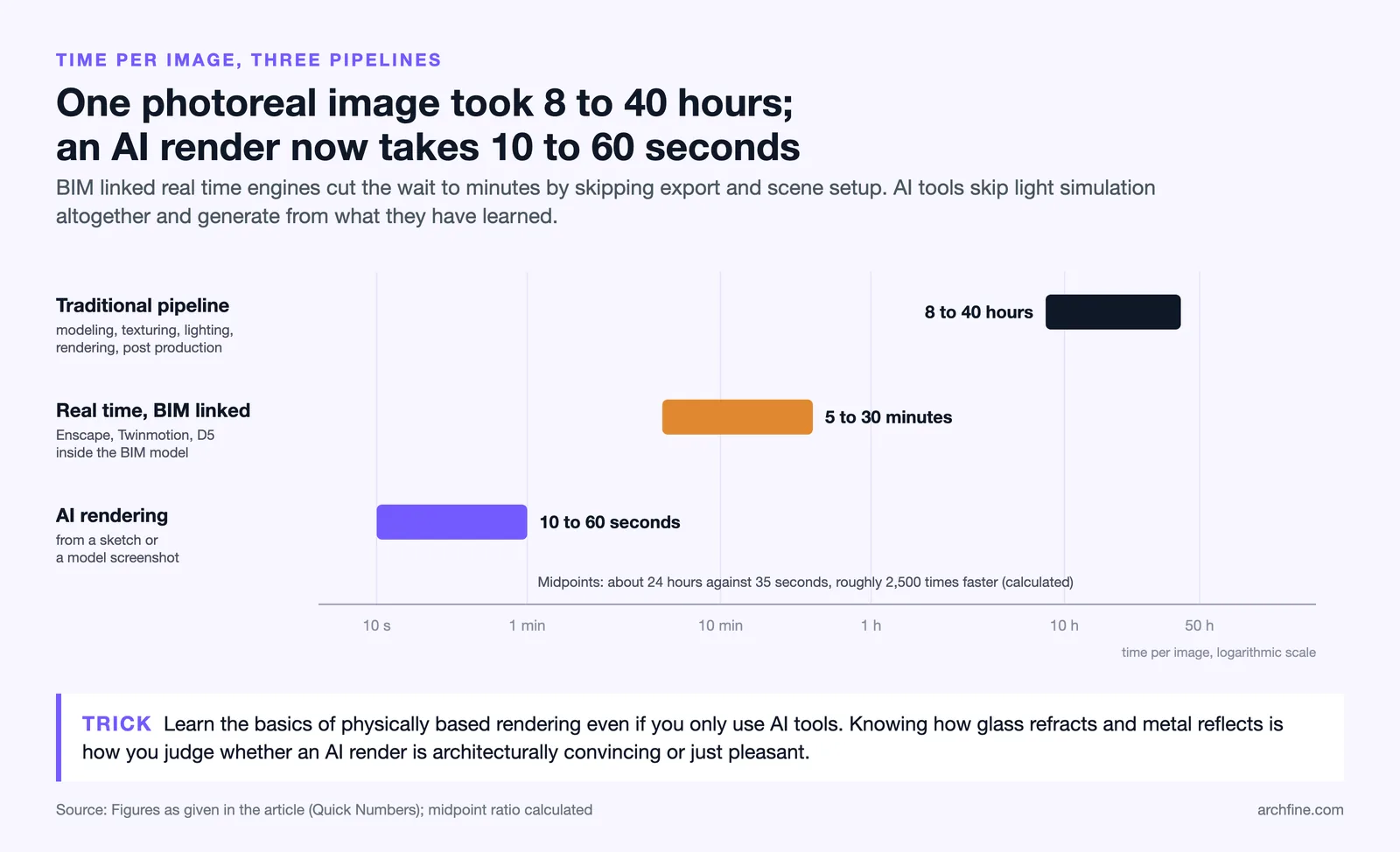
Traditional photorealistic rendering pipeline: 8–40 hours per image (modeling, texturing, lighting, rendering, post-production). Real-time BIM-integrated rendering: 5–30 minutes per image. AI-powered rendering from sketch or model: 10–60 seconds per image.
The AI Revolution: Rendering in Seconds, Not Hours
The emergence of AI-powered image generation beginning in 2022 has introduced the most disruptive change in architectural visualization since the transition from hand drafting to CAD. The fundamental shift is this: AI rendering does not simulate physics — it has learned what realistic architecture looks like from millions of training images and can generate convincing results from minimal input.
Early general-purpose tools like Midjourney and Stable Diffusion demonstrated the concept. Architects quickly discovered they could produce atmospheric concept images from text descriptions alone, generating multiple design explorations in minutes rather than days. However, these tools lacked architectural precision — they might add extra windows, distort proportions, or generate structurally impossible details.
The next generation of tools solved this by training specifically on architectural data and building intelligence about proportion, spatial logic, and material behavior into their models. This is where purpose-built platforms like ArchFine AI have established a distinct advantage. Rather than treating architectural images as just another category of picture, ArchFine’s rendering engine understands the specific visual language of architecture — from the way light falls across a concrete facade to the proportional relationships between windows and wall surfaces.
What AI Rendering Actually Delivers
The practical capabilities of AI architectural rendering in 2026 include sketch-to-render conversion (uploading a hand-drawn concept and receiving a photorealistic interpretation), style transfer (applying a specific aesthetic across multiple project views for brand consistency), real-time material and lighting exploration (testing dozens of facade material options in minutes), and text-to-image generation (describing a design concept in words and receiving visual proposals).
AI visualization works best as part of an integrated workflow, not as a standalone replacement. The most effective approach in 2026: start with hand sketching to capture initial design thinking, use AI to rapidly explore variations and atmospheres, then refine through traditional 3D development informed by AI-generated insights. Tools like ArchFine AI are designed for exactly this kind of iterative process.
The democratization effect has been significant. Individual practitioners and small firms that previously could not justify dedicated visualization staff now have access to professional-quality rendering capabilities. A solo architect can produce client-ready presentation images during a design meeting, responding to feedback in real time rather than scheduling a follow-up presentation days later.
Experience the Future of Architectural Rendering → Try ArchFine AI Free
Comparison: Traditional vs. Digital vs. AI Rendering
Each era of architectural visualization brought distinct strengths and limitations. The table below summarizes how the major approaches compare across key factors that matter to practicing architects.
| Factor | Hand Drawing | 3D / V-Ray Rendering | AI Rendering (e.g., ArchFine) |
|---|---|---|---|
| Time per Image | Hours to days | 8 to 40 hours | 10–60 seconds |
| Skill Required | Artistic training | 3D + rendering expertise | Basic prompting / upload |
| Cost | Materials only | Software + hardware + labor | Subscription / per-credit |
| Photorealism | Artistic interpretation | Physically accurate | High (learned realism) |
| Design Iteration Speed | Slow (redraw required) | Moderate (adjust + re-render) | Very fast (regenerate) |
| Best Used For | Early concepts, artistic expression | Final presentations, marketing | Concept exploration, rapid client communication |
| Geometric Accuracy | Approximate | Precise (model-based) | Moderate (improving rapidly) |
| Emotional Impact | High (artistic warmth) | High (photorealistic immersion) | High (atmospheric quality) |
The most effective visualization strategies in 2026 combine multiple approaches. Use hand sketches for initial client workshops, AI rendering for rapid design development, and traditional 3D rendering for final marketing deliverables that require pixel-perfect accuracy. Each tool has a sweet spot — and the best architects know when to use which.
What Comes Next: The Future of Archviz
Several converging trends are shaping the next chapter of architectural visualization. Real-time ray tracing, powered by advances in GPU technology from NVIDIA and AMD, is closing the quality gap between pre-rendered and interactive visualization. Architects will increasingly present designs in fully interactive environments where clients can explore spaces freely rather than viewing static images.
The digital twin concept — persistent virtual representations of physical spaces — is pushing archviz toward creating models that serve not just for presentation but for ongoing facility management, occupant wayfinding, and retrofit planning.
Sustainability-focused visualization is another growing frontier. Rendering tools are increasingly being used to simulate daylight performance, energy consumption patterns, and material lifecycle impacts. This “green visualization” approach helps architects make environmentally informed decisions earlier in the design process, when changes are still inexpensive.
And AI continues to evolve. The trajectory points toward systems that do not merely generate images but actively participate in design — suggesting spatial arrangements, optimizing structural configurations, and proposing material palettes based on performance criteria. The role of the architect shifts from technical producer to creative director, guiding intelligent systems toward outcomes that serve human needs and aspirations.
The architects who thrive in this environment will not be the ones who resist new tools or adopt them uncritically. They will be the ones who understand the full lineage of architectural visualization — from Vitruvius to V-Ray to AI — and can choose the right tool for each moment in the design process. Mastery of visualization has always been about communication, not technology. The technology just keeps expanding what is possible to communicate.
Frequently Asked Questions
What is architectural visualization?
Architectural visualization (archviz) is the practice of creating visual representations of buildings and spaces before they are constructed. It encompasses hand-drawn sketches, watercolor paintings, physical models, photorealistic 3D renderings, animations, virtual reality walkthroughs, and AI-generated images. The fundamental purpose is to communicate design intent — helping clients, stakeholders, and construction teams understand what a project will look and feel like.

How has AI changed architectural rendering?
AI has dramatically compressed the time and specialized expertise required to produce high-quality architectural images. Platforms like ArchFine AI can transform a rough sketch or basic 3D model into a photorealistic visualization in seconds. AI handles lighting simulation, material application, and environmental effects automatically, allowing architects to focus on design decisions rather than technical rendering production. This makes professional-quality visualization accessible to firms of any size.
Do architects still use hand sketches in 2026?
Absolutely. Hand sketching remains irreplaceable during early conceptual stages because of its speed, immediacy, and the direct connection it creates between thought and mark. What has changed is that sketches can now serve as direct input for AI rendering tools — a quick pencil drawing uploaded to an AI platform can generate a photorealistic visualization in seconds, creating a powerful bridge between initial concept and client-ready presentation.
What is the difference between CAD, BIM, and AI rendering?
CAD (Computer-Aided Design) creates precise 2D and 3D technical drawings focused on geometry. BIM (Building Information Modeling) adds data layers to 3D models — material properties, cost data, construction sequencing, and lifecycle information. AI rendering uses machine learning to generate photorealistic images from various inputs (sketches, 3D models, text descriptions), dramatically accelerating the visualization process. Most modern practices use all three in different phases of a project.
What are the best AI rendering tools for architects in 2026?
Leading AI rendering tools include ArchFine AI (architecture-focused rendering with custom style training), D5 Render (real-time ray tracing combined with AI optimization), Chaos Vantage (real-time exploration of massive 3D scenes), Enscape (integrated rendering for Revit, SketchUp, and Rhino), and Twinmotion (Unreal Engine-powered cinematic visualization). For AI-specific image generation, Midjourney and Stable Diffusion continue to serve concept exploration roles.
Will AI replace traditional 3D rendering?
Not in the foreseeable future, but it is rapidly changing when and how traditional rendering is used. AI excels at concept-stage visualization, rapid iteration, and atmospheric exploration. Traditional 3D rendering maintains advantages in geometric precision, construction documentation accuracy, and scenarios requiring exact material specification. The trend is toward hybrid workflows where AI handles exploration and speed while traditional methods handle precision and final deliverables.
Can I use ArchFine AI without 3D modeling skills?
Yes. ArchFine AI is designed to work with multiple input types, including hand-drawn sketches, basic model screenshots, and text descriptions. While 3D modeling knowledge enhances the quality of input you can provide, it is not a prerequisite. Many architects use ArchFine AI specifically to bypass the traditional 3D-to-render pipeline during early design phases when speed matters most.
The principles that produced orthographic drawing in the first place are set out in our guide to Renaissance architecture.