AI concept rendering generates visual representations of architectural ideas during the early design phase, before detailed drawings or 3D models are complete. Architects and designers use it to quickly communicate spatial intent, explore style directions, and get client feedback without committing to a full production render workflow.
The concept phase is notoriously difficult to communicate. Hand sketches work for internal exploration but rarely land with clients. Physical massing models take hours to build. Traditional rendering requires enough resolved geometry to justify the labor. AI changes this equation entirely — producing a usable conceptual architecture rendering in seconds from nothing more than a text prompt or a rough diagram.
This article explains what AI concept rendering is, why it fits the early design stage better than any prior tool, how the process works in practice, and what to watch out for before integrating it into your workflow.
What Is AI Concept Rendering?
AI concept rendering is the use of generative AI image models to produce architectural visuals at the earliest stages of a design project — typically before schematic design is locked and sometimes before any digital model exists.
Unlike traditional rendering, which requires a completed 3D model, coordinated materials, and lighting setups, AI architectural concept visualization starts from much lighter inputs: a text description, a rough sketch, a massing diagram, or a reference image. The AI fills in the visual interpretation, producing a range of possible outcomes for the designer to evaluate and iterate on.
The result is not an architectural drawing. It is closer to a mood board that has been rendered — an image that communicates spatial atmosphere, material direction, and compositional intent without making any binding technical commitments.
Why the Concept Phase Benefits Most from AI

Every phase of architectural design has different visualization needs. The concept phase is unusual because the need for visuals is high but the tolerance for precision is low. Clients want to understand what a building might feel like. They do not need — and often cannot read — a technical plan or section at this stage.
This mismatch between client expectation and traditional production tools is where AI creates the most value.
💡 Did You Know?
Communicating a design clearly before drawings are resolved is a recurring challenge in architect and client relationships. AI concept rendering directly addresses this gap by producing usable visuals at the stage when hand sketches are still the primary design tool for most firms. Source: AIA.org
Speed Over Precision at This Stage
In early design, decisions change constantly. A massing concept that seemed right on Tuesday is revised by Thursday. Producing a traditional render for each iteration is not feasible. A fast concept visualization tool powered by AI can turn around a new image in under a minute, keeping pace with the actual speed of design thinking.
This speed advantage compounds when multiple design directions are being explored simultaneously. Instead of choosing one direction to render because of resource constraints, a team can visualize three or four options and compare them directly.
Exploring Multiple Design Directions Quickly
One of the structural limits of traditional concept presentation is that time and cost push teams toward presenting a single preferred option. Clients rarely see alternatives unless they are explicitly requested. With AI-generated concept design, generating three distinct volumetric or material directions from the same brief takes minutes, not days.
This changes the nature of the client conversation. Instead of defending a single recommendation, designers can present a range of directions and use client feedback to guide refinement — which typically produces better alignment earlier in the process.
Client Communication Before Full Drawings Exist
Most clients cannot read architectural drawings fluently. A floor plan communicates to another architect but not reliably to a developer, a property owner, or a community board. An image communicates universally.
The ability to produce a photorealistic-feeling image from an early-stage concept — using early-stage architectural rendering tools — means clients can engage substantively with a design before it has been fully developed. This reduces the risk of expensive late-stage revisions triggered by a client who simply did not understand what had been proposed.
How AI Concept Rendering Works in Practice
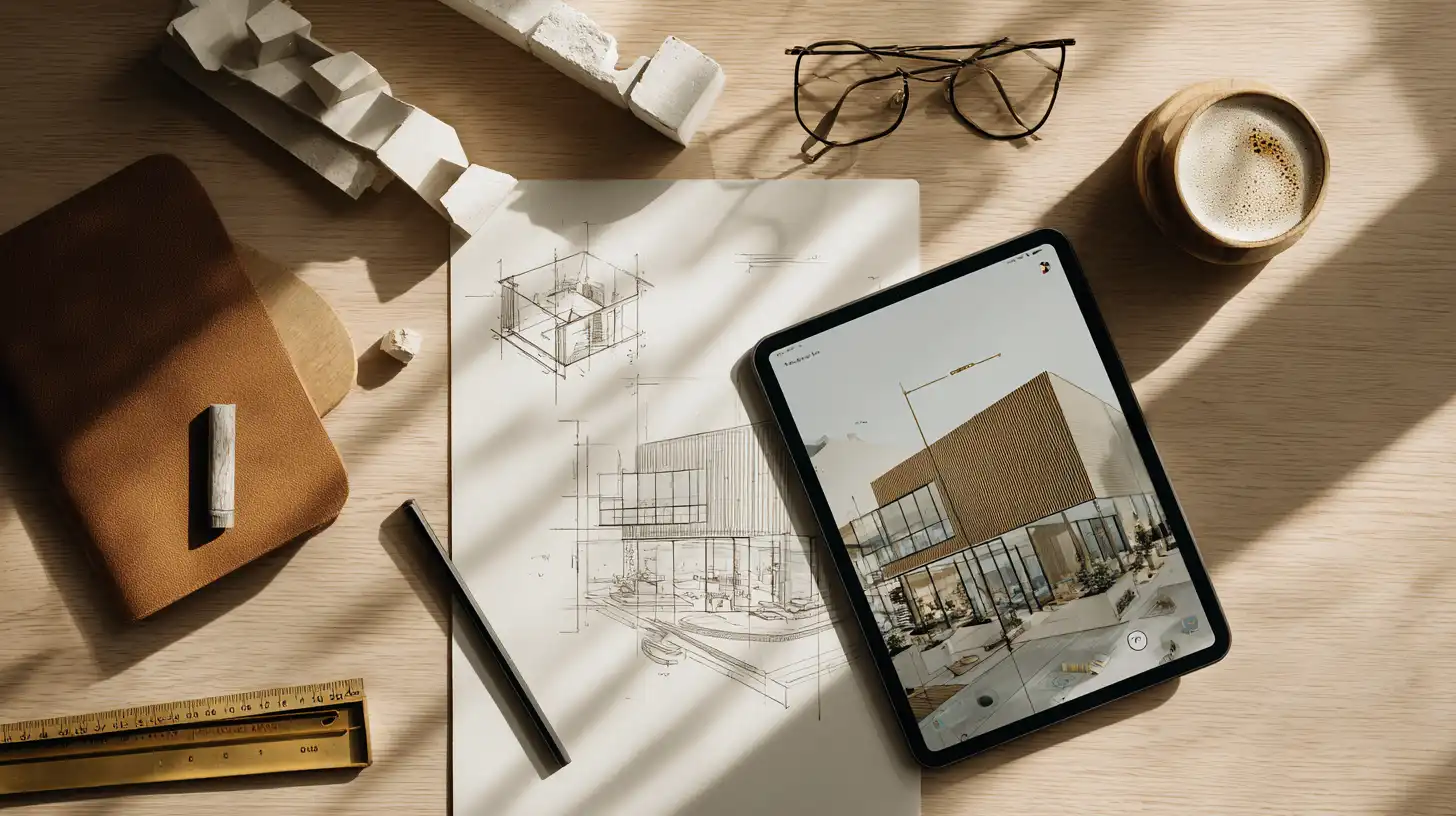
The practical workflow varies depending on how much design resolution exists at the point of visualization. AI concept rendering tools generally accept three types of input.
Text Prompts for Early Ideation
The simplest entry point is a text description. A designer describes the spatial qualities, material palette, scale, and atmosphere they are working toward — and the AI produces an image interpretation. This works particularly well at the very beginning of a project, when the design brief exists but no geometry has been established.
Effective prompts at this stage tend to be atmospheric rather than technical. Describing light quality, material warmth, spatial relationships, and programmatic character typically produces more useful output than specifying structural systems or dimensions. The goal is a conceptual render from sketch-level thinking, not engineering accuracy.
Sketch or Massing Model as Input
Once a rough sketch or basic massing model exists, it can serve as a structural guide for the AI. The model provides the volumetric framework; the AI fills in materiality, context, and atmosphere. This approach produces images that are closer to the actual design intent because the AI is responding to a specific spatial configuration rather than interpreting a text description freely.
For many architects, this is the most useful mode: it combines the speed of AI with enough design control to ensure the output is genuinely relevant to what is being proposed.
Style and Atmosphere Iteration
Once a base image exists — whether from text or a sketch input — the same composition can be iterated across different material palettes, times of day, weather conditions, and stylistic treatments. This allows rapid exploration of the experiential qualities of a design without rebuilding any geometry. A courtyard concept can be tested in early morning light with exposed concrete, then again with warm timber cladding and afternoon sun, in a matter of minutes.

AI Rendering at Different Design Stages
| Design Stage | Rendering Purpose | AI Suitability | Key Output |
|---|---|---|---|
| Concept / Schematic | Communicate intent | High | Mood images, style direction |
| Design Development | Explore options | High | Multiple facade / interior views |
| Construction Docs | Presentation accuracy | Medium | Near-final renders |
| Marketing / Sales | Client-facing visuals | High | Photorealistic final views |
How ArchFine Supports Conceptual Architecture Rendering
ArchFine is built specifically for architectural visualization workflows, which makes it a natural fit for concept-stage work. The platform accepts image uploads alongside text prompts, allowing designers to feed in a rough reference — a sketch photo, a diagram, a massing screenshot — and generate a photorealistic interpretation in approximately 30 seconds.
For ArchFine concept rendering, the workflow is intentionally lightweight. There is no need to set up a 3D scene, configure lighting, or manage render passes. A designer uploads an image or enters a prompt, adjusts the output direction through follow-up prompts, and iterates until the image communicates what the design is trying to achieve. The entire session can fit within a design meeting rather than interrupting one.
This positions ArchFine as an AI design concept tool that complements, rather than replaces, the designer’s existing software stack. It operates alongside CAD and BIM tools, not as a replacement for them — providing visual output at stages where those tools produce nothing a client can usefully respond to.
The platform is accessible directly at app.archfine.com, with no local software installation required.

Limitations to Know Before You Rely on AI for Concepts

⚠️ Common Mistake to Avoid
Treating AI concept renders as final presentation images is a frequent error. These visuals are meant to communicate a design direction, not architectural accuracy. Using them as stand-ins for coordinated construction drawings or approved design submissions can mislead clients about what has actually been resolved in the design.
Beyond the risk of misrepresentation, AI concept rendering has a few inherent technical constraints worth understanding before integrating it into a professional workflow.
Spatial accuracy is not guaranteed. AI-generated images look architectural but are not built from resolved geometry. Proportions, structural logic, and spatial relationships may be visually convincing without being technically coherent. A column may appear to be in the wrong place; a cantilever may look larger than it would be in practice.
Consistency across views is difficult. Generating a coherent set of images — exterior, interior, and aerial of the same design — requires careful prompt management. Without a resolved 3D model to anchor the AI’s output, views can drift significantly in character, materiality, or massing between generations.
Output is not directly editable. An AI-generated concept image cannot be modified the way a model or drawing can. If the client wants the roofline lowered or the entrance relocated, the image must be regenerated rather than revised. This reinforces the positioning of concept renders as communication tools, not design documents.
For more on the distinction between conceptual and production-ready visualization, ArchDaily and Dezeen have both covered the evolving role of AI in architectural image-making in depth.
AI Concept Rendering vs. Presentation Rendering
The difference between a concept render and a presentation render is not only visual — it is functional. Concept renders are working tools. Presentation renders are deliverables. Confusing the two leads to either under-investing in final-stage visuals or over-engineering early-stage images at a point where the design is still changing.
Concept renders should be loose, fast, and numerous. Their purpose is to generate alignment and spark design decisions. A presentation render, by contrast, requires a resolved design, coordinated materials, and a level of photorealistic accuracy that a client or planning authority can hold the project accountable to.
AI is highly capable at the concept end of this spectrum. At the presentation end, AI tools can still contribute — particularly through image enhancement and lighting refinement — but the primary input should be a well-resolved 3D model rather than a text prompt or sketch. The architectural design process has distinct phases for a reason, and matching the visualization tool to the phase produces better outcomes than treating all rendering as equivalent.
✅ Pro Tip
Keep concept render prompts loose and atmospheric rather than technically detailed. At the concept stage, the goal is to communicate a spatial feeling or material direction, not to specify exact dimensions. Prompts like “warm terracotta tones, open courtyard, soft morning light” typically produce more useful concept images than highly technical descriptions.
📋 Key Takeaways
- AI concept rendering generates architectural visuals from text prompts, sketches, or massing models — without requiring a resolved 3D model.
- The concept phase benefits most from AI because the need for visuals is high and the tolerance for precision is low.
- Common inputs include text descriptions, rough sketches, and massing screenshots; the AI interprets and produces atmospheric concept images.
- ArchFine supports concept-stage workflows with a prompt-and-image upload interface that generates renders in approximately 30 seconds.
- AI concept renders are communication tools, not design documents — they should not be used as substitutes for coordinated drawings or final presentation renders.
- Consistency across multiple views remains a limitation without an underlying resolved 3D model to anchor the AI’s output.