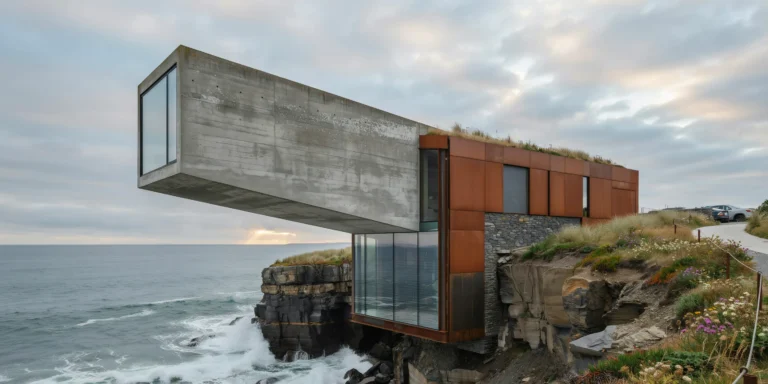
Floating Concrete Bridge Pavilion

Floating Concrete Bridge Pavilion

Structural Concrete 27 seconds ArchFine Pro 13 May 2026

Prompt Used

A photorealistic render of a small public pavilion and bridge over a tidal creek in a new waterfront park in Rotterdam, a structure that combines a pedestrian crossing with a sheltered gathering space, the design conceived as a single continuous concrete ribbon. Form: The pavilion is formed from a single folded concrete surface — a 30mm ultra-high-performance concrete (UHPC) shell that rises from the west bank as a footpath, curves up to form a roof shelter (approximately 12m long x 6m wide, maximum 4m height), then descends to become the deck of the bridge crossing the 14m wide tidal creek, and continues as the path on the east bank. The structural geometry is a shallow catenary arch in the long section, the concrete shell reinforced with stainless steel fiber rather than conventional rebar, making 30mm thickness sufficient for the span. The concrete surface is white (white cement, crushed quartz aggregate, polished to a smooth satin finish that shows the aggregate crystals as a fine glinting texture). Shelter zone: The covered area beneath the roof portion of the shell (approximately 8m x 6m) is a semi-enclosed public gathering space. Built-in seating carved from the same UHPC as the shell — two curved benches following the inner curvature of the roof, integrated monolithic elements of the same concrete, their seat surfaces polished smoother than the structural surfaces. A thin continuous LED strip recessed in the junction between the bench back and the shell above (2700K warm, the only artificial light element) provides evening illumination. Creek and tidal context: The tidal creek below the bridge is at mid-tide — the muddy banks partially exposed, the dark gray estuarine mud with a sheen of water. Reflected in the tidal water below the bridge: the white concrete underside of the bridge deck, the Rotterdam skyline in the far distance, and the pale spring sky. A single heron stands on the exposed mud bank below the bridge, motionless. Park context: The east and west banks are newly planted — native coastal meadow mix (sea lavender, sea campion, thrift, and grasses), the plants low and wind-swept, appropriate to the exposed tidal park setting. A bicycle and pedestrian path in gray gravel approaches from both banks. The Rotterdam container port cranes visible on the horizon to the north as a reminder of the industrial context. Sky: A clear spring day with fast-moving cumulus clouds casting occasional shadows across the polished white concrete, the cloud shadows and sunlit patches creating a dynamic light condition that emphasizes the shell geometry. Camera angle: From the tidal mud bank below (approximately 3m below bridge deck level) looking up at the underside of the bridge and shelter, the white concrete arch framing the sky above and the Rotterdam skyline beyond. The heron in the foreground right. Focal length equivalent 28mm. Aspect ratio 3:2. Time of day: 11:30 AM, May, dynamic partly cloudy spring light.

Before & After

Before - original sketch
Before
After - AI render
After

Ideal for public infrastructure, bridge, and waterfront pavilion projects. Upload site hydraulic surveys or structural section studies.
Getting Started with This Prompt

1

Grab the Prompt

Tap the copy button above and the entire prompt will be saved to your clipboard, ready to use.

2

Launch Your Renderer

Head over to Archfine AI or any compatible visualization tool you prefer working with.

3

Add Your Design

Drop in your floor plan, elevation sketch, or any reference image - then paste the prompt.

4

Render & Refine

Run the generation and review the output. Swap out a few keywords to explore completely different aesthetics.

Want a faster workflow? Archfine AI lets you skip prompt editing entirely - just upload and render.

How to Get Stronger Renders

1

Describe the Scene

Mention specific materials, time of day, weather, and camera perspective. The more context the AI has, the more realistic the output becomes.

2

Run Multiple Passes

Each generation is unique. Changing even a single adjective can shift the entire mood - so experiment freely and compare outcomes.

3

Blend Prompts Together

Borrow phrases from other entries in our collection and merge them. Hybrid prompts often deliver the most original visuals.

4

Start with a Clean Drawing

Crisp linework and high-contrast sketches give the AI a clear foundation. Blurry or cluttered inputs lead to softer, less defined renders.

Common Questions About This Prompt

Am I allowed to edit or customize this prompt?

Of course. Think of it as a foundation you can build on. Adjust the style, swap materials, change the lighting setup, or rewrite entire sections to fit your specific project needs.

Which rendering platform does this prompt work with?

It has been fine-tuned for Archfine AI, but the descriptive structure translates well to other popular AI visualization engines. You may need minor adjustments depending on the tool.

Does using this prompt cost anything?

Every prompt in our library is completely free. You can copy, adapt, and use them across personal portfolios, client presentations, or commercial marketing materials without restrictions.

What kind of input image gives the best output?

Clean line drawings with strong contrast tend to perform best. The AI reads edges, proportions, and spatial relationships from your input - so a well-drawn elevation or section will consistently outperform a rough napkin sketch.

Can I use the rendered image commercially?

Yes. Renders generated through Archfine AI on any paid plan come with full commercial usage rights. Use them in proposals, publications, social media, or anywhere else your work needs to shine.

Try this prompt yourself

Upload your own sketch and use this prompt to generate a stunning render.

Try on Archfine