Timber Mass Timber Office

Timber Mass Timber Office

Mass Timber Commercial 21 seconds ArchFine Pro 16 May 2026

Prompt Used

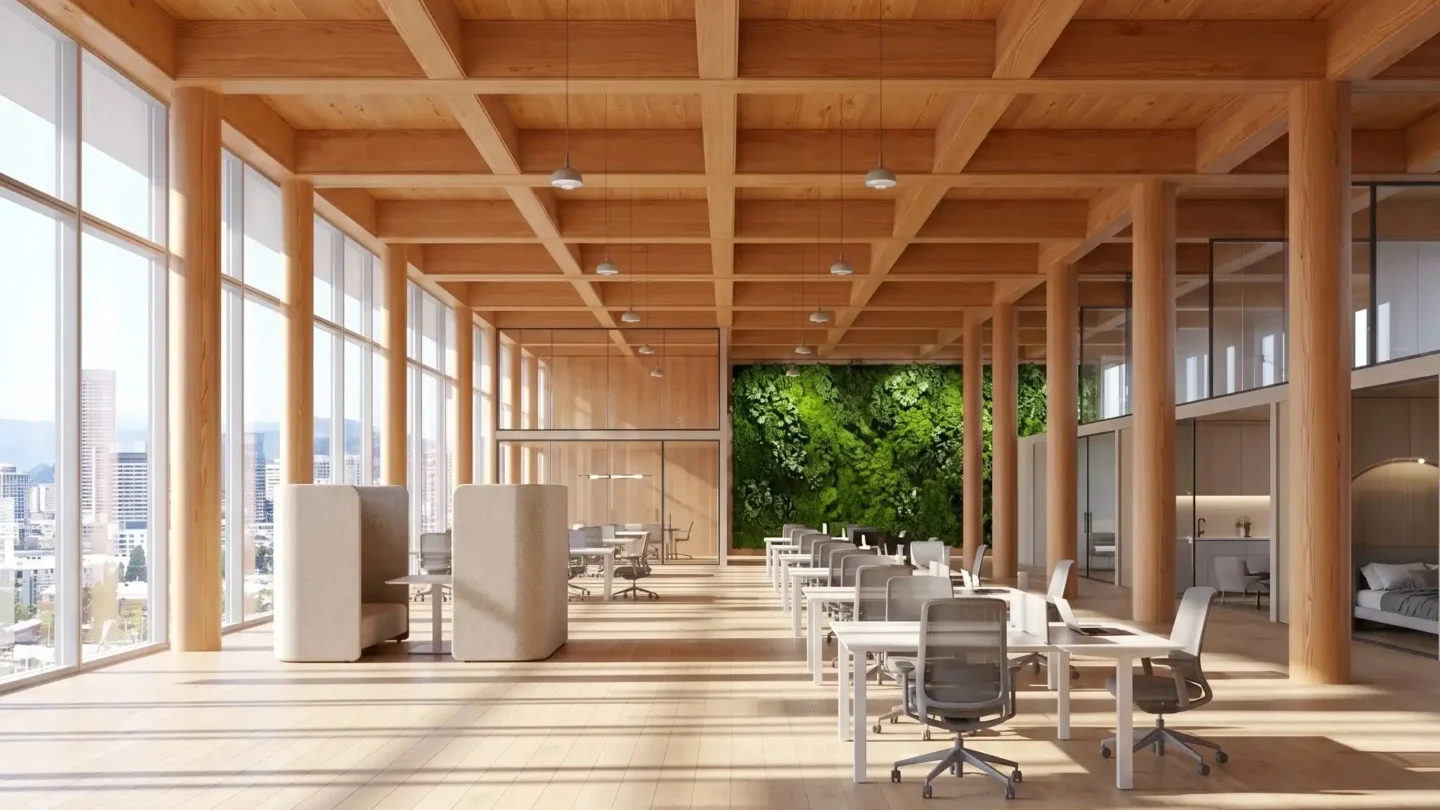
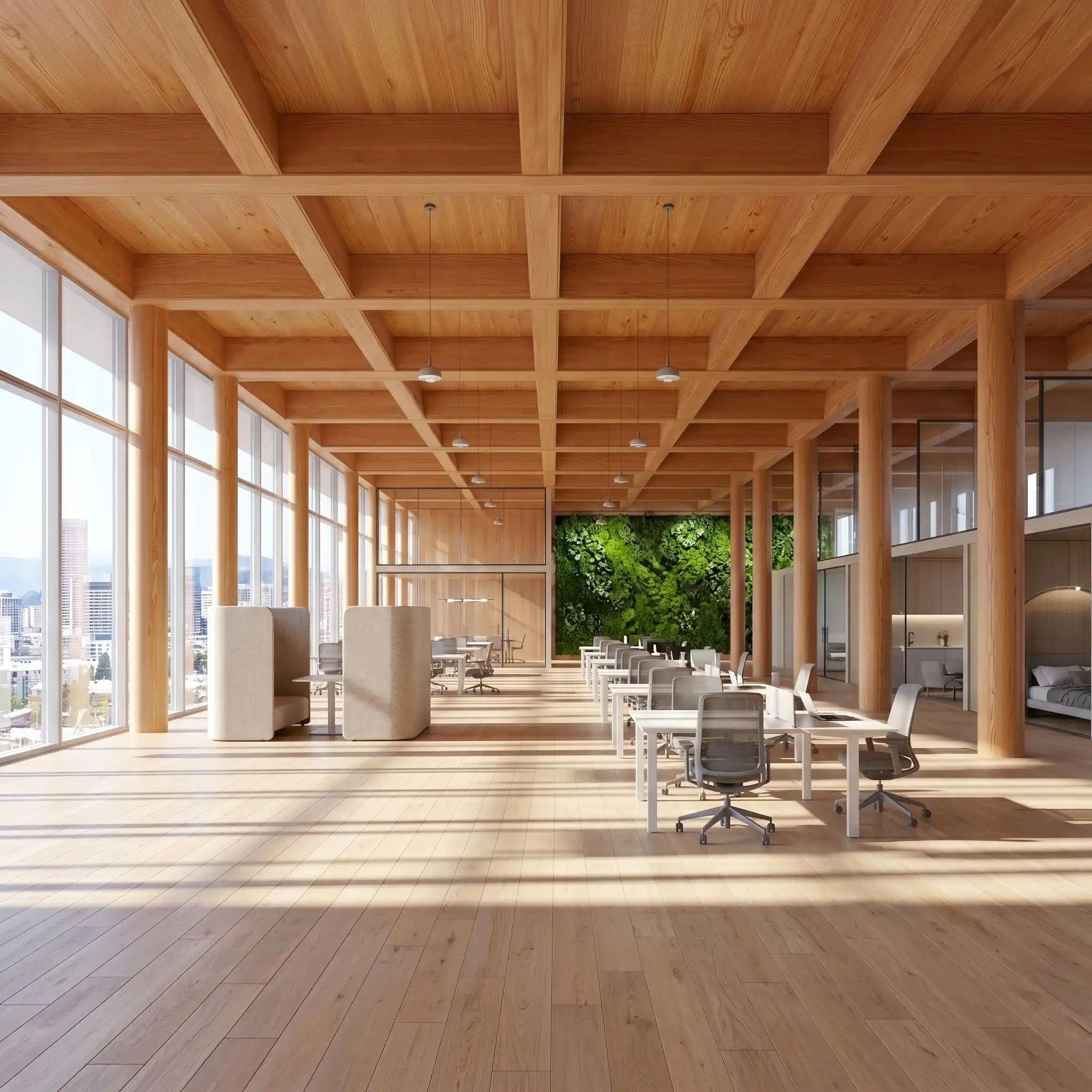
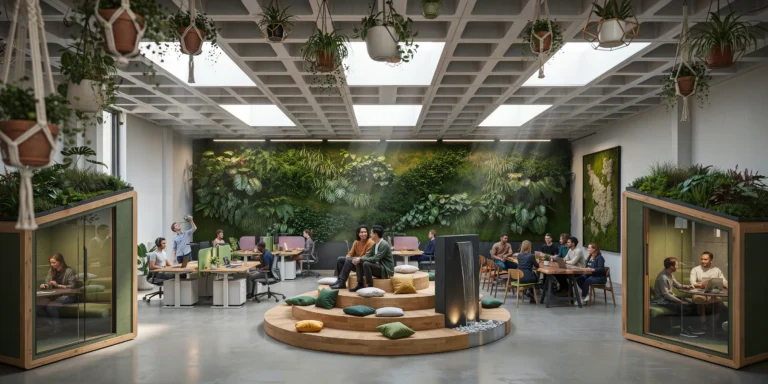
A photorealistic render of an open-plan office floor in a new eight-story mass timber commercial building in Portland, Oregon, a post-and-beam CLT structure that exposes all structural timber elements as the primary interior finish. Structure: The floor plate (approximately 60m x 22m, open plan) is supported on a grid of glulam columns (340mm x 340mm, Douglas fir, clear grade with natural knot-free finish, a warm honey-amber tone) at 6m centers in both directions. The glulam primary beams (600mm deep x 200mm wide) and secondary beams (300mm deep x 140mm wide) are fully exposed below the CLT floor deck above (5-layer CLT panels, 175mm thick, the top laminate in clear Douglas fir showing the characteristic parallel grain pattern). All timber surfaces are factory-sanded to 180 grit and finished with a single coat of matte Rubio Monocoat in Pure (colorless, grain enhancing). Workspace layout: A mix of collaboration and focus zones across the floor plate — no assigned desks. Collaboration zones: clusters of four sit-stand desks (white laminate tops, black powder-coated steel legs, motorized height adjustment) with task chairs in light gray mesh. Focus zones: individual work pods defined by freestanding acoustic screens (100mm thick, natural wool felt in warm oatmeal, floor-mounted on minimal steel base frames). A series of meeting rooms are created by full-height glass partitions (frameless, 15mm glass, silicon-jointed) with sliding glass doors — the rooms open to the main floor visually but acoustically separated. Greenery: A continuous green wall (approximately 12m wide x 3m tall) of living moss and Epipremnum aureum (pothos) panels on the east-facing internal partition wall, the deep green providing a strong color contrast to the warm amber timber throughout. Windows: The full-height perimeter glazing (floor-to-ceiling, continuous around all four facades, 3.2m height) frames views of the Portland cityscape — the Pearl District streetscape, the West Hills with Douglas fir forest in the background, Mount Hood visible as a faint snow-capped cone in the far east on this clear day. Lighting: Primary natural light from the perimeter glazing. Supplementary: pendant lights (black powder-coated steel, cylindrical shade 300mm diameter) hung from the CLT ceiling at 2.4m below the deck on the column grid centers, providing warm 3000K task illumination. The timber ceiling absorbs and diffuses the light, eliminating harsh reflections. Camera angle: From the northwest corner of the floor plate looking diagonally southeast, the full depth of the open plan visible, the column grid receding in perspective, the green wall on the right, the Mount Hood view through the south glazing in the far background. Eye-level (1.7m). Focal length equivalent 24mm. Aspect ratio 16:9. Time of day: 10:00 AM, clear October morning, strong directional light from the southeast windows.

Before & After

Before - original sketch
Before
After - AI render
After

Ideal for mass timber commercial and workplace interior projects. Upload structural grid drawings or floor plans.
Getting Started with This Prompt

1

Grab the Prompt

Tap the copy button above and the entire prompt will be saved to your clipboard, ready to use.

2

Launch Your Renderer

Head over to Archfine AI or any compatible visualization tool you prefer working with.

3

Add Your Design

Drop in your floor plan, elevation sketch, or any reference image - then paste the prompt.

4

Render & Refine

Run the generation and review the output. Swap out a few keywords to explore completely different aesthetics.

Want a faster workflow? Archfine AI lets you skip prompt editing entirely - just upload and render.

How to Get Stronger Renders

1

Describe the Scene

Mention specific materials, time of day, weather, and camera perspective. The more context the AI has, the more realistic the output becomes.

2

Run Multiple Passes

Each generation is unique. Changing even a single adjective can shift the entire mood - so experiment freely and compare outcomes.

3

Blend Prompts Together

Borrow phrases from other entries in our collection and merge them. Hybrid prompts often deliver the most original visuals.

4

Start with a Clean Drawing

Crisp linework and high-contrast sketches give the AI a clear foundation. Blurry or cluttered inputs lead to softer, less defined renders.

Common Questions About This Prompt

Am I allowed to edit or customize this prompt?

Of course. Think of it as a foundation you can build on. Adjust the style, swap materials, change the lighting setup, or rewrite entire sections to fit your specific project needs.

Which rendering platform does this prompt work with?

It has been fine-tuned for Archfine AI, but the descriptive structure translates well to other popular AI visualization engines. You may need minor adjustments depending on the tool.

Does using this prompt cost anything?

Every prompt in our library is completely free. You can copy, adapt, and use them across personal portfolios, client presentations, or commercial marketing materials without restrictions.

What kind of input image gives the best output?

Clean line drawings with strong contrast tend to perform best. The AI reads edges, proportions, and spatial relationships from your input - so a well-drawn elevation or section will consistently outperform a rough napkin sketch.

Can I use the rendered image commercially?

Yes. Renders generated through Archfine AI on any paid plan come with full commercial usage rights. Use them in proposals, publications, social media, or anywhere else your work needs to shine.

Try this prompt yourself

Upload your own sketch and use this prompt to generate a stunning render.

Try on Archfine