Warehouse Arts District Residency

Warehouse Arts District Residency

Industrial Arts 22 seconds ArchFine Pro 5 May 2026

Prompt Used

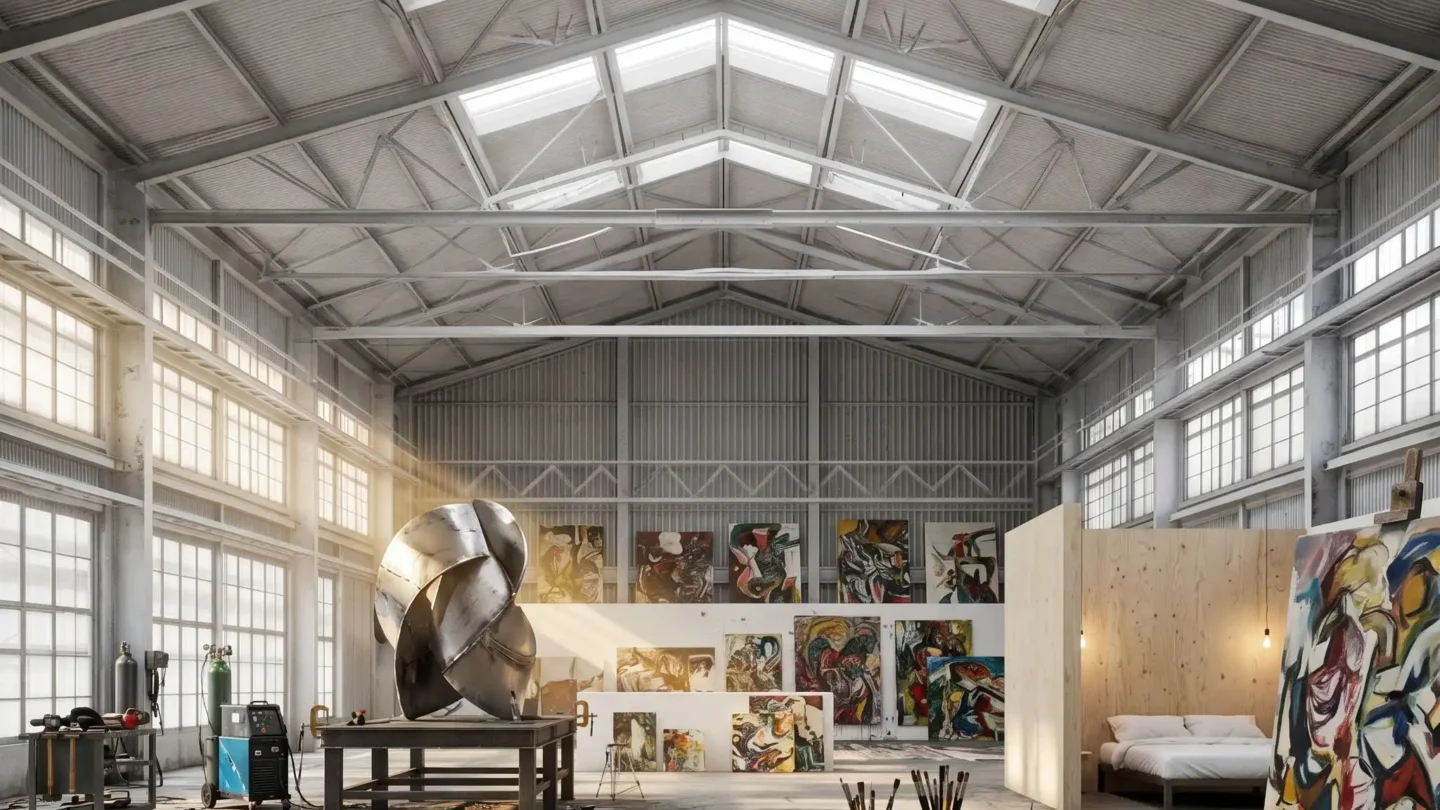
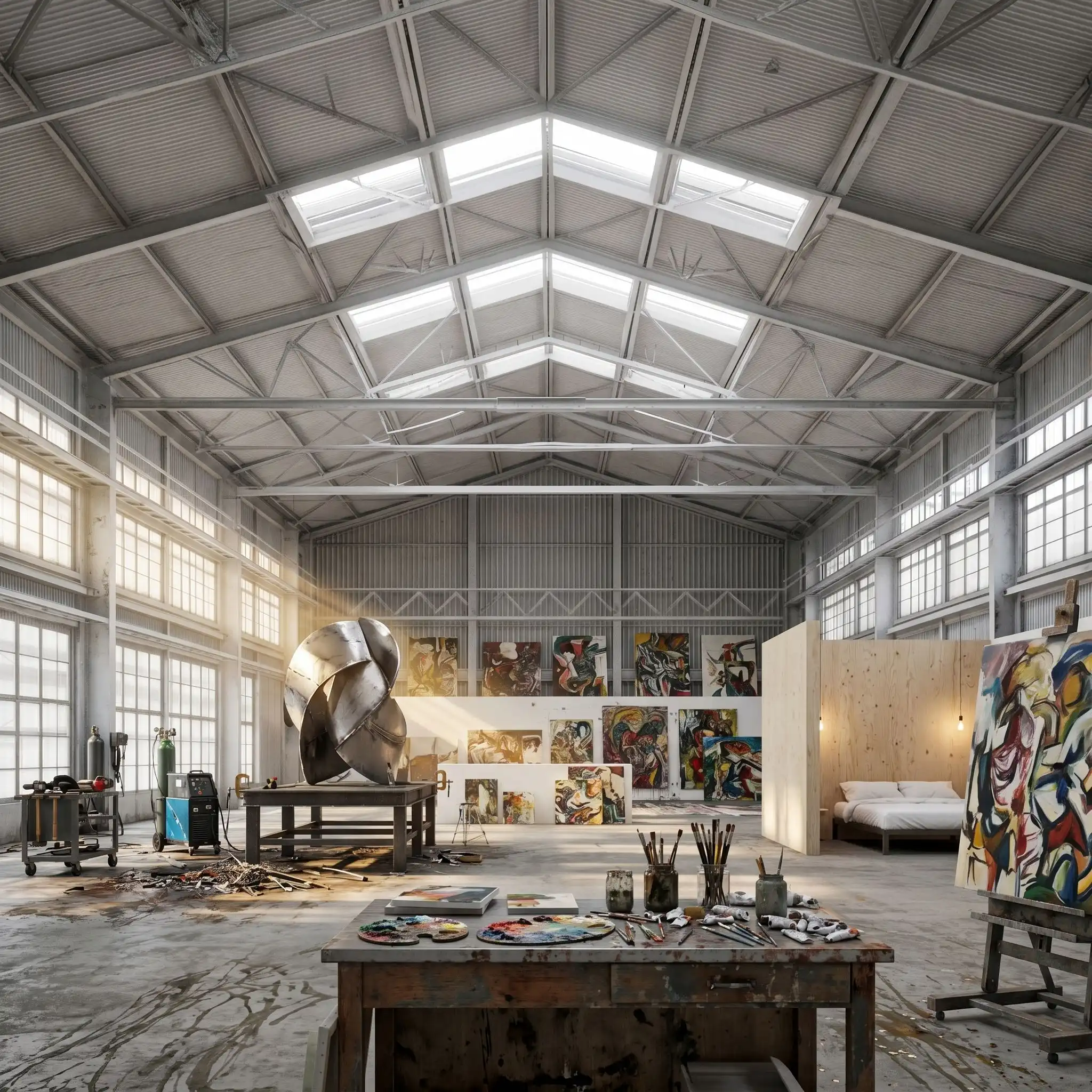
A photorealistic render of a live-work artist residency studio in a converted 1940s warehouse in Detroit's Corktown district, a large open-plan space (approximately 400 square meters, 6m ceiling height) occupied by a sculptor and painter, the industrial fabric left completely raw and the artist's work and process integrated as the interior design. Raw fabric: The original warehouse structure is entirely exposed — a riveted steel frame (WF columns and beams, painted over multiple times in shades of gray, green, and cream, the paint layers peeling to reveal the history), the original concrete floor (unsealed, stained in complex patterns of oil, paint, and use over 80 years), and the roof structure above (open steel trusses with the original industrial glazing — north-light sawtooth skylights with wired glass, some panes replaced with clear float glass, the frames painted in black). The original loading dock door opening (3.6m wide x 3.8m tall) in the east wall has been glazed with a large fixed glass panel in a heavy steel frame, left deliberately oversized for the opening, the gap sealed with silicone — a raw industrial response. Artist's work zone: The south half of the space is the working area — a sculpture in progress (a large-scale welded steel form, approximately 2m tall, composed of interlocking curved plate sections, the surfaces showing fresh weld seams and grinder marks, clamped to a heavy steel fabrication table). Welding equipment (MIG welder on a mobile cart, gas cylinders chained to a wall bracket), an angle grinder on a magnetic holder, a scatter of steel plate offcuts on the floor. The concrete floor in this zone is heavily marked — grinding sparks have pitted the surface, weld spatter is scattered across a 3m radius, puddles of flux and rust staining. Living and sleeping zone: The north end of the space is partitioned by a freestanding plywood wall (full height, 12mm birch ply, unpainted, the grain showing) creating a sleeping niche — a mattress on a steel bed frame directly against the rough brick north wall, white linen, a single incandescent bare bulb on a flex cord above. A kitchen corner: a salvaged stainless steel restaurant counter (2400mm long), a domestic cooker, open shelving of rough-sawn timber on steel brackets holding mismatched ceramics and a collection of art books. Painting wall: One entire long wall (18m x 6m) is the painting surface — 22 large-scale canvases in varying states of completion pinned and leaning against the wall, the paintings in an expressionist idiom, heavy impasto, colors ranging from near-monochrome gray to intense chromatic passages. The floor in front of the painting wall is densely layered with paint drips, smears, and roller marks forming a secondary artwork. Light: The north-light sawtooth skylights provide the even, diffuse, shadow-free light ideal for art-making. Late afternoon, the sun beginning to angle through the east loading door glass, a warm shaft cutting diagonally across the sculpture fabrication zone. Camera angle: From the loading dock glass wall looking west across the full depth of the space — the sculpture work zone in the near foreground, the plywood partition and living zone at the far end, the painting wall on the right, the north-light skylights overhead. Eye-level (1.7m). Focal length equivalent 24mm. Aspect ratio 16:9. Time of day: 4:30 PM, October, late afternoon light shaft from the east.

Before & After

Before - original sketch
Before
After - AI render
After

Ideal for artist live-work and adaptive reuse industrial studio projects. Upload building surveys or structural drawings.
Getting Started with This Prompt

1

Grab the Prompt

Tap the copy button above and the entire prompt will be saved to your clipboard, ready to use.

2

Launch Your Renderer

Head over to Archfine AI or any compatible visualization tool you prefer working with.

3

Add Your Design

Drop in your floor plan, elevation sketch, or any reference image - then paste the prompt.

4

Render & Refine

Run the generation and review the output. Swap out a few keywords to explore completely different aesthetics.

Want a faster workflow? Archfine AI lets you skip prompt editing entirely - just upload and render.

How to Get Stronger Renders

1

Describe the Scene

Mention specific materials, time of day, weather, and camera perspective. The more context the AI has, the more realistic the output becomes.

2

Run Multiple Passes

Each generation is unique. Changing even a single adjective can shift the entire mood - so experiment freely and compare outcomes.

3

Blend Prompts Together

Borrow phrases from other entries in our collection and merge them. Hybrid prompts often deliver the most original visuals.

4

Start with a Clean Drawing

Crisp linework and high-contrast sketches give the AI a clear foundation. Blurry or cluttered inputs lead to softer, less defined renders.

Common Questions About This Prompt

Am I allowed to edit or customize this prompt?

Of course. Think of it as a foundation you can build on. Adjust the style, swap materials, change the lighting setup, or rewrite entire sections to fit your specific project needs.

Which rendering platform does this prompt work with?

It has been fine-tuned for Archfine AI, but the descriptive structure translates well to other popular AI visualization engines. You may need minor adjustments depending on the tool.

Does using this prompt cost anything?

Every prompt in our library is completely free. You can copy, adapt, and use them across personal portfolios, client presentations, or commercial marketing materials without restrictions.

What kind of input image gives the best output?

Clean line drawings with strong contrast tend to perform best. The AI reads edges, proportions, and spatial relationships from your input - so a well-drawn elevation or section will consistently outperform a rough napkin sketch.

Can I use the rendered image commercially?

Yes. Renders generated through Archfine AI on any paid plan come with full commercial usage rights. Use them in proposals, publications, social media, or anywhere else your work needs to shine.

Try this prompt yourself

Upload your own sketch and use this prompt to generate a stunning render.

Try on Archfine