Modernist Embassy Building

Modernist Embassy Building

Mid-Century Institutional 22 seconds ArchFine Pro 17 May 2026

Prompt Used

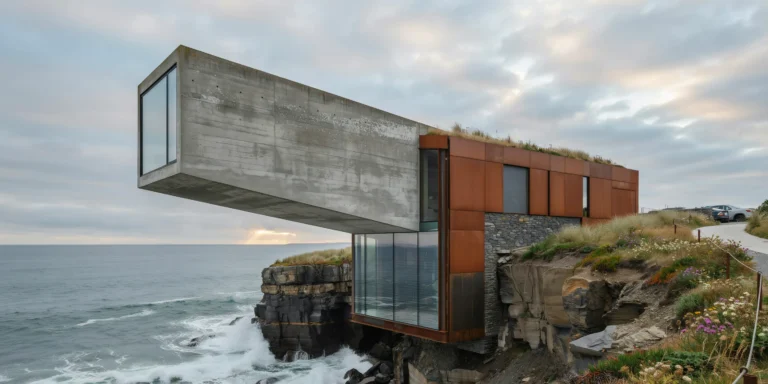
A photorealistic render of a mid-20th century modernist embassy building in a leafy diplomatic quarter of a northern European capital, a five-story building constructed in 1962 and now heritage-listed, photographed during a careful exterior restoration. Architecture: The building is a classic example of American modernist embassy architecture of the early 1960s — a free-standing rectangular block (approximately 45m x 22m floor plate, five stories above a raised ground floor) elevated on widely-spaced cruciform concrete columns (pilotis, each 600mm x 600mm, painted white) creating an open ground floor colonnade. The primary facade material is a curtain wall of alternating solid spandrel panels and window strips — the spandrels in hand-laid mosaic tile (25mm x 25mm ceramic tiles in a graduated palette from warm ivory at the lower floors to pale sky blue at the upper floors), the window strips in anodized bronze aluminum frames with original single-glazed reflective glass. Canopy: A dramatically cantilevered concrete entrance canopy (18m wide x 6m projection, 300mm thin slab, white painted soffit) extends from the main facade above the entrance, its underside decorated with a large-scale abstract ceramic mural (original 1962 commission) in cobalt blue, gold, white, and black. Garden: The building is set within its original 1960s landscape design — a formal approach path in large-format precast concrete paving (600mm x 600mm, exposed aggregate finish in gray) flanked by symmetrically-planted silver birch trees (12 trees, currently in full autumn gold foliage) and low box hedging clipped to 400mm height. A shallow reflecting pool (12m x 3m, dark-painted concrete, calm water) in front of the entrance canopy mirrors the building facade. The flagpole (stainless steel, 15m tall) with the national flag at full dress in a light breeze. Restoration works: Scaffolding is partially visible on the right flank of the building — a scaffold tower (standard British tube-and-fitting system) against which restoration workers in high-visibility vests are carefully cleaning and re-grouting the mosaic tile spandrels using a lime-based pointing mortar. A conservation specialist's equipment (portable mortar mixer, sample boards with tile replacements in matching colors, documentation drawings pinned to a board) visible at the scaffold base. Sky: An overcast autumn afternoon in northern Europe — cool diffuse gray light that renders the mosaic tile colors accurately without glare or harsh shadows, the ideal condition for conservation documentation. The silver birch foliage glows yellow-gold against the pale sky. Camera angle: From the approach path at 30m distance, slightly off-axis to the right, looking toward the main facade and entrance canopy. The reflecting pool in the foreground, the scaffolding visible on the right flank, the birch allée framing the approach. Focal length equivalent 35mm. Aspect ratio 16:9. Time of day: 2:00 PM, mid-October, overcast.

Before & After

Before - original sketch
Before
After - AI render
After

Ideal for mid-century institutional heritage restoration and diplomatic building projects. Upload original construction drawings.
Getting Started with This Prompt

1

Grab the Prompt

Tap the copy button above and the entire prompt will be saved to your clipboard, ready to use.

2

Launch Your Renderer

Head over to Archfine AI or any compatible visualization tool you prefer working with.

3

Add Your Design

Drop in your floor plan, elevation sketch, or any reference image - then paste the prompt.

4

Render & Refine

Run the generation and review the output. Swap out a few keywords to explore completely different aesthetics.

Want a faster workflow? Archfine AI lets you skip prompt editing entirely - just upload and render.

How to Get Stronger Renders

1

Describe the Scene

Mention specific materials, time of day, weather, and camera perspective. The more context the AI has, the more realistic the output becomes.

2

Run Multiple Passes

Each generation is unique. Changing even a single adjective can shift the entire mood - so experiment freely and compare outcomes.

3

Blend Prompts Together

Borrow phrases from other entries in our collection and merge them. Hybrid prompts often deliver the most original visuals.

4

Start with a Clean Drawing

Crisp linework and high-contrast sketches give the AI a clear foundation. Blurry or cluttered inputs lead to softer, less defined renders.

Common Questions About This Prompt

Am I allowed to edit or customize this prompt?

Of course. Think of it as a foundation you can build on. Adjust the style, swap materials, change the lighting setup, or rewrite entire sections to fit your specific project needs.

Which rendering platform does this prompt work with?

It has been fine-tuned for Archfine AI, but the descriptive structure translates well to other popular AI visualization engines. You may need minor adjustments depending on the tool.

Does using this prompt cost anything?

Every prompt in our library is completely free. You can copy, adapt, and use them across personal portfolios, client presentations, or commercial marketing materials without restrictions.

What kind of input image gives the best output?

Clean line drawings with strong contrast tend to perform best. The AI reads edges, proportions, and spatial relationships from your input - so a well-drawn elevation or section will consistently outperform a rough napkin sketch.

Can I use the rendered image commercially?

Yes. Renders generated through Archfine AI on any paid plan come with full commercial usage rights. Use them in proposals, publications, social media, or anywhere else your work needs to shine.

Try this prompt yourself

Upload your own sketch and use this prompt to generate a stunning render.

Try on Archfine