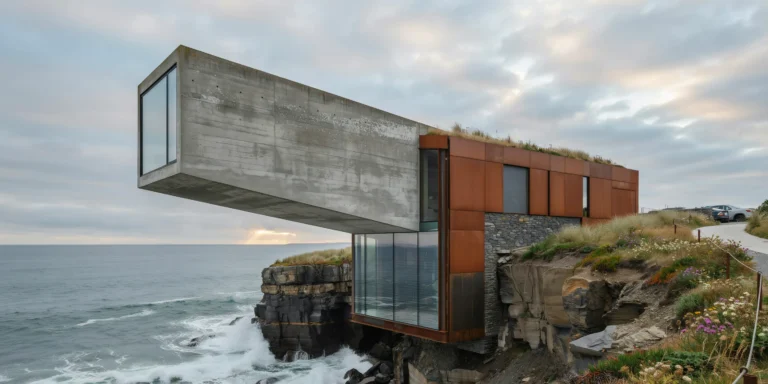
Megaform Housing Terrace

Megaform Housing Terrace

Mediterranean Social 23 seconds 26 May 2026

Prompt Used

A photorealistic render of a large-scale stepped social housing megaform on a steeply sloping hillside site in Lisbon's Mouraria district, a contemporary building of approximately 120 apartments organized as a series of cascading terraces that follow the hill contour. Each apartment has a generous south-facing private terrace (minimum 12 square meters) that serves as the roof of the apartment below, creating a continuous terraced landscape. Architecture: The building is organized in eight stepped tiers, each tier set back approximately 3m from the one below to create the terrace depth. The facade material is handmade azulejo tile — each apartment's parapet and return walls clad in a different hand-painted tile pattern in the Portuguese tradition, the designs coordinated but not identical, creating a rich tapestry of blue and white geometric and figurative motifs when seen as a whole. The structural frame is exposed concrete (white-pigmented, board-formed with horizontal 150mm plank texture) visible at the slab edges and columns between the tile panels. Terraces: Each terrace is a genuine outdoor room — wide enough for a dining table and chairs, a clothes line with laundry drying in the sun, terracotta pots with herbs and seasonal flowers. Some terraces have makeshift pergolas with bamboo shade structures or stretched canvas awnings. The accumulated human occupation of the terraces gives the building a lived-in Mediterranean character — a glimpse of real domestic life at scale. Landscape: The building is set within the dense Lisbon urban fabric — below it, a steep cobblestone alley (calçada portuguesa, black and white limestone mosaic) leads down to the old Mouraria neighborhood, the red-tiled rooftops and whitewashed walls of the historic fabric visible beyond. Above the building, the castle walls of the São Jorge castle crown the hill in warm limestone. In the far background, the Tagus river estuary is visible as a silver-blue horizontal band. Sky: A clear Lisbon spring afternoon — deep blue sky, strong direct sun from the southwest casting dramatic shadows under each terrace slab edge, the horizontal shadow lines emphasizing the cascading section of the building. Camera angle: Elevated perspective from across the valley on the opposite hill, approximately 150m distance, looking north toward the building and hillside. The full section of the cascading terraces is legible, as is the relationship to the castle above and the historic fabric below. Focal length equivalent 50mm. Aspect ratio 16:9. Time of day: 3:30 PM, late April, bright Mediterranean afternoon light.

Before & After

Before - original sketch
Before
After - AI render
After

Ideal for large-scale social housing and hillside urban housing projects. Upload site topography or massing models.
Getting Started with This Prompt

1

Grab the Prompt

Tap the copy button above and the entire prompt will be saved to your clipboard, ready to use.

2

Launch Your Renderer

Head over to Archfine AI or any compatible visualization tool you prefer working with.

3

Add Your Design

Drop in your floor plan, elevation sketch, or any reference image - then paste the prompt.

4

Render & Refine

Run the generation and review the output. Swap out a few keywords to explore completely different aesthetics.

Want a faster workflow? Archfine AI lets you skip prompt editing entirely - just upload and render.

How to Get Stronger Renders

1

Describe the Scene

Mention specific materials, time of day, weather, and camera perspective. The more context the AI has, the more realistic the output becomes.

2

Run Multiple Passes

Each generation is unique. Changing even a single adjective can shift the entire mood - so experiment freely and compare outcomes.

3

Blend Prompts Together

Borrow phrases from other entries in our collection and merge them. Hybrid prompts often deliver the most original visuals.

4

Start with a Clean Drawing

Crisp linework and high-contrast sketches give the AI a clear foundation. Blurry or cluttered inputs lead to softer, less defined renders.

Common Questions About This Prompt

Am I allowed to edit or customize this prompt?

Of course. Think of it as a foundation you can build on. Adjust the style, swap materials, change the lighting setup, or rewrite entire sections to fit your specific project needs.

Which rendering platform does this prompt work with?

It has been fine-tuned for Archfine AI, but the descriptive structure translates well to other popular AI visualization engines. You may need minor adjustments depending on the tool.

Does using this prompt cost anything?

Every prompt in our library is completely free. You can copy, adapt, and use them across personal portfolios, client presentations, or commercial marketing materials without restrictions.

What kind of input image gives the best output?

Clean line drawings with strong contrast tend to perform best. The AI reads edges, proportions, and spatial relationships from your input - so a well-drawn elevation or section will consistently outperform a rough napkin sketch.

Can I use the rendered image commercially?

Yes. Renders generated through Archfine AI on any paid plan come with full commercial usage rights. Use them in proposals, publications, social media, or anywhere else your work needs to shine.

Try this prompt yourself

Upload your own sketch and use this prompt to generate a stunning render.

Try on Archfine