
Loading the agreement generator…The agreement generator could not load. Please reload the page.
A free general template, not legal advice. Laws differ by state and country, so have the agreement checked by a licensed attorney before you sign it.
This contractor agreement generator turns a short form into a written agreement between a property owner and a contractor. Enter the parties, the scope of work, dates, the price and how it is paid, then choose the clauses you need. The agreement builds itself in a live preview, ready to print, save as a PDF, download for Word or copy.
It is written for home renovation and small construction jobs such as a kitchen remodel, a bathroom or an addition. Homeowners can put a verbal quote on paper, contractors get a starting template, and architects and designers can check what each bidder is actually promising. Everything stays in your browser, and the result is a general template, not legal advice.
How to use the contractor agreement generator
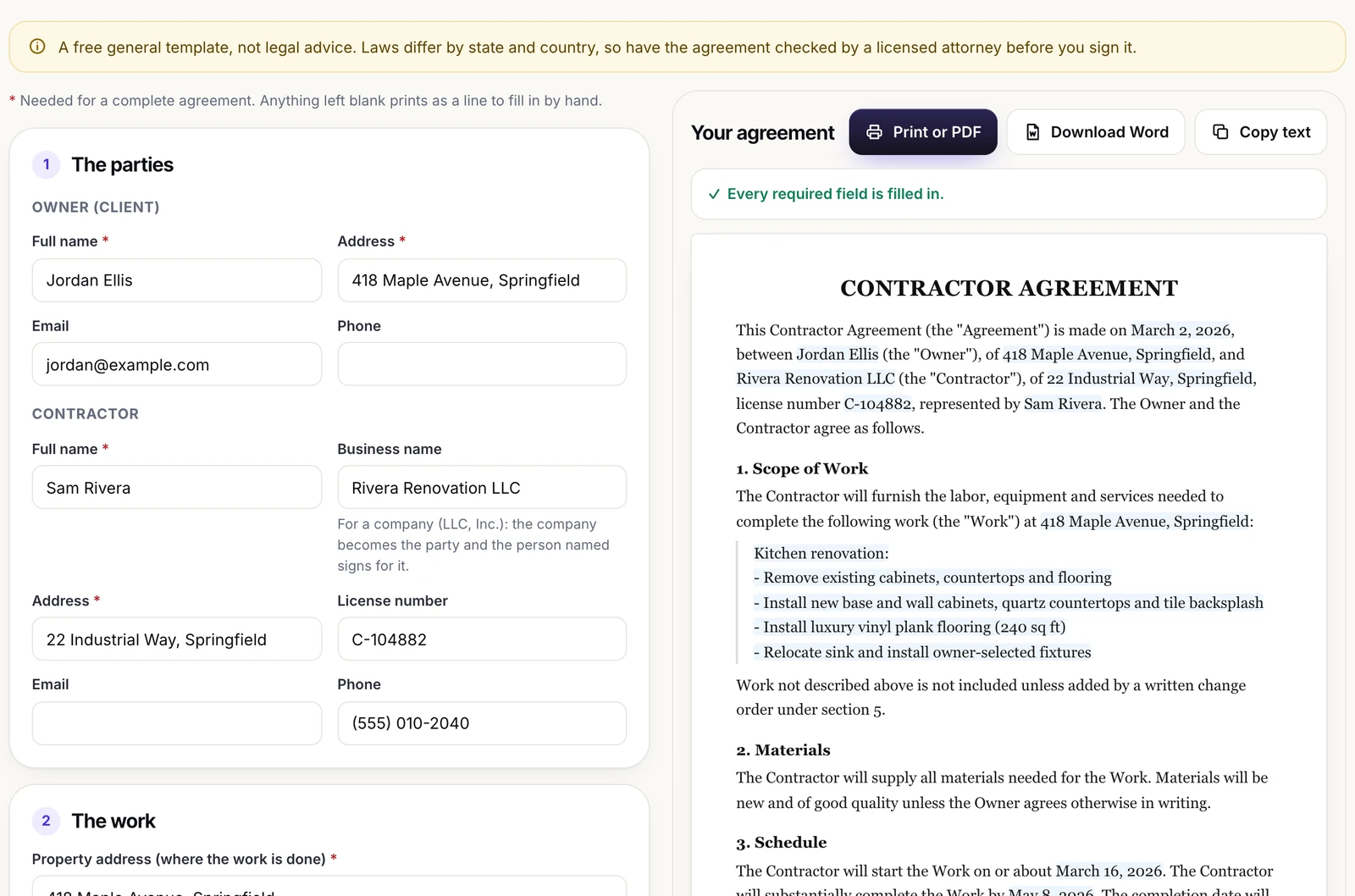
- Name the parties. Enter the owner’s name and address, then the contractor’s. If the contractor works through a company, add the business name: the company becomes the party and the person you named signs for it with a By, Name and Title line. License number, email and phone are optional.
- Describe the work. Add the property address, the scope of work (one item per line works well), the start and completion dates, and who supplies the materials: the contractor, the owner, or as listed in the scope.
- Set the price. Choose a fixed price, or an hourly rate plus materials with an optional not-to-exceed amount. Add a deposit, up to 12 scheduled payments, the days each invoice is due within and an optional monthly late charge, in USD, EUR, GBP, CAD or AUD.
- Choose the terms. Permits, insurance, warranty, lien releases, subcontractors and site cleanup start switched on; untick any you do not want. The right to cancel starts off. Then set the time allowed to fix a breach, the governing law and how disputes are handled.
- Finish and export. Enter the agreement date and any additional terms, then use Print or PDF, Download Word or Copy text above the preview.
The Fill in an example button loads a complete kitchen renovation you can read and then overwrite. Any required field left empty prints as a blank line to fill in by hand, and a list above the preview names each one and jumps to it. Your answers are saved only in this browser; Clear the form removes them, with an undo.
What the generated agreement contains
The agreement is numbered in a fixed order. These sections are always included: Scope of Work, Materials, Schedule, Price and Payment, Changes to the Work, Independent Contractor, Termination, Disputes, Governing Law and Entire Agreement, followed by signature blocks. Additional Terms appears only when you type something in that box, and a short “not legal advice” note closes the document unless you switch it off. The optional clauses below are controlled by checkboxes in the Terms step.
| Clause | Starts | What the generated text says |
|---|---|---|
| Permits and Codes | On | Contractor obtains permits and arranges inspections; work follows the codes that apply |
| Insurance | On | Contractor carries general liability and workers’ compensation as the law requires; owner keeps the property insured |
| Warranty | On | Workmanship defects corrected free for the number of months you set |
| Lien Releases | On | Lien releases or waivers for paid work, on the owner’s request |
| Subcontractors | On | Subcontractors allowed; contractor stays responsible for their work |
| Site and Cleanup | On | Clean site, protection of the property, debris removal, access and utilities |
| Right to Cancel | Off | Owner may cancel within the business days you set, with a refund |
What a contractor agreement should cover
California’s Contractors State License Board sums up the purpose in its guidance on contracts and binding agreements: a good contract says how the work will be done, when, with what materials and for how much. The sections below follow the order of the agreement the tool writes.
Scope of work
The scope is where most disputes start, because a vague line can be read two ways. Write what will be built, removed, repaired or installed, room by room, with quantities and finishes. The same CSLB page gives a useful test: write “install oak kitchen cabinets, manufactured by Company XYZ, model 01381A, as per the plan,” not just “install kitchen cabinets.” Say what is not included as well.
The generated agreement states that work not described is not included unless added by a written change order, so the scope becomes the boundary of the price. Refer to drawings in the scope and attach them: a rendered floor plan is easier for an owner to check than a paragraph, and a guide to building materials and where each one works best helps both sides agree on quality before anything is ordered.
Materials and schedule
When the contractor supplies materials, the agreement says they will be new and of good quality unless the owner agrees otherwise in writing. When the owner supplies them, the owner delivers them in time for the schedule and the contractor is not responsible for their defects. The schedule records a start date “on or about” the date you enter and a date for substantial completion, extended for delays the contractor could not reasonably control, such as severe weather, the owner’s changes or late decisions, and permit or inspection delays. The preview warns you if the completion date falls before the start date.
Price types, deposits and payment schedules
Fixed price or hourly rate plus materials
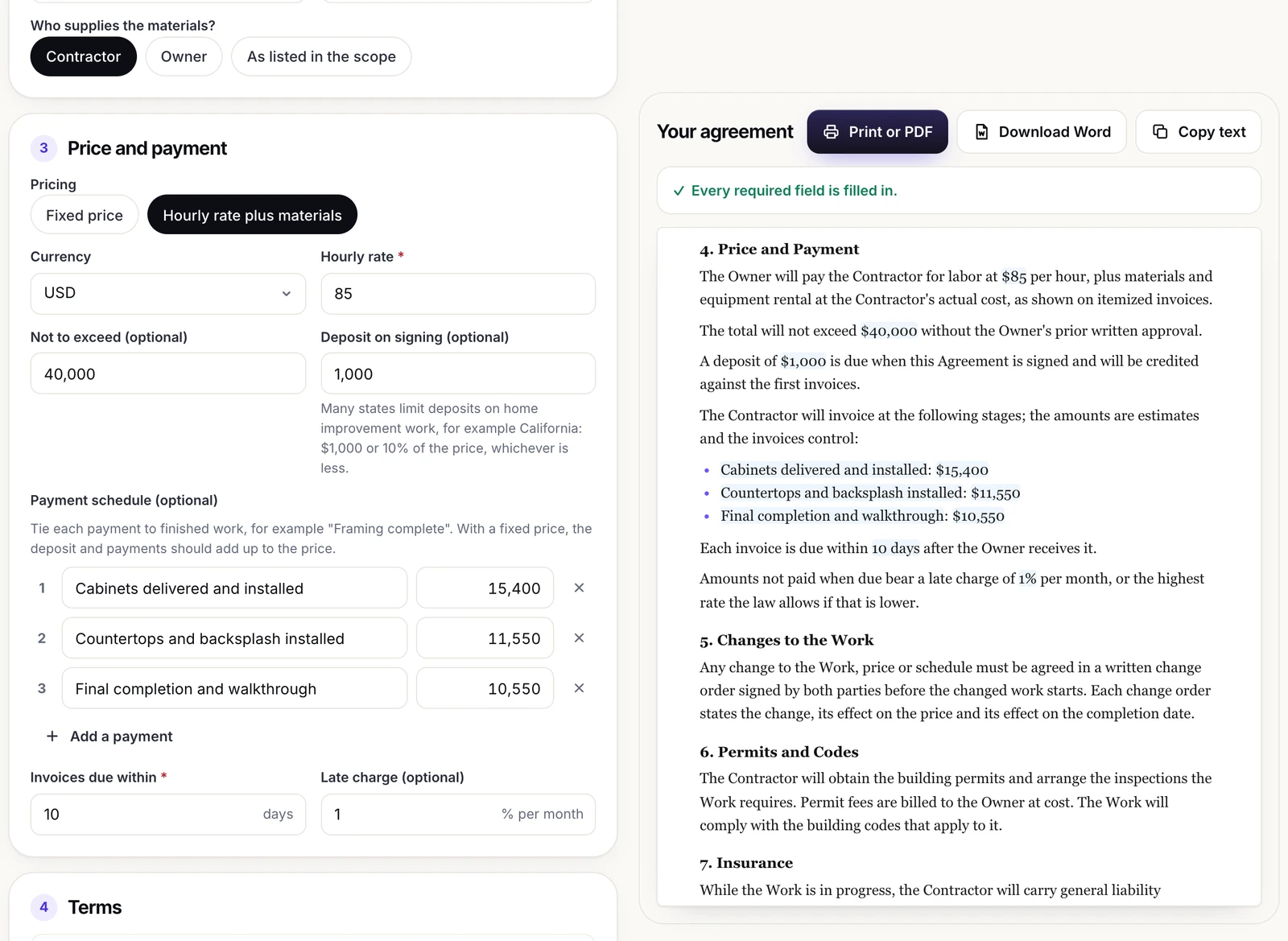
With a fixed price, the owner pays one agreed amount for the scope, and only written change orders can move it. The contractor carries the risk of the job taking longer, so a fixed price needs a specific scope. With the hourly option, the owner pays the hourly rate for labor plus materials and equipment rental at the contractor’s actual cost, shown on itemized invoices. That suits work whose size is hard to know in advance, such as repairs behind walls, but the owner carries the risk of overruns. The optional not-to-exceed amount limits it: the total cannot go above that figure without the owner’s prior written approval.
Before agreeing on either type, know roughly what the work should cost. Our renovation cost calculator prices a remodel room by room, and the tiny house cost calculator does the same for a small build, so you can compare quotes against a planning figure.
Deposit and payment schedule
A deposit is due on signing and is credited against the price, or against the first invoices with hourly pricing. States can limit how much a contractor may ask for up front. In California, the CSLB says the down payment on a home improvement job should never exceed 10 percent of the contract price or $1,000, whichever is less, with an exception for contractors who have a blanket performance and payment bond on file. Check the rule where the property is.
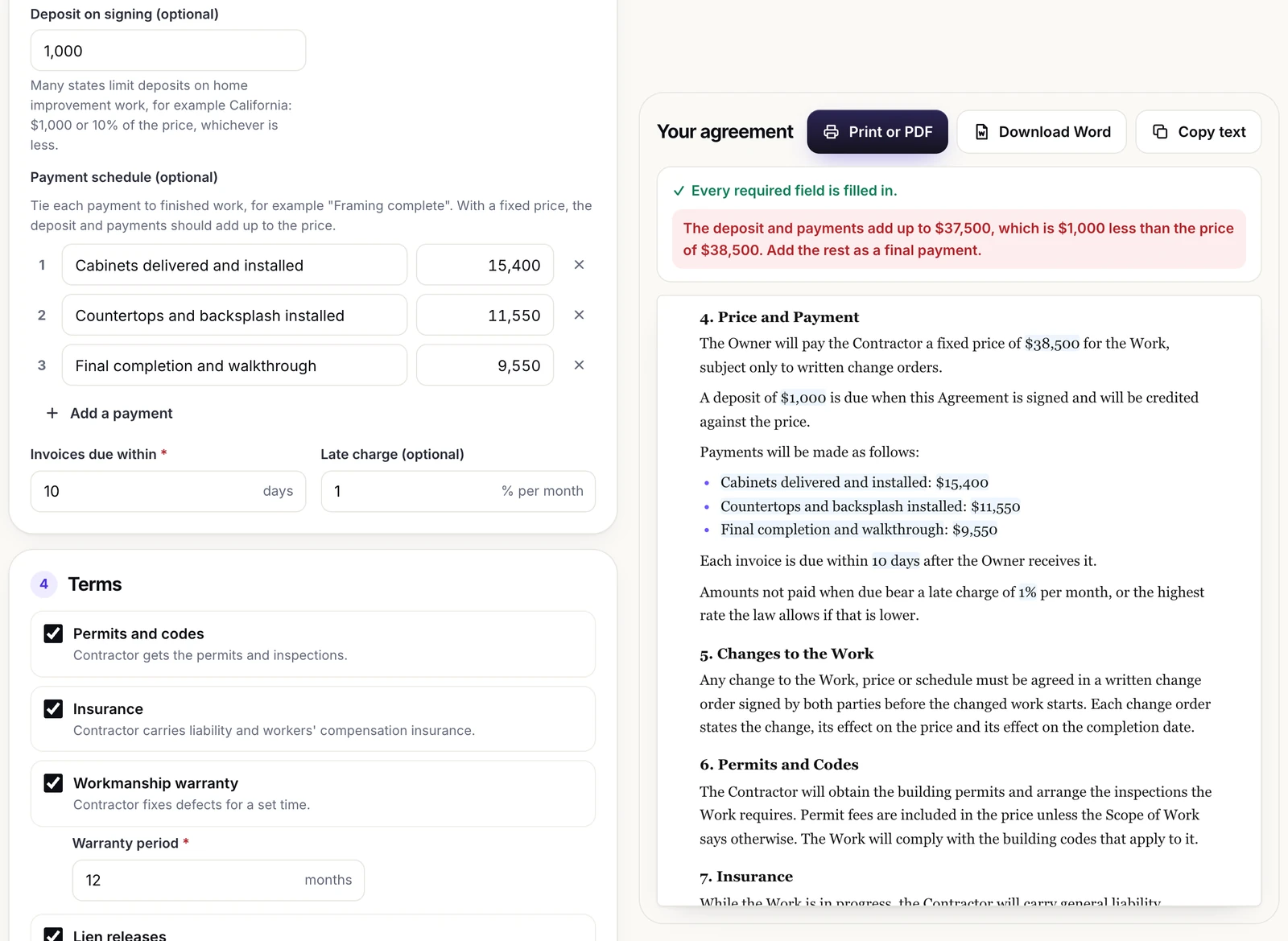
Tie each payment to finished work, such as “Rough-in inspection passed,” rather than to calendar dates, so the money stays in step with progress. With a fixed price, the deposit and the payments should add up to the price, and the generator checks this: if they do not, it shows the total, the difference and a prompt to add the rest as a final payment. With no schedule on a fixed price job, the price less any deposit is due on completion. With hourly pricing, the stages become invoice points whose amounts are marked as estimates. An optional late charge is a monthly percentage, limited to the highest rate the law allows if that is lower.
Changes to the work
Every agreement the tool writes requires a written change order signed by both parties before changed work starts, stating the change and its effect on the price and the completion date. Owners often skip this by agreeing an extra on site and settling it later. A signed change order before the work is what keeps the final invoice from becoming an argument.
Permits, insurance, warranty and liens
Permits and codes
With this clause on, the contractor obtains the permits and arranges the inspections the work requires. Under a fixed price, permit fees are included unless the scope says otherwise; under hourly pricing, they are billed at cost. Approval systems vary by country: the UK government’s guidance on building regulations approval, for example, notes that it is different from planning permission and that a project might need both.
Insurance and warranty
The contractor carries general liability and workers’ compensation insurance as required by law and provides certificates on request; ask for them before work starts. The warranty covers defects in workmanship for the months you enter, counted from substantial completion, and excludes misuse, neglect, normal wear and work by others. Manufacturer warranties pass to the owner.
Lien releases
In the United States, a mechanic’s lien is a security interest in a property for those who supplied labor or materials to improve it. Subcontractors and suppliers usually contract with the general contractor, not the owner, yet they can be entitled to liens on the owner’s property to secure their payment. The generated clause therefore lets the owner ask, with each payment request, for lien releases or waivers covering paid work from the contractor, its subcontractors and suppliers. Lien rules and forms differ by state.
Cancellation, termination and disputes
Right to cancel
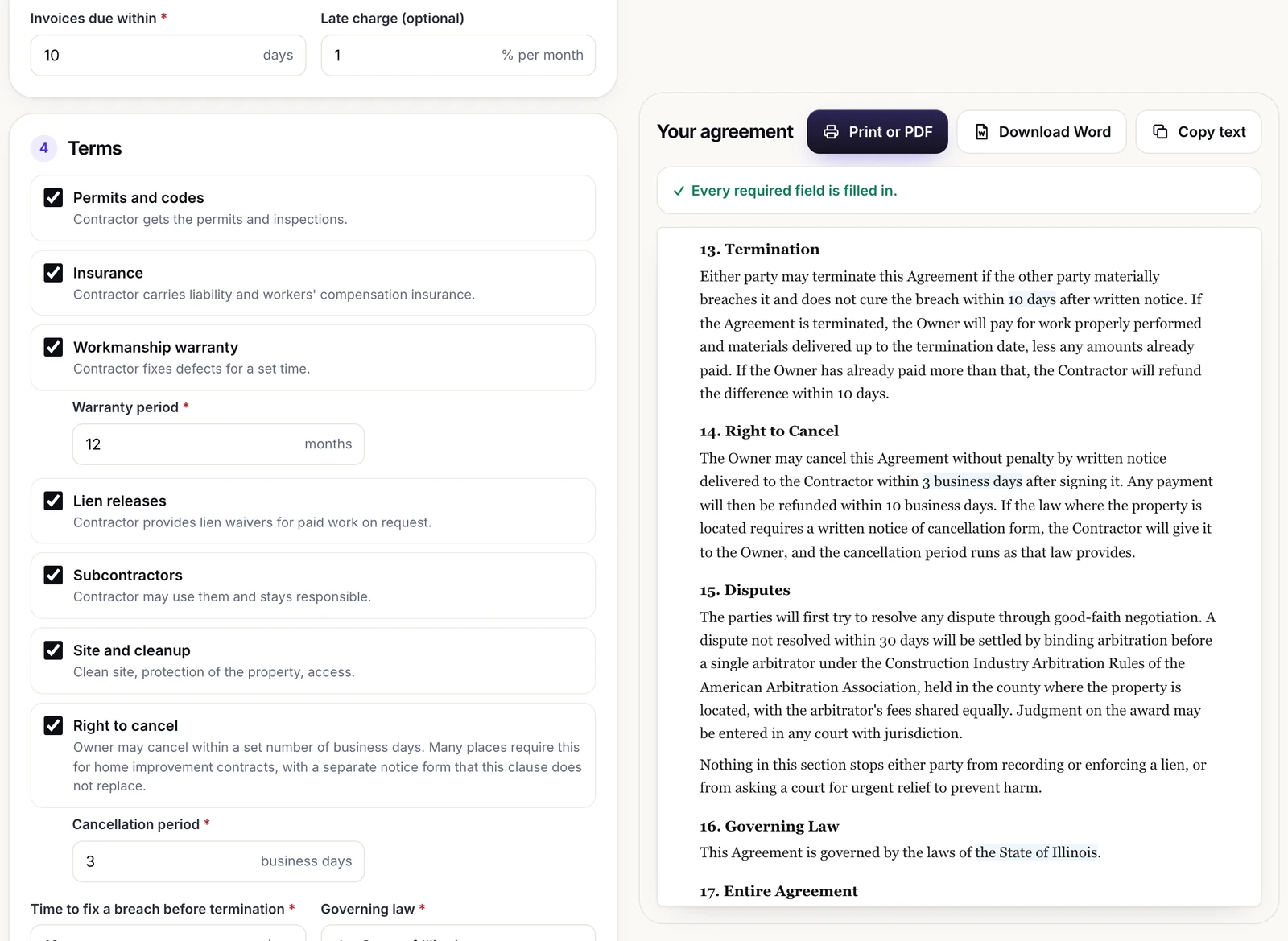
With this clause on, the owner may cancel without penalty by written notice within the business days you set, and any payment is refunded within 10 business days. Cancellation rights for home improvement contracts depend on local law; the CSLB page linked above, for instance, says a California homeowner may cancel within three days of signing. The clause does not replace a required notice form: if local law requires one, the contractor provides it and the period runs as that law says.
Termination
Either party may end the agreement if the other materially breaches it and does not fix the breach within the days you set after written notice. The owner then pays for work properly performed and materials delivered, less amounts already paid, and any overpayment is refunded within 10 days.
Disputes and governing law
Each dispute option starts with 30 days of good-faith negotiation. Mediation first sends an unresolved dispute to a mediator before anyone sues. Binding arbitration uses a single arbitrator under the American Arbitration Association’s construction rules, in the county where the property is. Cornell’s Legal Information Institute notes in its entry on arbitration that it is the alternative closest to going to court and that mandatory arbitration clauses are controversial, so choose it deliberately. Local courts leaves the dispute to the courts with jurisdiction over the property. In every case, both parties keep the right to enforce a lien or ask a court for urgent relief. Governing law is free text, for example “the State of Texas.”
Example: a kitchen renovation agreement
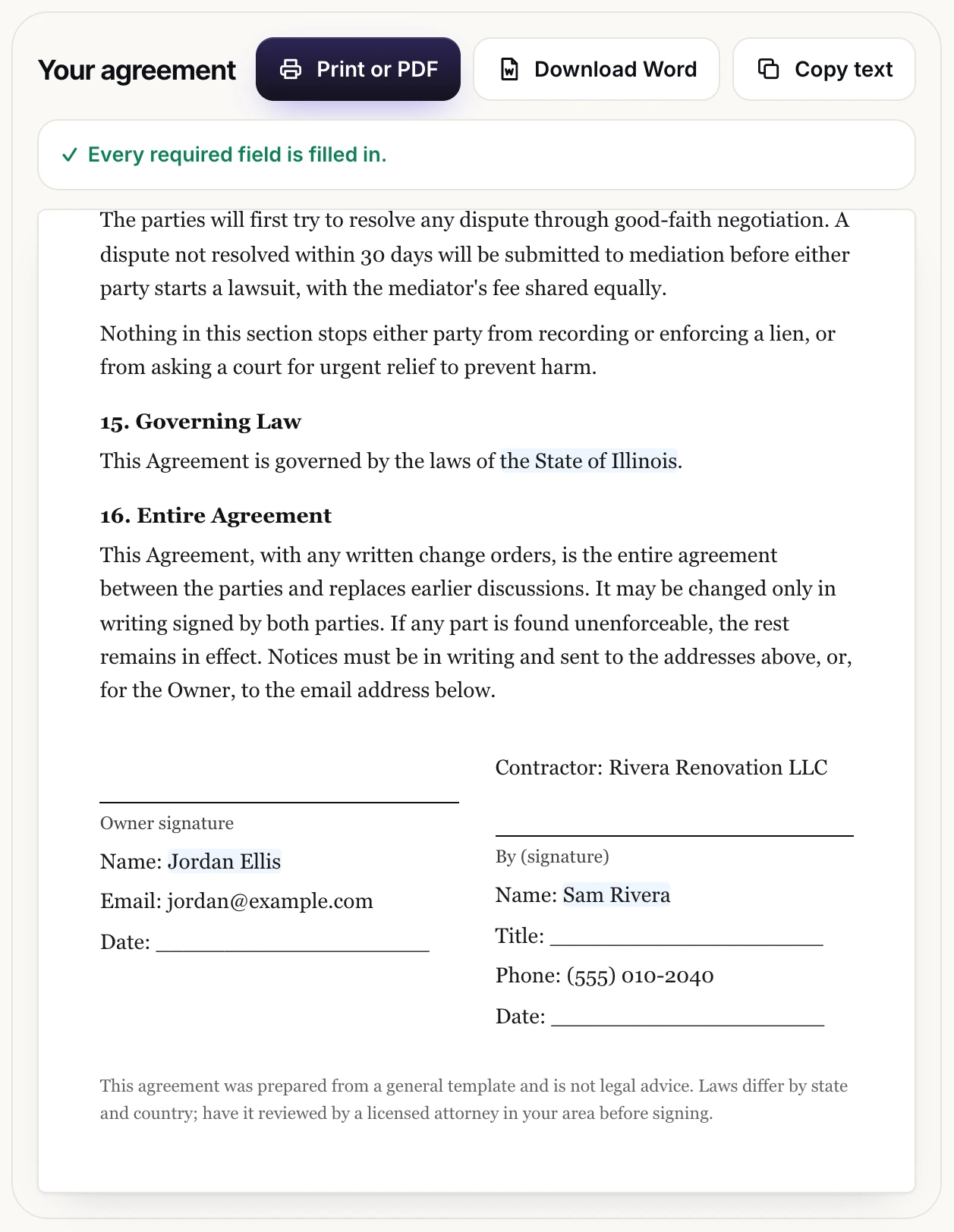
In the built-in example, owner Jordan Ellis hires Rivera Renovation LLC, represented by Sam Rivera, to renovate a kitchen in Springfield: new cabinets, quartz countertops, a tile backsplash, 240 sq ft of vinyl plank flooring and a relocated sink. The fixed price is $38,500. A $1,000 deposit and three stage payments of $15,400, $11,550 and $10,550 add up exactly to the price, so no warning appears. Invoices are due within 10 days, the warranty runs 12 months, disputes go to mediation first, and the laws of the State of Illinois govern the agreement. Because a business name is entered, the company is the Contractor and signs through a By, Name and Title block.
Using it as an architect or designer
Architects and interior designers are often asked, “Is this contract fair?” Filling in the contractor agreement generator with a bidder’s terms makes gaps obvious: no change order process, no warranty period, no lien releases. Put your drawing and specification references into the scope so the price is tied to your documents. If a client struggles with technical drawings, see our article on presenting a design concept to a client without a technical background. Your own services agreement with the client is a different document, and the generator does not write it.
What the generator does not include
The tool writes one general owner-contractor agreement in English. It does not check the law of your state or country, add state-specific notices, produce a notice of cancellation form, create lien release forms, or write subcontracts. It has no e-signature, no payment handling and no share link, and nothing you type is sent to a server.
This page and the agreement it produces are general information, not legal advice. Contract, licensing, deposit, cancellation and lien rules differ by state and country, so have the agreement reviewed by a licensed attorney where the property is located before you sign it.
Frequently asked questions
Is an agreement from a contractor agreement generator legally binding?
A signed agreement can be binding, but whether each clause is enforceable depends on the law where the property is, and some places require specific wording or notices. Treat the generated text as a starting point and have a licensed local attorney review it before anyone signs.
What should a contractor agreement include?
The parties, the property address, a specific scope of work, start and completion dates, the price and payment dates, how changes are approved, and how either side can end the agreement or resolve a dispute. Permits, insurance, warranty, lien releases and a right to cancel are common additions.
Should I choose a fixed price or an hourly rate?
A fixed price suits a clear, detailed scope, because the contractor carries the risk of extra time. An hourly rate plus materials suits work that is hard to size in advance, but the owner carries the risk of overruns, so add a not-to-exceed amount.
How much deposit can a contractor ask for?
It depends on where the property is. California, for example, limits the down payment on home improvement work to 10 percent of the price or $1,000, whichever is less, with a bond exception. Check your local rules.
Do I need a written contract for a small job?
A written agreement is worth having on any job. Some states require one above a set amount: in California, home improvement projects over $500 in combined labor and materials need a written contract.
Is what I type saved anywhere?
Only in your own browser, so you can return to it on the same device. Nothing is sent to a server, and there is no share link. Clear the form removes your answers.